



mar805cus
Members
-
Joined
-
Last visited
Everything posted by mar805cus
-
Working?
-
Why a laptop, with 1,000$ u can do a pc that is good! don't buy laptop for this price
-
FiveM it's different depend on the resource of the server, how many player are on, depend on the artifacts on a lot of stuff, but seems a normal pc to play 😉
-
Verify the Game File
-
Can you explain better the situation?
-
No problem if i helped way in anyway u can vote me, or find me in the future ❤️
-
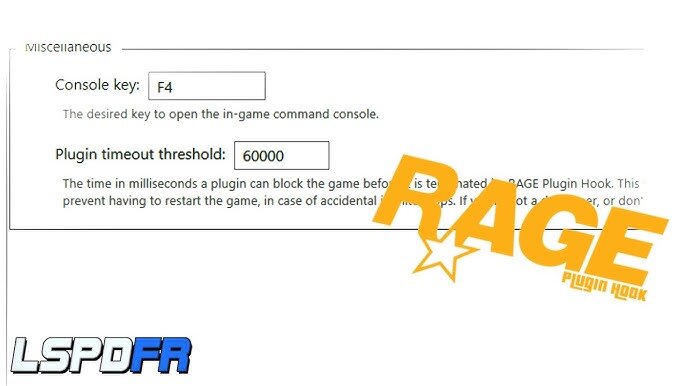
Put 6000 of the timeout as in the picture
-
you unistalled what?
-
happy about that!
-
This gonna help you https://www.gta5-mods.com/vehicles/faster-ai-drivers
-
Check the texture files are loading on Open IV
-
This will fix your problem, i am 100% sure! https://www.gta5-mods.com/tools/packfile-limit-adjuster
-
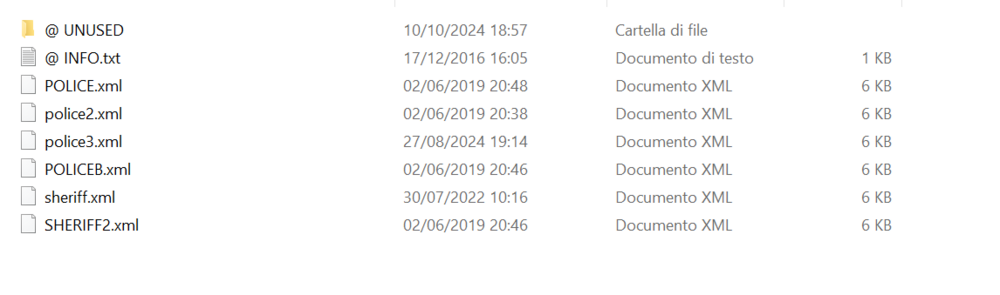
Check if u have all the xml files of the car that you want to use for the ELS
-
Check and reinstall all the Eup file, provide log of rage!
-
Provide us the log
-
Can you provide more information? what type of mod? Change the folder name of mod in _mod
-
In the Rage Plugin Hook log i don't see any crash, check if it's not the game that crash ❤️
-
Send screen of main folder, plugin one
-
-
Hey for the start send me screen about the main folder, and the plugin one.Yes remove all the files, and reinstallHey, try to use this: https://www.gta5-mods.com/misc/gta-5-gameconfig-300-carsThe error indicates that the IPT.Common.dll file is an older version than what is requiredDo you have any antivirus/firewall? Do own a legit copy of the game, in wich launcher?



