ZachYr
Members
-
Joined
-
Last visited
Everything posted by ZachYr
-
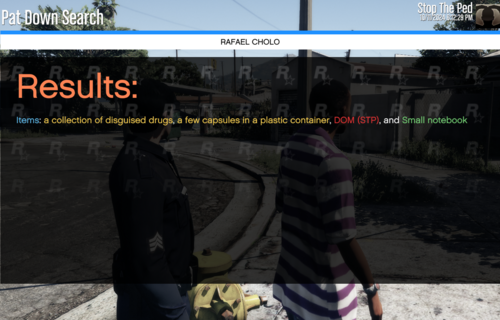 Stop the Ped: Modified Pat Down Items is a modification of the "PatDownItems.xml" file in the STP folder, adding more items you can find when patting someone down. Modified for StopThePed, made by BejoIjo on www.bejoijo.com/ This modification includes: 130+ Red Items 120+ Yellow Items 100+ Green Items The red items contain concealable firearms, drugs, explosives, and other miscellaneous items. The yellow items contain suspicious items like pipes with mysterious powder, baggies, pills, and more. The green items contain everyday legal items. You can't arrest someone for them. Downloading Steps: • First, download Stop the Ped: Modified Pat Down Items by ZachYr • Go to your main Grand Theft Auto V directory (where GTA.exe and your plugins folder are located) • Back up any modified files • Drag and drop Plugins • Load up Grand Theft Auto with RagePluginHook • Enjoy!