
Vixloi
Members
-
Joined
-
Last visited
Files posted by Vixloi
-
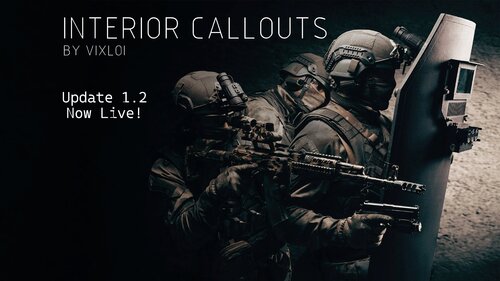
Major Update 1.2.0 Now Live! New Levels Added!
Showcase Video
ABOUT
Interior Callouts is a unique callouts pack that utilizes Enable All Interiors to create intense, realistic police/SWAT scenarios. Each callout is meticulously crafted to provide a sense of real-life police interactions, where people are inherently unpredictable. This callout uses randomized probability to decide on the behavior of every single AI in each call, ensuring multiple different outcomes and maximum replayablility.
While there are only two callouts in the pack at the moment, each provides a unique experience.
Trespassing – A police scenario, with multiple different locations and 25 different outcomes. Barricaded Suspects – A police or SWAT scenario, with 3 locations and an almost infinite number of outcomes, no playthrough will be exactly the same. There will be certain objectives to achieve during every scenario, which will be scored at the end of the mission.
With over 20,000 lines of code, this callout pack is an ambitious project. If you appreciate my work, feel free to show your support here. Please leave a review!
https://buymeacoffee.com/vixloi
REQUIREMENTS
Enable All Interiors (Version 33.0 or Above)(NOT Included) https://www.gta5-mods.com/scripts/enable-all-interiors-wip
ScriptHookV (Latest Version)(NOT Included) http://www.dev-c.com/gtav/scripthookv/
ScriptHookVDotNet-Nightly (Latest Version)((NOT Included) https://github.com/scripthookvdotnet/scripthookvdotnet-nightly/releases
RECOMMENDATIONS
StopThePed (So suspects don’t despawn after the callouts ends) https://www.bejoijo.com/post/stop-the-ped
Immersive Effects (For realistic effects from firearms) https://www.lcpdfr.com/downloads/gta5mods/scripts/39799-immersive-effects/
Weapon Control (For single, burst, or full auto fire) https://www.lcpdfr.com/downloads/gta5mods/scripts/47141-weaponcontrol/
INSTALLATION
1. Download Enable All Interiors and unzip the file.
2. While in the “scripts” folder, open EnableAllInteriors.ini and change the following settings under [MISC]:
a. ENABLEMARKERS_TELEPORT = True
b. ENABLEBLIPS = True
3. Drag and drop the ENTIRE “scripts” folder from the “Enable All Interiors Mod Files” folder into the GTAV Root Directory Folder. The whole scripts folder is transferred.
(EX: E:\SteamLibrary\steamapps\common\Grand Theft Auto V)
4. Download ScriptHookV and unzip the file.
5. Open the “bin” folder. You can safely delete the following files (optional):
a. NativeTrainer.asi
6. Drag and drop EVERYTHING from the “bin” folder into the GTAV Root Directory Folder.
(EX: E:\SteamLibrary\steamapps\common\Grand Theft Auto V)
7. Download the latest version of Script Hook V Dot Net Nightly from the GitHub page under “Assets”. Unzip the file.
8. Open the unzipped ScriptHookVDotNet-v folder. Drag and drop EVERYTHING from the “ScriptHookVDotNet-v” into the GTAV Root Directory Folder.
(EX: E:\SteamLibrary\steamapps\common\Grand Theft Auto V)
9. Download the InteriorCallouts files from the LSPDFR page and unzip it.
10. Open the unzipped InteriorCallouts folder. Open the IC_INSTALL_FILES folder.
11. Drag and drop EVERYTHING from the IC_INSTALL_FILES folder into the GTAV Root Directory Folder
(EX: E:\SteamLibrary\steamapps\common\Grand Theft Auto V)
HOW TO PLAY
Barricaded Suspects
1. Ensure LSPDFR is loaded, and you are on duty. You can either wait for the callout to spawn randomly or use a callout launcher.
2. Arrive on scene. Prepare equipment (armor, long guns, etc.).
3. The location of the entrance to the callout should be marked on your map with a white garage symbol.
Once you are at that location, you may see a blue circle, which you can stand inside and press “E” to enter the interior. If there isn’t a blue circle, look for enterable doors. You can just walk through these doors to enter the interior.
4. To command a suspect, aim your weapon at them, and then press Y to command them. (A prompt should pop up in the top left corner of your screen)
5. Continue to interact with them until an outcome occurs.
a. Some suspects may not respond to commands, this is intentional, and they may also walk away from you.
b. If the use of deadly force is necessary, use it.
c. If a suspect is compliant or has given up after the interaction has finished, arrest them (with StopMyPed or LSPDFR Vanilla Arrest) and move on.
6. Defend yourself if necessary. Some suspects may not want to talk.
7. Go slow, be careful. You can die easily.
8. Complete all objectives. Objectives will pop up as completed when they are fully finished. Your performance will be scored at the end.
9. Once all suspects, civilians and objectives have been completed, a prompt will show up to end the callout. Attend to the leftover suspects as you see fit.
Trespassing
1. Ensure LSPDFR is loaded, and you are on duty. You can either wait for the callout to spawn randomly or use a callout launcher.
2. Arrive on scene. The location of the entrance to the callout should be marked on your map with a white garage symbol.
Once you are at that location, you may see a blue circle, which you can stand inside and press “E” to enter the interior. If there isn’t a blue circle, look for enterable doors. You can just walk through these doors to enter the interior. (Common for gas stations, barber shops, etc.)
3. Press Y to interact and talk with the suspect
4. Continue to talk to the suspect until an outcome occurs
BUG REPORTING & TROUBLESHOOTING
Please report all bugs in the callout pack on the LSPDFR mod page or message me on Discord @ Vixloi
If nothing is working, ensure all requirements are properly installed. If still not working, fully delete the callout and requirements, and do a fresh install. If Interiors are not enterable, confirm EnableAllInteriors is installed correctly, with the latest version of SCHVDN-Nightly. Note: If your computer is considered a “potato” it is highly likely that EAI and this callout will not run correctly. This callout is performance intensive. If EnableAllInteriors is not working, try installing InteriorsV https://www.gta5-mods.com/scripts/interiorsv-scripthookv
ACKNOWLEDGEMENTS
Thank you to everyone in the LSPDFR Developers Discord for help with all my code.
Want to get started with your own callout pack? Feel free to message me.
Scanner audio was pulled from (with permission):
686Callouts AttemptedCrimeCallouts GrammarPolice ImmersiveAmbientEvents TypicalCallouts UnitedCallouts LSPDFR Generic Audio BasicCallouts
FUTURE PLANS
Barricaded Suspects New High Difficulty Locations: City Smelter Ron’s Scrapyard Clucking Bell New Medium Difficulty Locations: Bank Jewelry Store High rise apartment New Low Difficult Locations Single family home Small garage Hostage Taking Traps Suicide Bomber Breaking and Entering Callout DA Callout Noise Disturbance Callout CHANGELOG
Latest Version:
v1.2.7
Removed ScriptHookVDotNet-Nightly Updated read me file for clearer installation instructions Small bug fixes Suspects now have a chance to shoot back when shot at first
v1.2.6
Updated ScriptHookVDotNet-Nightly v1.2.5
Updated ScriptHookVDotNet-Nightly v1.2.4
Updated ScriptHookVDotNet-Nightly v1.2.3
Updated ScriptHookVDotNet-Nightly v1.2.2
Barricaded Suspects Fixed an issue where the peds would despawn on the Vespucci level if the player took too long to long to arrive on scene Updated ScriptHookVDotNet-Nightly v1.2.1
Barricaded Suspects Fixed an issue where you could always command a civilian on the Coroner level Fixed an issue where sometimes civilians would be invisible on the Burton level Added in a new INI file that can be used to turn on or off callouts and other various settings v1.2.0
Barricaded Suspects Added a new low difficulty location, Vespucci Apartments Added a new low difficulty location, Burton Apartments Fixed a bug that could cause a crash when a civilian pulled out their phone to record Added update checker Revamped dispatch voice lines when callouts spawn v1.1.1
Trespassing
Added twice as many more random ped models that could be chosen Fixed a bug that caused a crash when trying to choose a random animation Fixed a bug that caused a crash when trying to choose a ped model Added more robust checks to prevent crashing Added more dialogue for attack speech The player will now automatically talk to dispatch at certain times during the callout
v1.1.0
Updated ScriptHookVDotNet-Nightly v1.0.9
Updated ScriptHookVDotNet-Nightly v1.0.8
Updated the dispatch audio for when the callout spawns Barricaded Suspects Civilians now have a chance to quickdraw their phone and record ambiently or while they are resisting commands Suspects now have a chance to pull out a hidden smaller, secondary weapon and attack the player after they surrender but before they are cuffed Added a bunch of new closed caption dialogue lines for all NPCs. Added more robust checks to prevent crashing v1.0.7
Updated ScriptHookVDotNet-Nightly Updated the dispatch audio for when the callout spawns v1.0.6
Updated ScriptHookVDotNet-Nightly v1.0.5
Barricaded Suspects Fixed an issue where sometimes you couldn’t command a suspect with “Y” Civilians may now ignore your commands and walk away from you Fixed an issue where civilians would always wander, now sometimes they stay in place Civilians will now sometimes cower in place before you command them Civilians will now sometimes insult you while they are resisting commands The player will now automatically talk to dispatch at certain times during the callout Updated ScriptHookVDotNet-Nightly v1.0.4
Revamped the readme file to make installation clearer Removed some installation files v1.0.3
Revamped the readme file to make installation clearer Removed some installation files v1.0.2
Revamped the readme file to make installation clearer Included requirement files in the callout files to streamline installation Disabled a blip that was causing threads to crash v1.0.1:
Fixed a bug that caused random crashes when scoring a player's performance. v1.0.0:
Initial Release DISCLAIMER
InteriorCallouts is in no way affiliated with any of the following:
Rockstar Games and Subsidiaries (Like Rockstar Toronto, Rockstar New York, Rockstar LA, etc.) Grand Theft Auto V Take-Two Interactive Software, Inc. and Subsidiares Ready or Not, or VOID Interactive EnableAllInteriors ScriptHookV ScriptHookDotNet
TERMS OF USE
By downloading this callout, you agree to the terms of use. Interior Callouts will always be free to play and should not be restricted by any paywall or other payment services. Interior Callouts will only be officially distributed on LSPDFR.com. If there is an Interior Callouts download from another website, it is not legitimate and may contain malware. Interior Callouts may be used in recorded videos for entertainment purposes only, and not for any commercial purposes. Interior Callouts shall not to be redistributed, reverse engineered or modified in any way without explicit permission from the author. Attempting to violate the terms of service will result in legal action being taken through the proper channels.
- 36,114 Downloads
- 75 Comments
Updated