Skip to content
View in the app

A better way to browse. Learn more.

LCPDFR.com

A full-screen app on your home screen with push notifications, badges and more.

To install this app on iOS and iPadOS
  1. Tap the Share icon in Safari
  2. Scroll the menu and tap Add to Home Screen.
  3. Tap Add in the top-right corner.
To install this app on Android
  1. Tap the 3-dot menu (⋮) in the top-right corner of the browser.
  2. Tap Add to Home screen or Install app.
  3. Confirm by tapping Install.

Sanders67

Members
  • Joined

  • Last visited

Everything posted by Sanders67

  1. Does this also work for steam? If so I can provide the files, I still didn't update mine so I probably still have the 3274 version.
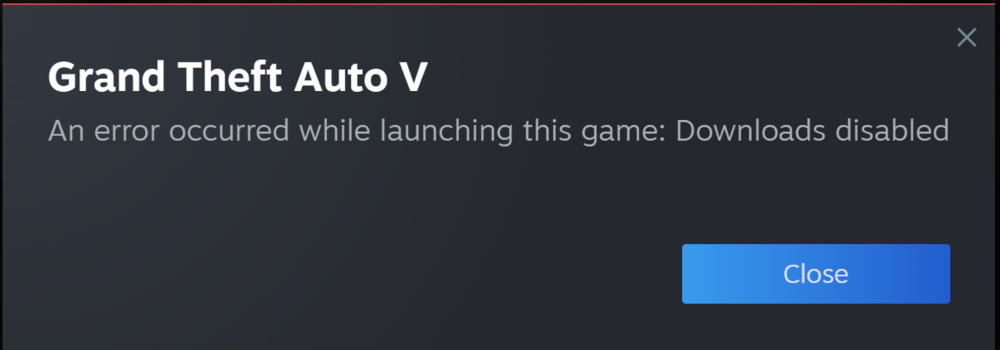
  2. Hi, as you all know by now new update is out and the only way to play is to go offline. I managed to go offline before the update was downloaded, but yet when I try to launch the game as usual with Rage I'm greeted with this error: What am I doing wrong? Am I condemned to wait for an update or can I still play the game without updating? Thanks guys.

Account

Navigation

Search

Search

Configure browser push notifications

Chrome (Android)
  1. Tap the lock icon next to the address bar.
  2. Tap Permissions → Notifications.
  3. Adjust your preference.
Chrome (Desktop)
  1. Click the padlock icon in the address bar.
  2. Select Site settings.
  3. Find Notifications and adjust your preference.

