not.aky
Members
-
Joined
-
Last visited
Everything posted by not.aky
-
Thank you very much for all your help and suggestions, I really appreciate it. I'll try everything you suggested, and see if any of those improve the stuttering. If I still have problems after trying everything, I'll update this thread with the results. Thanks again for taking the time to help!
-
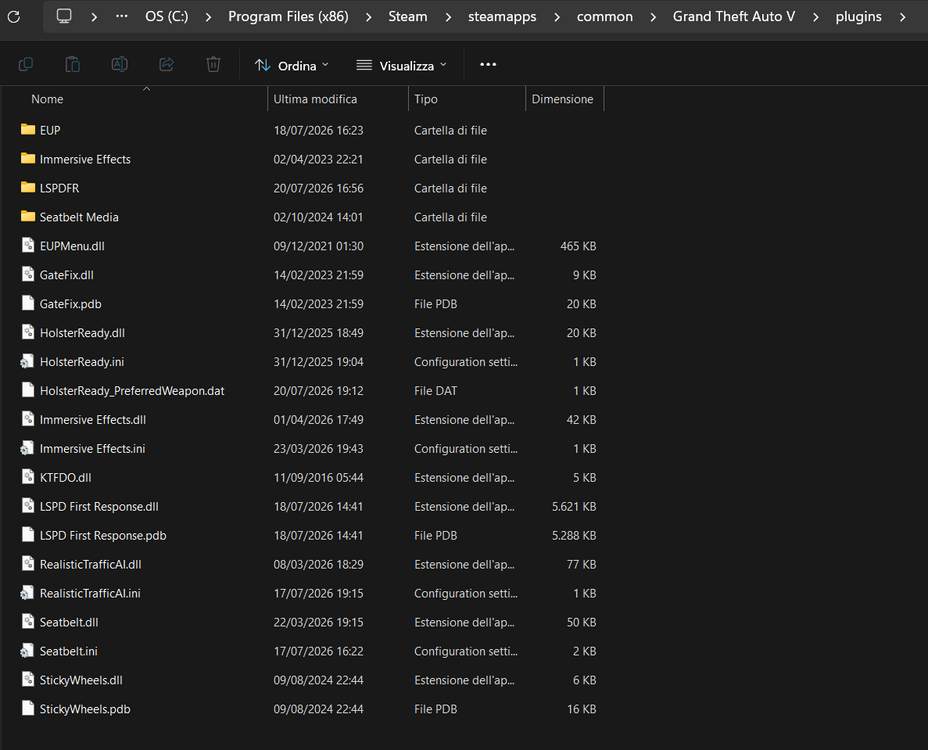
Thanks for your time. Sure, I’ll send you a screenshot of my plugins folder. I’ll also send you my latest RPH log, because in that one the stuttering seems to be less frequent compared to before. I’ll try experimenting with the adjuster values as well, but I’m not really sure how to properly change them. Could you tell me what values I should try changing, which file I need to edit, and what I should put there? Also, do you think something like Mem Reduct or any GTA V/LSPDFR performance-related mods could help with this kind of stuttering and which, or would you avoid using those? RagePluginHook.log
-
I haven't changed any of the adjuster values yet, I’m currently using the default settings. I don’t get this kind of stuttering in other games, it seems to happen mainly with GTA V + LSPDFR. Checking Task Manager while playing i see that some % are high like memory. I was also thinking that my PC might be part of the problem since it’s not a very powerful system, but the strange thing is that I don’t have these issues in other games, and GTA V vanilla runs fine as well. The heavy stuttering only seems to happen when running LSPDFR with plugins and mods installed, so I’m thinking it could be related to a specific plugin/mod or maybe something that is affecting performance over time while playing. Do you have any suggestions or possible fixes to improve performance? Maybe some settings, adjustments, or things I could try to reduce the stuttering?
-
Thanks for the reply. Yes, I already have the performance mods installed, including Heap Adjuster and Resource Adjuster. Everything should be up to date. The strange thing is that the stuttering happens even when the game is running normally, not only during specific situations.
-
Hi, thanks for the suggestion. I updated everything and also tried removing XScanner. Since then, LSPDFR hasn't crashed anymore, so that seems to have helped. However, I'm still experiencing a lot of stuttering while playing. The game frequently freezes and the performance is very inconsistent, even though it no longer crashes. Do you have any idea what else could be causing the stuttering and a solution? RagePluginHook.log
-
Hi everyone, I'm having an issue with LSPDFR that I haven't been able to solve. The game launches correctly and I can play for a while, but after some time LSPDFR crashes. Before the crash, the game starts stuttering heavily with frequent freezes and FPS drops. Eventually, LSPDFR crashes completely. I've already tried basic troubleshooting, but the issue still occurs. If anyone has experienced something similar or knows what could be causing it, I'd really appreciate your help. RagePluginHook.log
-
As I mentioned earlier, I already tried renaming the 'mods' folder to '_mods', and it worked. However, it disables all my mods, and I need them to be active.
-
Edit: If I can’t fix this issue, I might try verifying the game files to see if that works. I’ve heard that verifying the files removes all mods, so I’ll have to reinstall them afterward. Also, I recently saw a post from someone who mentioned they had the same error after uninstalling the Liberty City Preservation Project mod. I installed that mod a while ago and then removed it, so maybe that’s what’s causing the problem. Any advice on this? Would verifying the files help in this case? Let me know!
-
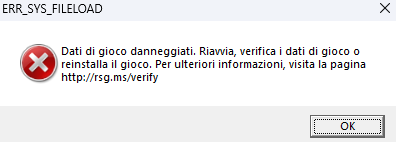
Hey everyone, I really need help fixing an issue with GTA V. Every time I launch the game and press soty mode, while in loading i get the ERR_SYS_FILELOAD error after a while. I've tried everything I could think of, but nothing seems to work. Here’s what I’ve done so far: Installed these mods: - Real California Architecture (RCA) - Map Editor - Map Builder - New Forest of Blaine County - Forests of San Andreas - GTAV Remastered Enhanced - Real Names for Everything I also had an issue with the DLC list, so I downloaded DLCList Generator to try to fix it, but I’m not sure if that’s causing the problem. Unfortunately, I didn’t back up the original files, so I’m stuck. I think I might need the backup files for global.gxt2 and propr.gxt2 (real names of everything's files) to see if they’re causing the issue. Does anyone have these files or know where I can find them? Additionally, I renamed my mods folder to _mods, and the game launched fine, but I really need my mods to work. I’ve already added these files to try to fix the problem: - Packfile Limit Adjuster - Heap Adjuster - Streamer Variable Decals Limit Patch I’m not experienced with modding, so I’d appreciate any advice. Please help me fix this asap Thanks in advance