


Cosmicwdwd
Members
-
Joined
-
Last visited
Everything posted by Cosmicwdwd
-
Get the new updated scripthookv. Also if that dosent work, go to els page, only download advancedhookv and put that in.
-
Remove all and re add 1 by 1 and see which mod is at fault. also consider putting my post above as solution to help other people expirencing the issue to find solution quicker.
-
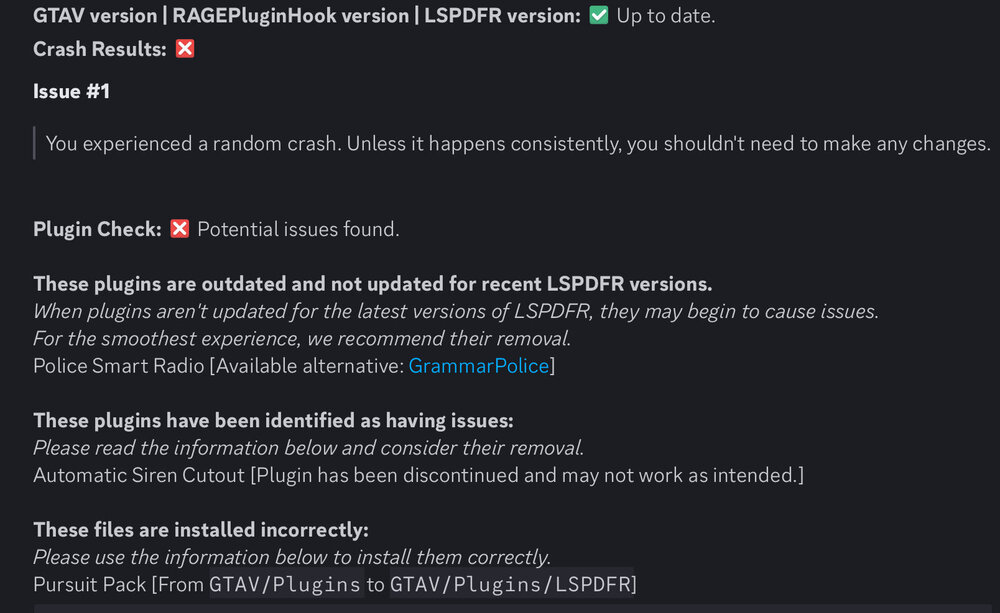
your log was too long so i used a auto log reader lol, if instructions from bot don’t work, tell me and i will manually read you long log haha
-
Please Navigate to GTAV, lspdfr, lspdfr.ini, AmbientSpawn.DisableRandomunits- True
-
That is the wrong log. The log is not in your logs folder, it is called RagePluginHook.log if you have extensions on. it is below your RagePluginHook.exe But aside that, here are common answers, Right click GTAV main directory, click on more, properties, then security and make sure all boxes are ticked exexpt for special permissions.
-
the pack should a els xml folder. Click into it and it should be “police.xml. Place these in your ELS folder in OpenIV by clicking on ELS-packdefault and place the xml file there.
-
-
consider putting my post as the solution so other members can find solution easier
-
do you have packetfile adjuseter, resource adjuster, and heapadjuster? also changeyour plugin time out threshold value from 10000 to 60000.
-
That is the wrong log, the log is not in your logs folder, it is called RagePluginHook.log if you have extensions activated, it is beneath your RagePluginHook.exe.
-
Alright, what you want to do is, go to GTAV main directory, right click gta5 main directory, click on more options, click on properties, click on security. Make sure all boxes are ticked execpt for “special permissions”. If that didn’t work, verify integrity of your files.
-
please launch in ur game, let it crash and send me ragepluginhook.log
-
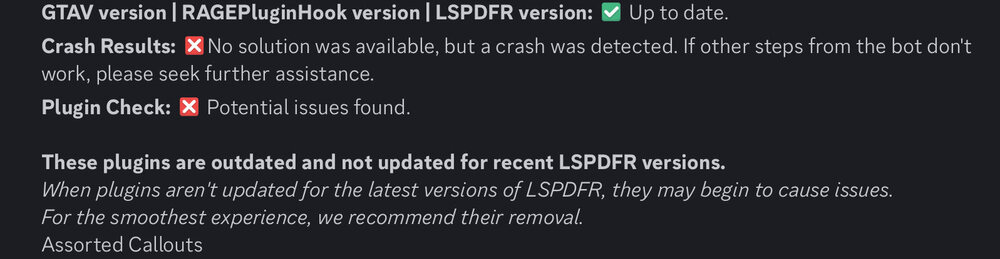
since your log was too long, i did not manually read it. I used a bot. if further problems persist, i will just manually read log and manually provide support for you.
-
Update the Following: Megaphone UI ( you can update this by just doing a reinstall of it.) Delete the following: Callouts manager, an avalible alternate for that is Callout Interface.
-
right click gta 5 main directory then more at the bottom then press properties then go to security and make sure all boxes are ticked execpt for “special permissions.” Also make sure RagePluginHook is in your antivirus exexptions.
-
thats the wrong log. it should not be in your logs folder. There should be a file called RagePluginHook.log otherwise called RagePluginHook but is a text document. It should be under RagePluginHook.exe
-
Without ELS does it work?
-
that looks like an system 32 issue as you can see at the bottom of your log. Try disabling your mods folder, you can do this by renaming your mods folder to “_mods”. if that works, then one of your mods are at fault. Try removing all of them and adding them one by one to see whats the issue. But if that dosen’t work, put dinput8 file to _dinput8 if that works, then one of your ASI loaders is at fault.
-
Send RagePluginHook.log also you did press “B” right?
-
this occasionally happens to me but usually if that happens i just kill them. It dosen’t happen every often to me though, like once per 3 weeks. Does this happens to you a lot or occasinally?
-
change your plugin thereshold to 60000 instead of 10000, you can do this by holding shift while launching ragepluginhook. If that dosen’t work, then it would probably be a mods folder issue you can disable your mods folder by changing the “mods” folder to “_mods”. If none of those worked, i really don’t know what it is because i have both manually read the whole log and automatically scanned it using a log reader but if further issues persist then i suggest an support team help you, and if this did work, be sure to put this comment as solution.
-
have you tried reinstalling lspdfr?
-
It most likely will if it is a commandline+ graphics driver issue, but i really do recommend you trying this first, remove everything from commandline.txt then reinstall ur graphics driver
-
Did you make sure that commandline.txt in ur gta5 main directory was empty?
-
Remove automatic siren cutout as it is outdated.




