PapaBoum
Members
-
Joined
-
Last visited
Everything posted by PapaBoum
-
 We need Tim Bradford's CVPI please 🙏
 -
You need to spawn it with the F4 menu, Run Spawn ROOKIEFPIU I can help you add it into your garage if you want
-
oh, btw i replaced the rookiefpiu.yft by the hi modle and it works fine
-
I did, i looked at the model in OpenIV and the lightbar appeared only with the _hi file, is that normal?
-
I'll try that, and btw you should rename your self Sergeant Lucy Chen
-
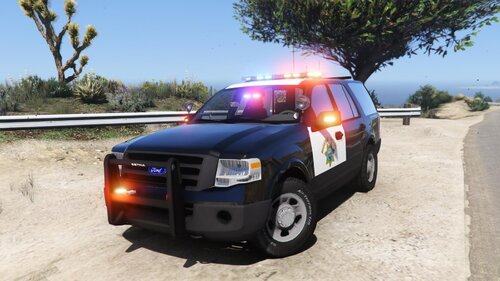
Hi, when the vehicle spawns, it doesn't have the lightbar extra on and i can't put it, and when i scroll through the extras the rambar just disappears; and then at a random moment, the lightbar just reappears, except for that, the vehicle is nearly perfect !
-
 Oh, i didn't knew that, thanks.
 -
Yes but, the addon version isn't available, the link has been deleted
-
Hi! Thanks for clicking on this mod. This isn’t a pack a cars, this is only the ELS (very simple) config. IT IS NOT MY OWN PACK I ONLY MADE THE ELS CONFIGS THAT’S WHY YOU’LL ONLY FIND THE XMLs The original pack of @Thehurk : I will probably not make a 2nd version but who knows
-
When i load LSPDFR it'ss normal, but when i run ForceDuty or i go on Duty in the PD it crashes, i tried de read the logs but i didn't find the issue RagePluginHook_04072024_094317.log