Skip to content
View in the app

A better way to browse. Learn more.

LCPDFR.com

A full-screen app on your home screen with push notifications, badges and more.

To install this app on iOS and iPadOS
  1. Tap the Share icon in Safari
  2. Scroll the menu and tap Add to Home Screen.
  3. Tap Add in the top-right corner.
To install this app on Android
  1. Tap the 3-dot menu (⋮) in the top-right corner of the browser.
  2. Tap Add to Home screen or Install app.
  3. Confirm by tapping Install.

pm11

Members
  • Joined

  • Last visited

Everything posted by pm11

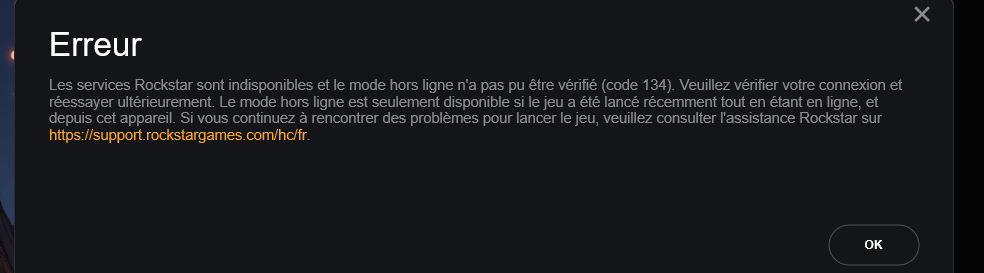
  1. Hello everyone, since 3 days impossible to play lspdfr here is my problem: (i have gtav on epic games) When i start my game with RagePluginHook.exe, the rage launcher start like and then stop at "launching game..." and then a page from rockstar launcher open and say : The Rockstar Game Services are unavailable and offline play could not be verified (code 134). Please check your connection and try again later. https://support.rockstargames.com/ i did everyting : uninstall lspdfr/gtav, did all the new update if someone can help me would be really helpful have a nice day
Account

Navigation

Search

Search

Configure browser push notifications

Chrome (Android)
  1. Tap the lock icon next to the address bar.
  2. Tap Permissions → Notifications.
  3. Adjust your preference.
Chrome (Desktop)
  1. Click the padlock icon in the address bar.
  2. Select Site settings.
  3. Find Notifications and adjust your preference.