


CyberGhost
Members
-
Joined
-
Last visited
Everything posted by CyberGhost
-
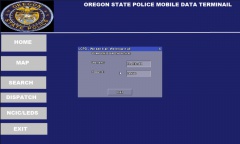
From the album: MDT WIP
I'm working on touching these up a little bit then will release it out to the Public, if you would like one of these made for you PM me and I can get you setup -
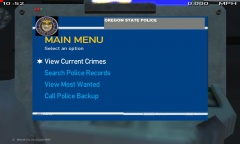
From the album: MDT WIP
I will be fixing these and touching them up and will be releasing these background screens -
Just put it on your desktop and right click it and say open with then choose your browser, you want to use
- 12 comments
- 13 reviews
-
Not bad man, as from being in Jackson County it looks good. I'll inbox you some pictures to help you out a little bit better 4/5 though :D
- 1 comment
- 6 reviews
-
-
Does anybody know if you can use the SA Police Mod in MP, If so how do you do it? Thanks kindly
-
Keep up the good work guys
-
-
-
-
-
-
 I agree with Gunner9213 up there on this. It's a Public Gallery where you are free to post pictures and show stuff off. So why don't you just continue on your way and troll somewhere else huh?
 -
 Put a Rambar in and, also I got a new Computer in lol. Thanks just noticed that lol. Something i'm trying to do. I can say i'm a newbie lol. That's why I don't like to release cause people would make fun of me :( Thanks for the advice
 -
 I second that for the unlocked version! Please do i!! Also when it is due to be released?
 -
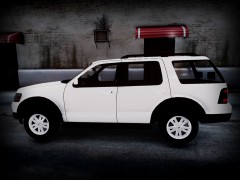
From the album: Work In Progress
The outside view of the Charger i'm working on. -
Working on a Dodge Charger. Going to be for Drugs and Gangs
-
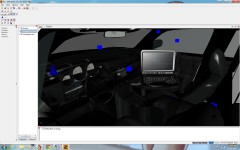
From the album: Work In Progress
Inside of the Charger i'm working on. -
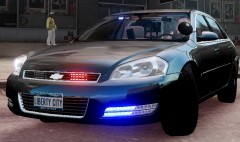 Awesome!!! You got a link??
 -
 That sucks major right there :p
 -
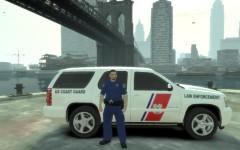 Hey sorry for late reply's. It is the older uniform. The one I'm wearing in the picture is newer but I have to reedit is since you can't really tell the police on the shoulder
 -
Okay just PM me and let me know :) You can take the full credit :)
-
Sweet. Ya please take one and I'll see if I can finish it and credit you on it if you want :)
-
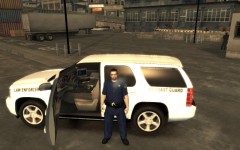
From the album: New Coast Guard Textures
-
These are some new Coast Guard Textures that me and Unbrokenskink8 put together



