


.jpeg.3547f7b9010b9f5bca0ddd5217d0c6ad.jpeg)
Nomand61
Members
-
Joined
-
Last visited
Everything posted by Nomand61
-
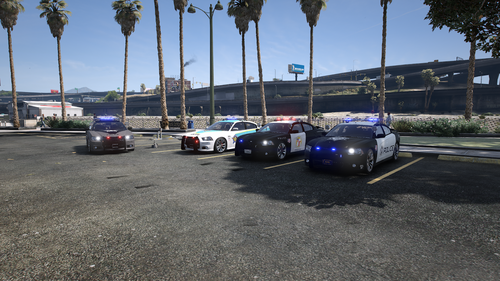 I've added the ELS xml's into ELS pack default but whenever I go too switch on the ELS the only thing it gives me is the environmental lighting effect, none of the LED's actually seem too switch on, I've gone in and set what needs too be enabled too true but the LED's and such stay in they're off clear state
 -
love the look of these chargers, always loved how they looked in NFS and being able too add them in for use in LSPDFR is amazing, trying too get it converted too ELS but so far I've been able too enable the ELS compatibility but the only kind of lighting I get for it is the blue environmental lighting, the lightbar and the ELS equipped on the Pushbar remain inactive despite the ELS environmental lighting reflecting off walls, wondering if there's any advice for getting it sorted
.thumb.jpeg.6802057b4b905449440bc1911b7a7293.jpeg)
