Skip to content
View in the app

A better way to browse. Learn more.

LCPDFR.com

A full-screen app on your home screen with push notifications, badges and more.

To install this app on iOS and iPadOS
  1. Tap the Share icon in Safari
  2. Scroll the menu and tap Add to Home Screen.
  3. Tap Add in the top-right corner.
To install this app on Android
  1. Tap the 3-dot menu (⋮) in the top-right corner of the browser.
  2. Tap Add to Home screen or Install app.
  3. Confirm by tapping Install.

ThinkBubble

Members
  • Joined

  • Last visited

Files posted by ThinkBubble

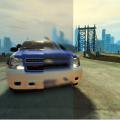
  1. This is my modification of the SweetFx mod, that focuses on reflections, light bars, and color quality. You can use this ether a standalone graphics mod, or you can use it as a ENB companion. With this mod you wont get ANY fps drop (it adds about 1-5 FPS, and makes the game more stable).

    Features:
    - Turning off and on the mod by pressing the Scroll Lock key.
    - Screenshot taking by pressing the Print Screen key (Still a WIP feature, may cause lag, or errors to your game)
    - Shader reloader (when the mod sees that the game textures are getting "wonky", it reloads the shaders and/or textures)

    Bugs found:
    - Text bug while in the LCPDFR computer(hard to read text).

    Please vote and comment the mod if you like it! :)

    Reviews are also welcome :)
    • 987 Downloads
    • 28 Comments
    Updated

Account

Navigation

Search

Search

Configure browser push notifications

Chrome (Android)
  1. Tap the lock icon next to the address bar.
  2. Tap Permissions → Notifications.
  3. Adjust your preference.
Chrome (Desktop)
  1. Click the padlock icon in the address bar.
  2. Select Site settings.
  3. Find Notifications and adjust your preference.