


Damage Inc.
Members
-
Joined
-
Last visited
Everything posted by Damage Inc.
-
No, I was already using iCEnhancer, in fact with those exact modifications of the download in the suggestion you gave. (How did you know? Stop stalking me.) But it's only after using the ELS visualSettings-file that makes the taxi-light so bright, because that file is specifically to show lights better. The problem is, it also boosts the light of the taxi-light (on the roof), but I'm wondering if there's a specific setting for it to turn that light down. It's kind of strange too, because there's no need to brighten that specific light, and the siren-lights aren't even as over-bright as the taxi-one...
-
Hello I've only started using ELS recently, because some older version still had some bad issues for me and it wasn't that necessary anyway. But now that I'm using it and it works for me, I'm wondering a couple of things: First; Is there a way to have ELS start in "Express Mode" by default? Because, honestly, I only have ELS to be able to use the lights on ELS-vehicles, but don't care much for using all the other features. Cool and all, but if the lights are flickering to see the cops coming or have my own vehicle light up, that's enough for me. I could just press CTRL+Backspace every time I start playing, but it gets a bit annoying. Anyway, would be nice to have an option to have ELS start in the Express Mode by default. Also; I used the visualSettings-file that came with ELS, and it's good cause it definitely brings out light-sources a lot better. However, now the Taxi-lights on the roof light up like a big beacon, it looks really ugly and... well, bright. As in squint-worthy. Is there any setting I can dial back to make it look not so ridiculous? Or will this cause certain lights used by ELS to get too dim as well? I mean, I could see that cause perhaps the lights on the roofs of taxis use the same properties as the siren-lights. Then again, the ELS-lights replaced the regular game's lights, no? And the taxis still use the regular lights... So there shouldn't be a conflict I think. Anyway, please let me know if I can do anything about these two small issues. Greetings.
-
OK, I'll check. Thanks.
-
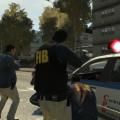 Is there a way to get these shades separately to put on the playerped? I've been looking for shades like these forever, but there seems to be nothing. But since they are on some of the FIB-models and such, there must be a way to make it for the player.
- 19 comments
- 24 reviews
-
I'm wondering how this works: Do the 20 cars mean that only 20 specific cars will be used ever? Or do those get like "priority" next to the usual cars? If it's only 20, why isn't it possible to have all cars and then only a certain amount at once? Because I understand only "so many" models can be be used at one time, but why not "these 20 (or whatever number) once" then "these 20 next", and on and on. I really wish all cars would just go through the cycle and I wouldn't see an "Infernus"-model at every turn, cause that's kind of silly and boring. Again, I don't care if there are only "so many" (but plenty) at once, but it's really annoying to see the same group of cars all over the place. Cause then, what's the use of having this big list of cars in your game? I've replaced nearly all of the originals as well, so I don't want it to be all for nothing.
- 97 comments
- 67 reviews
-
I know this is to play Medic yourself, but isn't there a way to make it as a "fix" for the AI? Because the AI never really do anything, they show up but they just drive through everything. They only heal you as the player, but not other pedestrians like with previous games. It's absolutely outrageous and pure laziness/incompetence on Rockstar's part...
- 129 comments
- 44 reviews
