


PapaDragon95
Members
-
Joined
-
Last visited
Everything posted by PapaDragon95
-
 Okay. It will probably be this weekend.
 -
Sure do. Add me if you feel inclined! @papadragon95 Sure do. Add me if you feel inclined! @papadragon95
-
Yes! It may be a few days before I get the chance to. But I can!
-
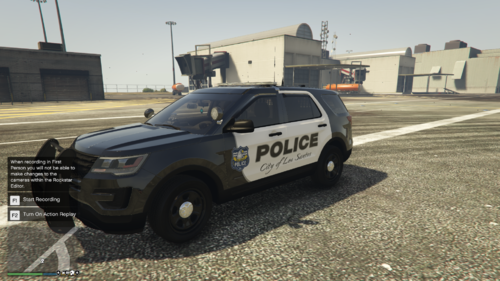
This is my second texture pack upload! Pretty proud of this one! Hope you guys enjoy using them! 🙂 Constructive criticism is always welcome! The 2016 and 2020 FPIU vehicle models I used are by Torz! Linked Here: The K9 Tahoe Vehicle Model I used is by Gump! Linked Here:
-
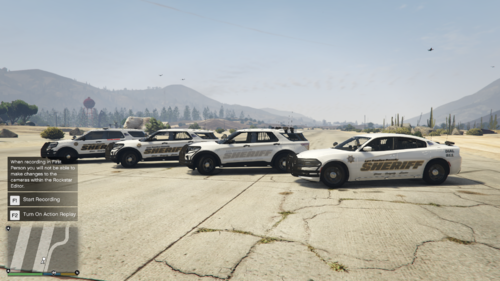 LSCSO liveries and ghost livery for 2020 FPIUS, normal LSCSO livery for the 2018 charger, and K9 livery for 16-18 FPIU. This is my first upload! Be nice pls! lol. I got bored and decided to dive into making liveries for the vehicles I use. I decided to share the first skins I made. Figured someone may want to use them too. Constructive criticism is welcome! 🙂 but i hope who ever uses them enjoys the look of them, even though they may be quite simple. The 2020 FPIU and Ghost livery MUST be used on OfficerArk's Sheriff pack FPIUs. The 2018 Charger is also included in the pack. It may say ADDON but he also has REPLACEMENT files included. Linked here: These are the only 2020 FPIUs I ever use. Very well made. The FPIU I used for the K9 livery is BOYDEAD02's, Linked here: NOTE: You must drag and drop my K9 texture to both fpiu_sign_1 and Reflective_livery in the .YTD file for it to work properly on this file.
