beandotmp3
Members
-
Joined
-
Last visited
Everything posted by beandotmp3
-
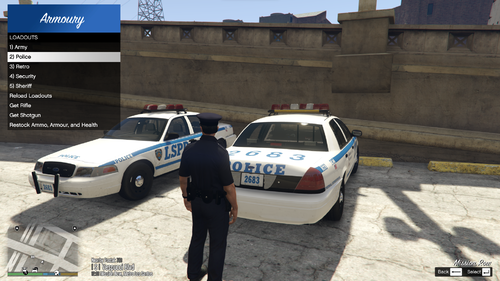 Hey, awesome mod and have been using it for a while, but I have a question. If I add a MK2 weapon to my loadout, it doesn't have any ammo. Is there something I'm missing? Here's the loadout: Equipment: weapon_combatpistol, weapon_stungun, weapon_pumpshotgun, weapon_carbinerifle_mk2, weapon_nightstick, weapon_flashlight, weapon_flare weapon_combatpistol_ammo: 48 weapon_combatpistol_components: COMPONENT_AT_PI_FLSH weapon_pumpshotgun_ammo: 32 weapon_pumpshotgun_components: COMPONENT_AT_AR_FLSH weapon_carbinerifle_mk2_ammo: 150 weapon_carbinerifle_mk2_components: COMPONENT_CARBINERIFLE_MK2_CLIP_ARMORPIERCING, COMPONENT_AT_AR_AFGRIP_02, COMPONENT_AT_AR_FLSH, COMPONENT_AT_SCOPE_MACRO_MK2, COMPONENT_AT_MUZZLE_06, COMPONENT_AT_CR_BARREL_02 Rifle: weapon_carbinerifle_mk2 Shotgun: weapon_pumpshotgun Armour: True Medkit: True Fire Extinguisher: True
- 50 comments
- 5 reviews
-
-

- 1
-
-
- rph
- lspdfr plugin
- legacy
- rph
-
Tagged with:
-
-
Latest version of RPH is a false positive. Windows thinks RPH is a virus, and so the "detections" are preventing RPH from running. You need to go into Windows Security > Virus And Threat Protection > Real Time Protection > Off Once that is done, launch RPH and it should work fine (and if you are really paranoid, turn back on Real Time Protection after RPH has hooked onto the GTA 5 instance)
-
I have been looking everywhere for an answer to this. If I install some add-on cars, how can I make the spawnable at the police garage? I have been told many things, but I don't know what ones are truthful. I have been told that I need to edit the agencies.xml, agencies_eup.xml, duty_selection.xml, duty_selection_eup.xml, and backup.xml, and I don't know what one(s) are right. My mods list: EUP Backup Config EUP SUP Ultimate Backup And the rest are pretty much irrelevant Any help would be greatly appreciated