


Jack.f
Members
-
Joined
-
Last visited
Everything posted by Jack.f
-
Thank you so much!
-
When I load into GTA V with Rage Plugin Hook everything works fine but it's when I go on duty and LSPDFR begins to load my plugins it crashes. I've enclosed my RagePluginHook log below if that would be of any assistance. RagePluginHook.log
-
Thank you so much!
-
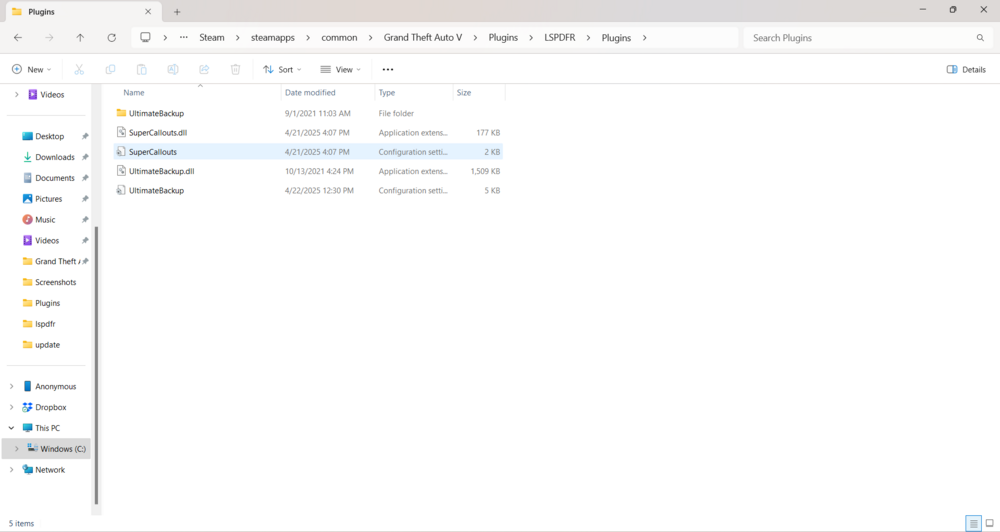
I downloaded ultimate backup and even though I dragged it to Plugins>LSPDFR>Plugins and dropped it in there when I go on duty it doesn't load up. Anyone know what's causing this? P.S, I also have super callouts dropped in LSPDFR's Plugins folder and those callouts don't appear
-
Edit: Removed Kuchera callouts and it still crashed, is there any known issues with ultimate backup?
-
I downloaded LSPDFR using the auto installer and setup app and alongside that I downloaded ultimate backup and kuchera callouts which are both acknowledged by LSPDFR so I think I downloaded them correctly. However when I click to go on duty it starts loading and then says that it's crashed. Anyone know how to fix this? P.S, I did install Rage nativeui if anyone asks and I have EUP and EUP L&O if that helps
-
I should clarify the game crashes when I try to go into the police station or a police vehicles to play.
-
-
I downloaded both the normal LSPDFR legacy edition and the patch but whenever I get into a police car or when I go to the station the game crashes. I do have the complete edition and I don't know if that will change anything but would appreciate the help.
