kywoon
Members
-
Joined
-
Last visited
Everything posted by kywoon
-
Thank you, i think this is the problem, becuase my lauguage is Chinese.i deleted all mods yesterday, i will try today. Thanks for helping me, i deleted all mods yesterday, and download them again , but no more graphic mods..
-
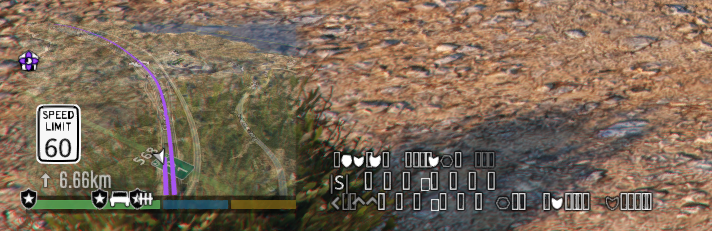
the informations on the right of the mini map shows Garbled characters not the exactly words, i posted on the top. But after i put some grafic mods files into GTAV folder, the game cant start, crashes everytime i start "ragepluginhook.exe",and says "Grand Theft Auto y has crashed! Please wait while RAGE Plugin Hookgenerates a crash report. This may take a minute." i put the log txt below. RagePluginHook_05042024_224125.log
-
how did you fix it
-
-
RagePluginHook.log
-
i updated, and tried, still doesnt work 😞 same thing
-
oh yea, MCCallouts is really cool mod. i love it. also ill update RageNativeUI , thats it ?
-
This is first time i install "SIMPLE HUD", i followed every step, im pretty sure every step is correct. But it just shows like that... i looked for solution of this problem, but i dont see anyone else has same problem. RagePluginHook.log
-
it works like this . can somebody help me ? Thank you