


baehman04
Members
-
Joined
-
Last visited
Everything posted by baehman04
-
ok downloaded. do i just then move the folder to the main gta folder?
-
Time to bug you again. How do i go about updating Rage?
-
ok i looked at it before and still confused sorry dude
-
All i did so far was move the EUP plugin file over ( that was easy) what i am confused on is what to do for the other 2 files.
-
i am so confused on the openIV can you attach a link for that download?
-
ok all 3 are downloaded. Where do i put the 3 files?
-
the last 2 links you sent for me to download are the same ones
-
i have not installed them yet i will later. When i do install them what files do i put into the main GTA folder? Thanks again for all your help dude
-
im sorry for more questions but i cant figure out how to dress as a fire fighter
-
What other fun Mods are there that i should install?
-
Ok i got it to work and no crashes. Now i just have to figure out the controllers and how to dress as a fire fighter Thank you so much for all of your help
-
ok downloaded and moved. Do you want me to try the LSPDFR now
-
IS this another file you want me to attach or something i have to download?
-
RagePluginHook.log
-
ok i found the file in the main GTA file. its the RPH. Readme.txt. file. If that is the right file where do i put that?
-
i got into the game but as soon as it loaded it crashed. But i could see that i could play as a firefighter? should i just re-install the whole LSPDFR and fire callouts and try again?
-
ok i got the winrar downloaded and moved the files like you told me. Now LSPDFR keeps crashing
-
ok i just downloaded the fire call outs here is the file
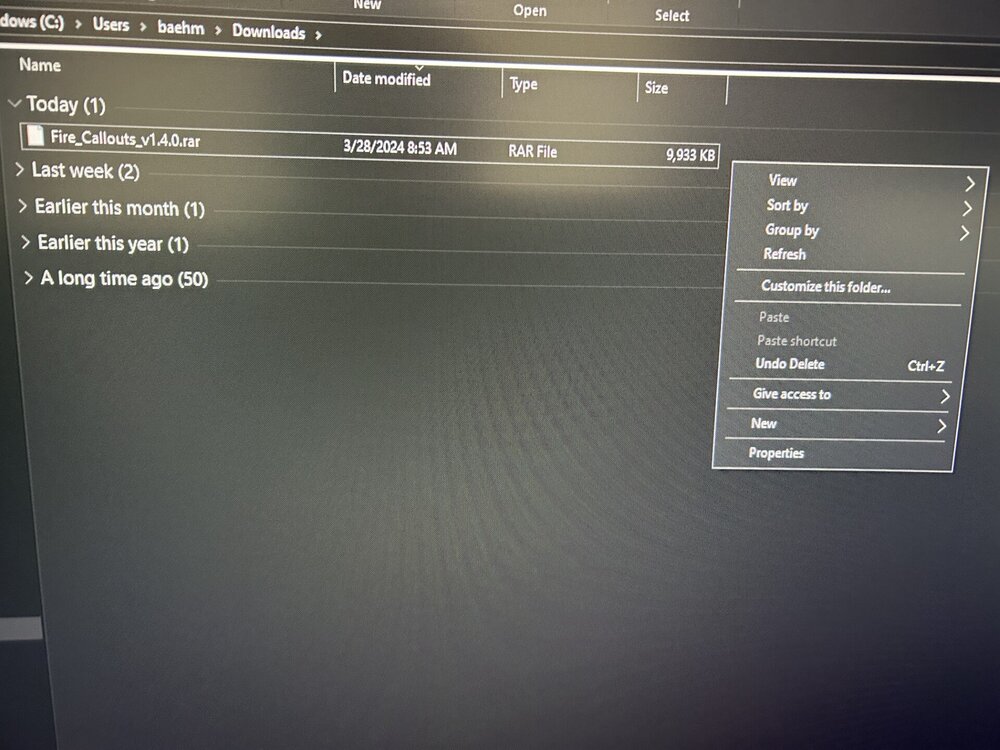
-
ok so if i dont download that program how else would i get fire callouts into the game?
-
i have to download Winrar install that then install Fire Callouts?
-
here is the file of fire callouts
-
sorry dude i dont know what you mean by Ectract. Like i said im not good with computers
-
ok downloaded just 1 file called Fire_Callouts_v1.4.0rar Where do i put that file?
-
Yeah from here i downloaded fire callouts. When i went to my downloads file on computer there was just 1 file called fire callouts and nothing else in that file. Maybe i downloaded the wrong one? i am not sure. Could you please attach links on what i need to download? Thanks
-
Im sorry dude im confused
