




Lolmaster2564
Members
-
Joined
-
Last visited
Everything posted by Lolmaster2564
-
-
THX man!
-
No I own it via Rockstar Games, that's generally we're I send my games to download.
-
Before the update I could modify the .xml files inside the /data/ folder, any fixes?
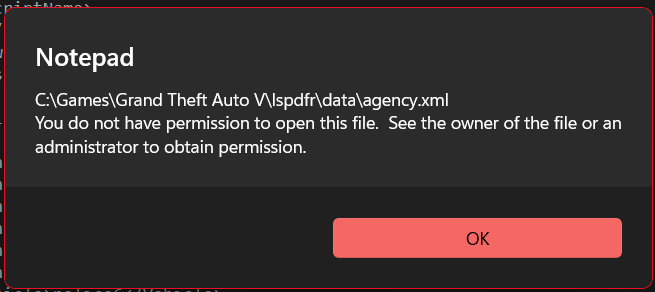
-
Thanks!
-
As the title implies. Does LSPDFR support "mpclothes" when creating outfits for peds via the "agency.xml"?
-
 This is a nice plugin but the game and updates broke somethings and provoking weird behavior. Like partners just jumping off a moving vehicle, kinda annoying tbh :/. Overall it's a neat minimalistic callout package I'd recommend. It's the only one I'm rokin'. 10/10
- 202 comments
- 18 reviews
-
- rph
- lspdfr callout
- legacy
- rph
-
Tagged with:
-
I've recently updated lspdfr and saw many vehicles from gtao spawning which (at least for me) is kinda annoying due to the fact that the game is centered around '03 - '11, and it bothers me to see pfisters neon's, vapid caracara's and other vehicles that to my knowledge are from today(ish). I know it sounds stupid, it's probably stupid, but if anybody knows how to set/modify vehicle spawning I'd be grateful. Thx for reading



