


Knight Studios
Members
-
Joined
-
Last visited
Everything posted by Knight Studios
-
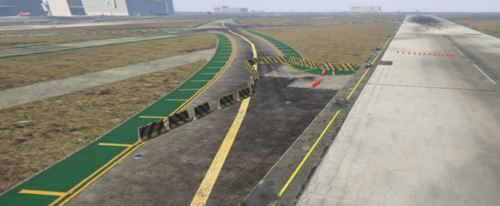 ks-evoc is a YMAP Made for FiveM and Singleplayer, located in LSIA! INSTALLATION INTRUCTIONS ----------------------------------------- FIVEM Drag And Drop "ks-evoc" to server resources Add "ensure ks-evoc" to server.cfg Enjoy Singleplayer Menyoo DOWNLOAD & Open THE FILE THEN DRAG THE XML AND DROP INTO MENYOO STUFF / SPOONER FILE THEN START YOUR GAME PRESS F8 THEN F9 PRESS F GO TO MANAGE FILES AND FIND THE EVOC COURSE LOAD ALL PROPS THEN TELEPORT TO LOCATION
