Skip to content
View in the app

A better way to browse. Learn more.

LCPDFR.com

A full-screen app on your home screen with push notifications, badges and more.

To install this app on iOS and iPadOS
  1. Tap the Share icon in Safari
  2. Scroll the menu and tap Add to Home Screen.
  3. Tap Add in the top-right corner.
To install this app on Android
  1. Tap the 3-dot menu (⋮) in the top-right corner of the browser.
  2. Tap Add to Home screen or Install app.
  3. Confirm by tapping Install.

Shrnxx101

Members
  • Joined

  • Last visited

Everything posted by Shrnxx101

  1. I see thanks, all i was trying to was make it so sheriff wasn't patrolling in the Davis area of loss Santos Thanks for the help! DefaultRegions.xml
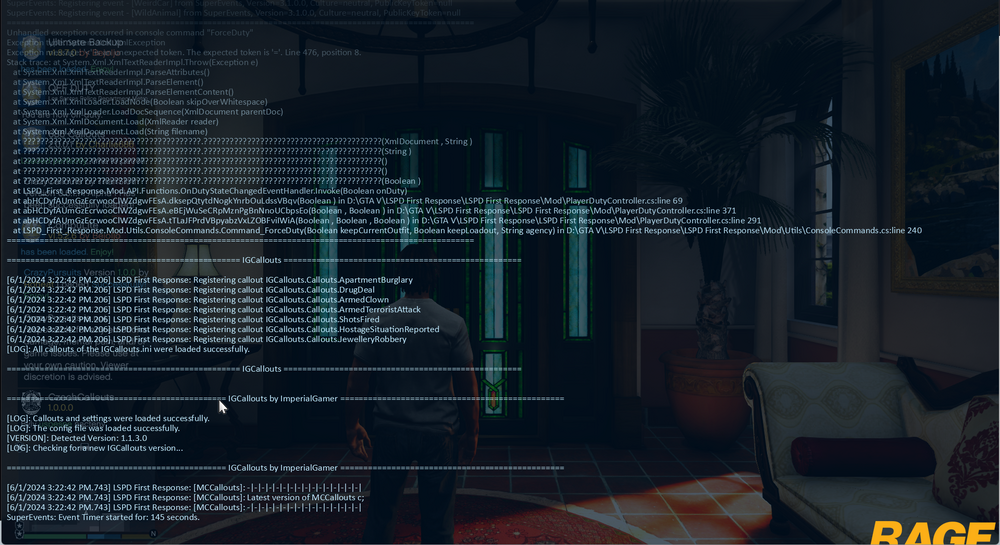
  2. I dont know whats happening and it was working earlier so i dont know what the problem is
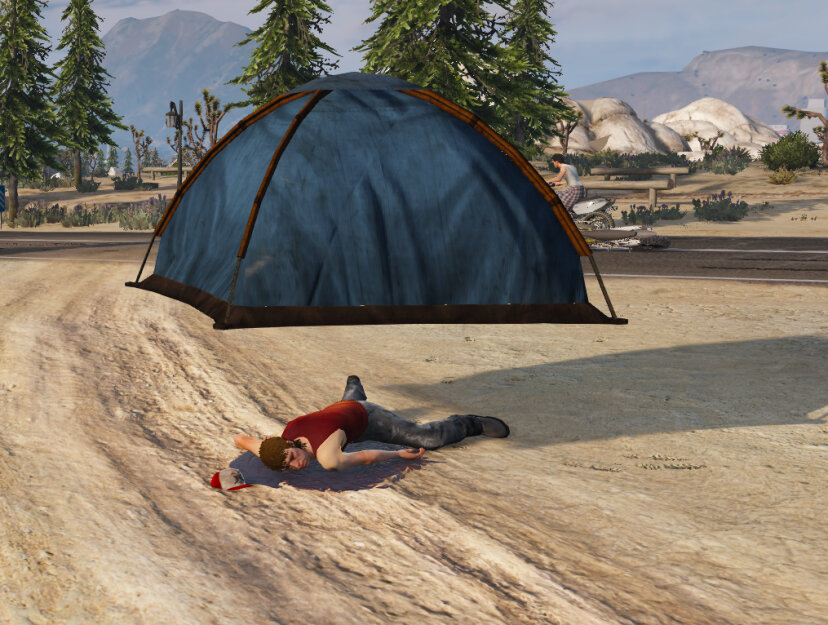
  3. Does anyone know how I can fix the tent spawning above a dead body? I've tried looking for a collisions option in police tape, or placing it slightly off the body but it will always just spawn above them, thanks
  4. I'm playing the game as normal. Got into a pursuit. Last time Dispatch would call out for local cars when I request. But now, when I request backup for pursuits or in general dispatch doesn't say anything. Could anyone help? (Example) I call for backup dispatch say "Backup needed in, Vinewood hills"

Account

Navigation

Search

Search

Configure browser push notifications

Chrome (Android)
  1. Tap the lock icon next to the address bar.
  2. Tap Permissions → Notifications.
  3. Adjust your preference.
Chrome (Desktop)
  1. Click the padlock icon in the address bar.
  2. Select Site settings.
  3. Find Notifications and adjust your preference.