



Jtopp38
Members
-
Joined
-
Last visited
Everything posted by Jtopp38
-
Sooooo, question..... what do you mean "normals" not being dragged properly? How did you fix this? it appears I am having this same issue and I just came across your post. Please and thank you for any information.
-
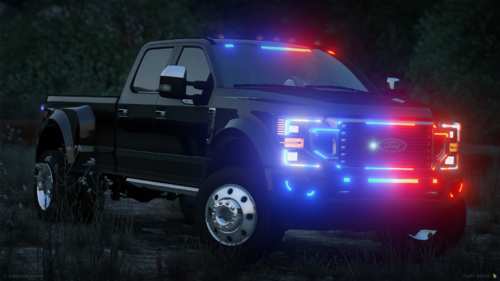 How does one install this, please and thank you? Looks awesome but would have been nice to have installation instructions for those who are new and trying to learn how to do some things.
 -
It's absolutely reversed, pause the video at 0:04 when the lights are all red. Color itself is not the issue, colors match. But specifically if you look at the video and pause it right at that time, the Red part of the lightbar is over the drivers side yet the red reflection is off the passenger side, How are there NO red reflections on the same side that half a bar is lit up front and rear? THATS what I'm trying to fix. True, the argument could be made that this reflection is from the light heads on the passenger side. So if that is the case then fine, not accurate but whatever. Even if that's true then there should be reflections on both sides to represent the light heads on one side and the light bar on the other. So then the question remains why don't the lightbars have reflective emissions despite mods claiming "realistic lighting". I may not know coding or modeling which is why I'm looking for guidance but I absolutely know how lights work and how they reflect off surfaces, plus i am a real life installer of this kind of stuff. If there is nothing wrong with this then every single vehicle and mod that says "realistic lighting" needs to be reported because none of them are. Not trying to be difficult, consider it a "friendly debate" as i mean absolutely no disrespect at all. But this kind of sticks out like a sore thumb and I'm just trying to learn how to fix it. Or at least attempt to.. Searching through other forums I'm not the only one to notice stuff like this.
-
I have and it does. that seems to be everyone's go to response though unfortunately. There has to be a file or a configuration where this setting lies. Somewhere in the code there is something that says place this reflection here at this specific location at this specific time in the sequence. if there are mods to add or remove the lighting reflections on objects them there has to be a way to configure them. That's what I'm trying to get to the bottom of. Been in ELS.ini, and the various vehicle files and I just cant crack it unfortunately.
-
I do, Using Visual Vanilla
-
OK, so i need some help from the masses. I came back to LSPDFR after taking a break because my PC was crap and needed to upgrade. Now that I'm back, I'm slowly getting back into certain things. I've started downloading some ELS cars and the one thing I have noticed some of them (if not all) have in common is reversed reflections for the warning lights. On a car with R/B split lightbar it is painfully and uncomfortably obvious that when the red lights are flashing the blue is reflecting and vice versa. Dear god how can I fix this? I cant find a single mod that corrects this nor can I find any instructions on files to edit. There HAS to be someone out there who knows and can help. Please and thank you. Reversed Lights.mp4
-
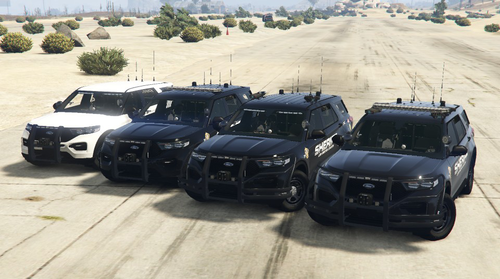 Will do, THANKS!
 -
OK....... can someone PLEASE help me. Been out of the game for a few years so i cant remember how to do squat. Trying to get this installed, followed the readme and I cant figure out how to spawn in game. Not in the garage at the PD, nothing........ I know I'm doing something wrong but i just don't know what.... can someone please point me in the right direction or explain like I'm 5? Please and thank you.
