kaesefleischkaese
Members
-
Joined
-
Last visited
Everything posted by kaesefleischkaese
-
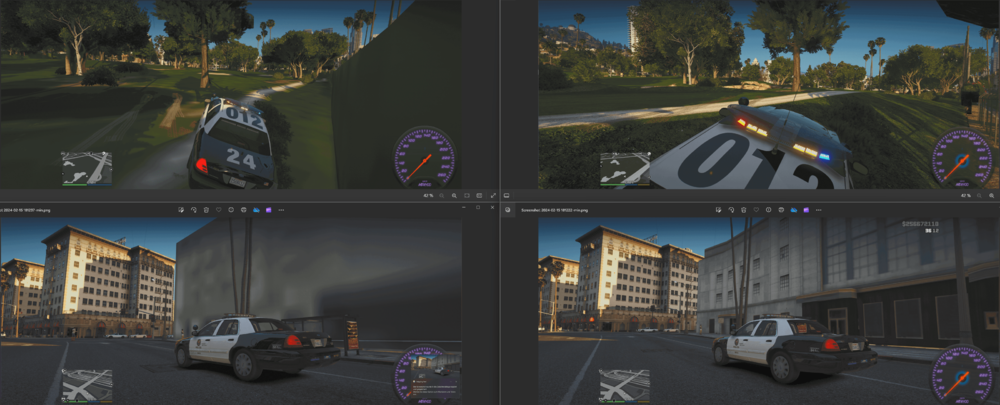
It's at Very High, but i found the fix. i was missing the NVE LSPDFR Compatibility Patch. Now it works just fine.. for everyone looking for a fix.
-
I fixed it by installing the NVE LSPDFR Patch, i didn't have that installed. But thank you tho 😄
-
What did you change in your ini? The "preload main" to false? Or something else. I'm having the same issues and can't find a fix 😕
-
I tried that too, but it doesn't do anything for me. Thanks for your try tho 😄
-
Hi, I'm loving LSPDFR. It's the best mod for GTA 5. But my issue is that at specific places in LS the textures wont load, only by looking at ceratin angles (screenshots attached). Places like the golf course, or some buildings near the jewelry. I am using NVE and my pc certainly can handle the load, since in story mode without lspdfr there are no issues. If someone has a fix for that, I would would greatly appreciate it. I already tried Heapsize, packfile, custom Gameconfig, resourceadjuster. All seem to fail. Thanks, and lastly have fun everyone ^^