Lilgoat
Members
-
Joined
-
Last visited
Everything posted by Lilgoat
-
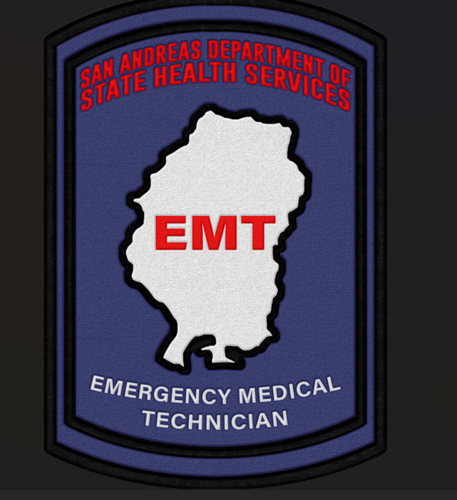 These patches are based off of the Texas Department of State Health Services Patches. There are two patches in this file that are free to use. Four of these patches are discord exclusive, so if you would like to have access to them, come join my server and hangout! If you would like to see your favorite product commissioned, want to report an inconsistency in my work, or simply have an idea, please ask me! The best way to contact me is via Discord (.lilgoat) or my server (https://discord.gg/zyxhz4RCZ8)
 -
-
-
These liveries shown are available for purchase from my discord for $10 USD. My discord can be found below! https://discord.gg/EbGrwaPX
-
-
-
-
-
-
-
-
-
-
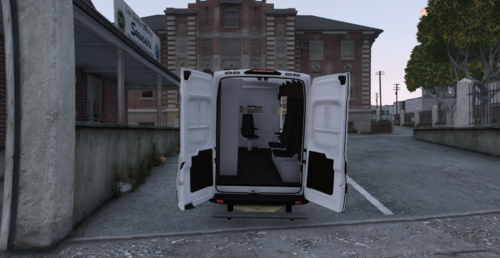 Hey there! So the reason for the Coroner text being backwards is because in real life based off of medical vehicles such as ambulances, the text on the hood is inverted so that the driver in front of the van can see the words spelt correctly in his rear view mirror.
 -
This livery has no area that is was based off of, it's just a Los Santos based livery that I threw together. The model for this livery is found below. Coroner Transit Van 1.0.0 - If you would like to see your favorite car in this pack, want to report an inconsistency in my liveries, or simply have an idea, please ask me! The best way to contact me is via Discord (.lilgoat) or my server (https://discord.gg/zyxhz4RCZ8)
-
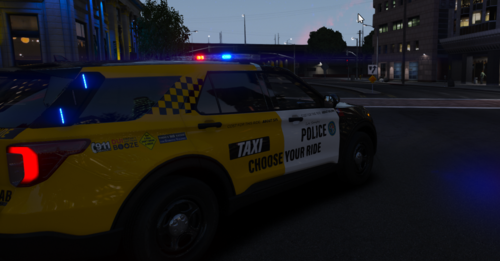
The livery is based off of the Huntington Beach Police Department Anti DUI Taxi. This livery was made to be used on Blackcloud Modification's Liberty II 2020 Ford Explorer (link in the credits section.) If you would like to see your favorite car in this pack, want to report an inconsistency in my liveries, or simply have an idea, please ask me! The best way to contact me is via Discord (.lilgoat) or my server (https://discord.gg/zyxhz4RCZ8)
-
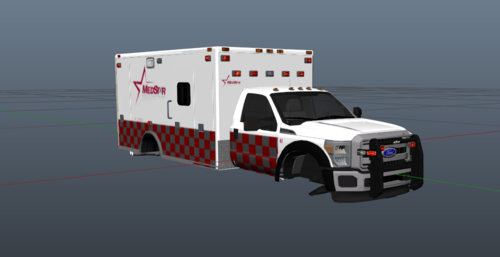 Skins are based off of the Fort Worth, TX Ambulance company MedStar. This skin was made to be used on DcK's free 2015 Ford F-550 (link below). 2015 Ford F-550 Ambulance 2.0.3 - If you would like to see your favorite car in this pack, want to report an inconsistency in my liveries, or simply have an idea, please ask me! The best way to contact me is via Discord (.lilgoat) or my server (https://discord.gg/zyxhz4RCZ8)
 -
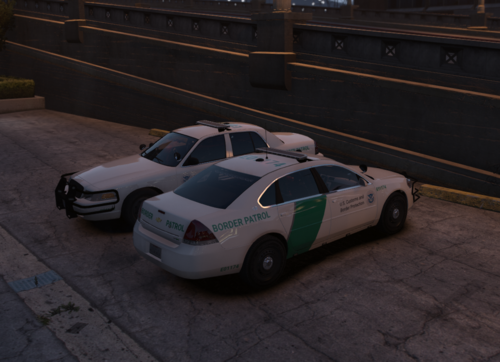 Border Patrol ELS Pack Hello everyone! Today I'm updating my very first file on lcpdfr.com, and I'm excited to introduce my Border Patrol texture pack! I made this pack as I feel there aren't too many realistic vehicle packs. This is not lore friendly, as it contains Homeland Security and Border Patrol content. Huge thanks to Frosty88 for helping me along the way with these vehicles. The base models are from Frost88's LSPD Mega Pack. If you would like to see your favorite car in this pack, want to report an inconsistency in my liveries, or simply have an idea, please ask me! The best way to contact me is via Discord (.lilgoat) or my server (https://discord.gg/zyxhz4RCZ8) Installation : Once you downloaded the cars, open the .ytd files with OpenIV and import the liveries. Save, and boom, you're ready to patrol the border. THE CARS ARE ALL BLUE BUT THERE IS A RED & BLUE VERSION AVAILABLE.
- 2 comments
- 1 review