


.png.c89224ba7b6e6866261a4303ebaec4af.png)
Conman1216
Members
-
Joined
-
Last visited
Everything posted by Conman1216
-
 When I install this pack it has the blue line graphics and not the ones in the photos without the blue line. Also the "unmarked" is just a slick top
 -
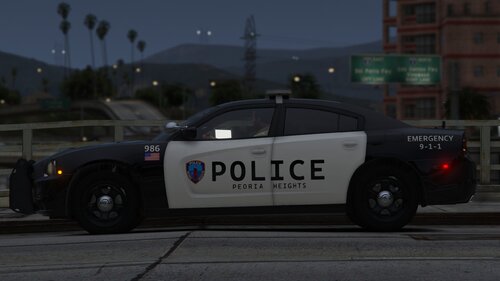 Thats awesome. I can definitely grab some photos. I'm there every Wednesday to pick up their trash. They get Chargers and Durangos in black then take them across the street to D's Paint & Body to have the doors painted white and have just recently started using steelies with the chrome cap on the Durangos. So recent thats there's only one. The other 2 or 3 older ones have awful-looking hub caps. Your Charger is dead on. The lightbar, trunk attenas, and graphics are very accurate.
 -
I can't believe a Peoria Heights car made it on here lol. Man i'd love to see both their marked and unmarked durango as well! I work in the heights
-
THANK YOU for the replacement files! Been checking almost daily. 🔥
-
Was it ever a replacement pack? if so, any chance that is still available elsewhere?
-
This thing is fully decked out!
.thumb.png.a15d8c9e05d69711facb83a9f32eab2d.png)

