


arzolv
Members
-
Joined
-
Last visited
Everything posted by arzolv
-
oh okay well ill see how can i get it fix thank for the game crashing Problem tho!!
-
-
Its not crashing anymore! Thank u! but i do wanna talk about the lighting in the game because when i put it for day time white cars are so bright and the sky too and sometimes the building and plus when its night time The cars lights like its very high on bloom effect Btw i use QuantV and JP graphics
-
oh okay well thank you for the help ill def check my game directory and MDT!
-
oh i see like what plugins or files that StopThePed has that is in my plugins folder? does it show u what should i remove?! so there no stop the ped anymore?
-
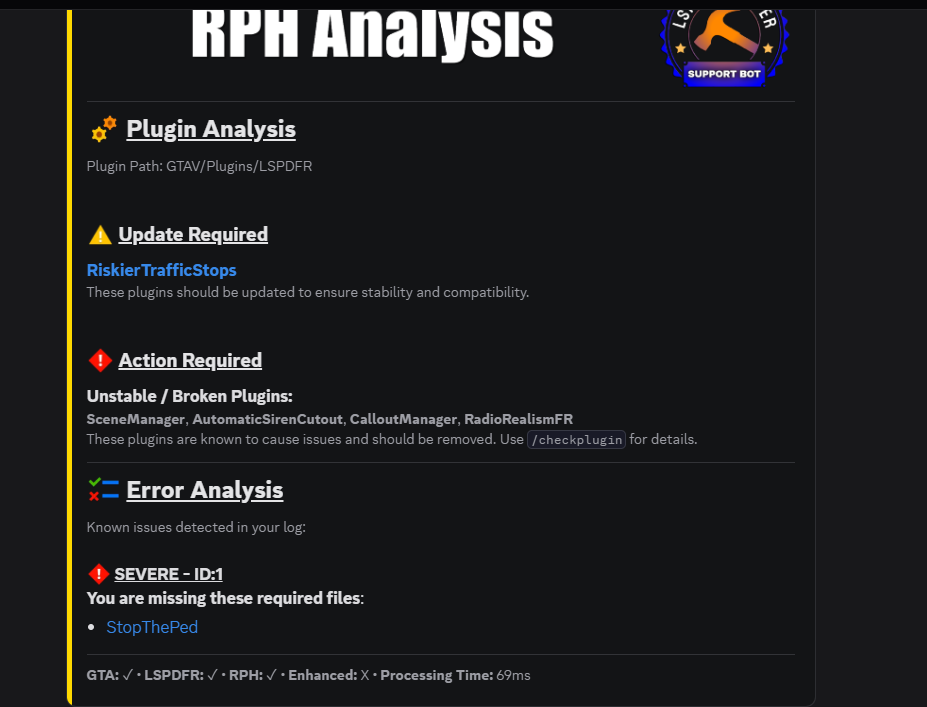
Here an image that answer ur first and second question i used a discord server that Auto help its like a reader log and to answer ur third Question is when u open up MDT for the first time it says Are you using StopThePed or Policing Redefined or Both but when i pressed Policing Redefined it said "its recommended to leave it at both so it doesnt crash" something like that
-
Hello I am writing because my games keep crashing im not sure why it saying broken plugins "AutomaticSirenCutout, CalloutManager, RadioRealismFR, SceneManager" even tho i havent had problem with these plus it says RiskierTrafficStops needs updated even tho i reinstalled again another thing is when im using MDT it crashes and when i check the log it says "Missing Plugin Stop the ped required" even tho i use Police Redefined and when u download MDT it shows To Leave it at both , STP , or Police Redefined and it says its Recommended to Leave it at Both but either way when i start the game 5 minutes later The game starts freezing and Force Quits the game/crashes. I need help. RagePluginHook.log
-
so at this point there no fixing it unless i reset everything right?!
-
i did delete my settings.xml but that didnt help at all
-
yes even without LSPDFR or RagePluginHook it still does it ive been trying to fix it almost all day and nothing
-
yes 1920x1080 is the same resolution as the laptop display
-
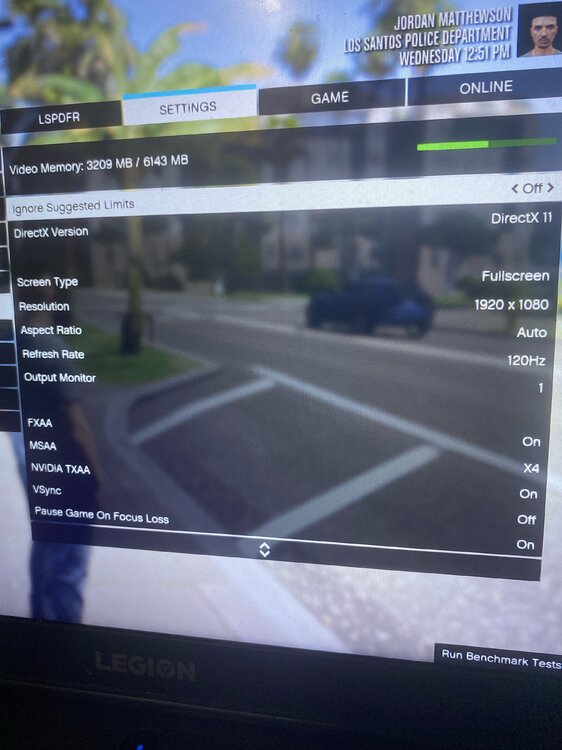
i use 1920x1080 I recently downloaded QuantV and i accidently press F6 and it turn on like freecam and i tried to get out of it i press F6 and again and that where it started but i unistall QuantV and preshade stuff like that but it still didnt work and that time i did Downloaded MCCALLOUT and i did F6 too it showed up like its Menu of MCCALLOUT and i deleted that one also but still nothing i did mods_ and still nothing but i havent touched my aspect ratio and resolution
-
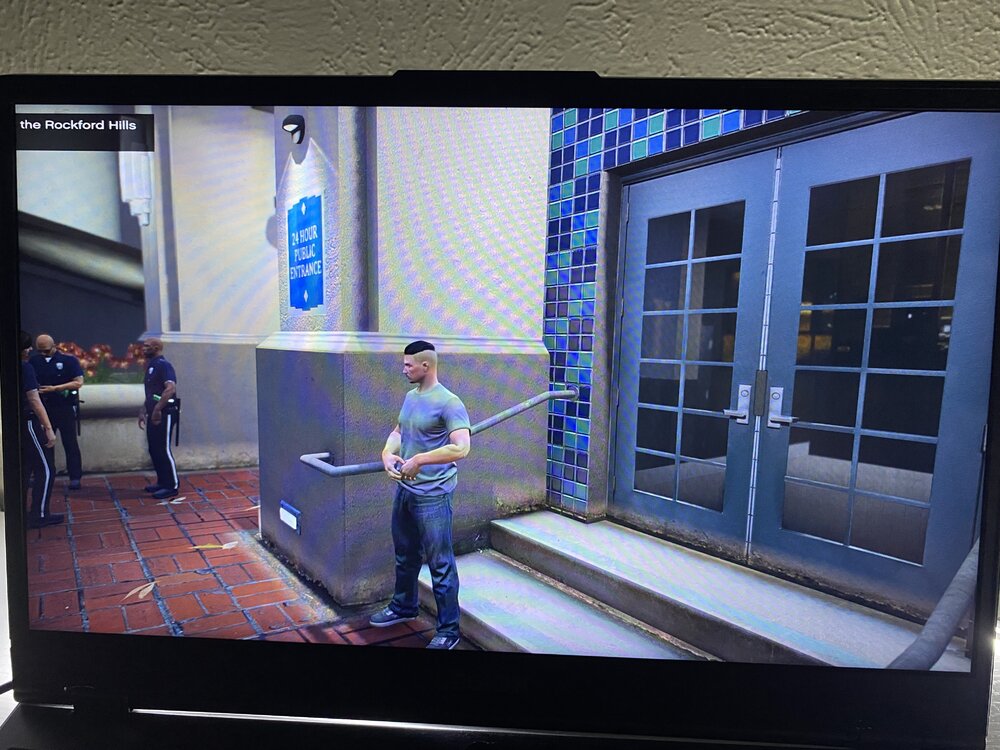
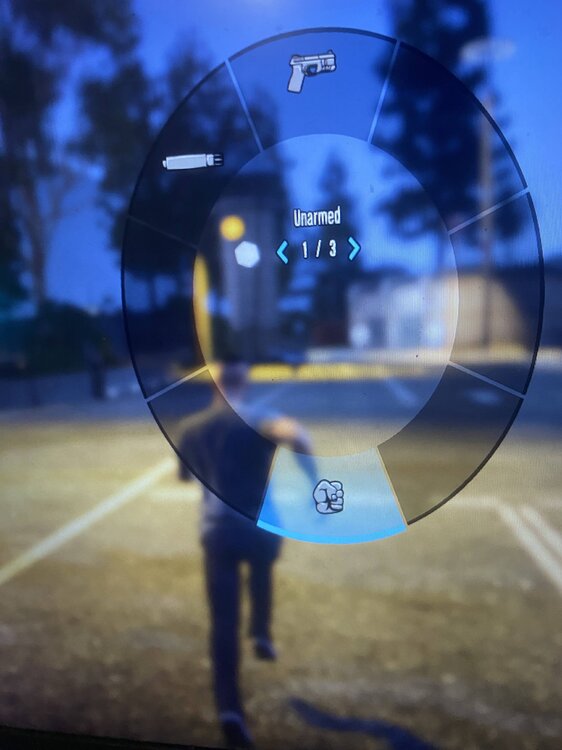
My game looks soo weird right now i tried it without lspdfr and with lspdfr and still nothing plus i cant see my minimap , weapon wheel looks oval , and the popup in top left looks like if it was hiding can someone help me i tried everything even removing QuantV , reshade , JDVISUALS and still nothing but when i did Safezone Scale to lowest i was able to see my minimap only a little but from there idk anymore i havent changed anything of aspect ratio , resolution and stuff like that. here some images how it looks. Thank you.
-
RagePluginHook.logRagePluginHook_13062026_020648.log Mind you when i do mods_ it does work but i dont know what to do anymore i tried everything please help me and i recently came back to lspdfr
-
RagePluginHook.loghere u go!
-
So when i startup rageplugin hook it js crashes during loading screen and i know is my vehicle meta but i js need extra help what do i fix in there and another problem is when i wanna spawn like lets said "sheriff" "it just says cannot load invalid model with hash" it affected 3 vehicle (police3 , sheriff , and sheriff2) i need help with both of these problems. Thank you. vehicles.meta
-
Honestly it crashes also like even when i launch just GTA V without RPH it just force the app out
-
no its not that everytime you know when you start RPH and you get to the loading screen it crashes it doenst even get to the part when it says "loading lspdfr" Like when its start loading saying "loading story mode with ragepluginhook" and then the next second it says "Do you want to allow this app from an unknown publisher to make changes to this device" even tho i have it running as administrator and then when i press "Yes" it says "RPH has crashed"
-
RagePluginHook.logthis one?
-
here u go RagePluginHook_20042026_043454.log
-
okay i did like what u said and it still crashes
-
i see so technically its like putting a new clean update.rpf but if i do that wouldnt it remove like my dlclist and visualsetting stuff like that?
-
i see because i know it has nothing to do with dlc packs but there something inside update.rpf but i heard u can update it do u think will that work if it does how can i update it?
-
here the thing idk which mod is causing it because i just recently came back to lspdfr here my log maybe it will show up which one is it RagePluginHook_19042026_052013.log
-
yes i have @Yasd Yes i have done all that and still doesnt work updated gameconfig , heap , and packfile even both scriphook and scriphook v net But still doenst work but when i checked update.rpf its the one that breaking my game but i dont wanna delete the .rpf bc it has everything i need



