




K4te
-
Joined
-
Last visited
Posts posted by K4te
-
-
-
-
-
Increase PluginTimeoutThreshold to 60000 at RPH settings.
No info about RNUI version so make sure u have installed version 1.9.3
Your LSPDFR crash while it try to load.. attach screenshots of your plugin and plugin/lspdfr folder
-
-
Disable BattleEye at RGL settings.
Add whole gta5 folder as exception at your antivirus.
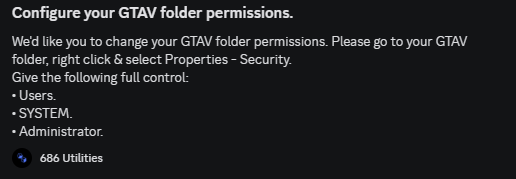
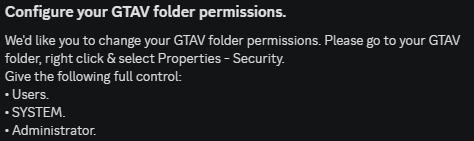
Set full permissions for your gta5 folder.
-
-
Plugins:
- reinstall TrafficYieldPlugin.dll - it fails to load so make sure u have installed it correct - use readme file
Plugins/LSPDFR:
- EUPMenu - move it to Plugins folder -> read readme file if u don't know how to install plugins
- TraficYieldPlugin - u have doubled this plugin so make sure where it belongs and delete not needed one
Crash fault:
[12/25/2025 11:08:36 AM.177] Exception type: System.TypeInitializationException
[12/25/2025 11:08:36 AM.177] Exception message: The type initializer for 'PolicingRedefined.Interaction.Modules.General.AmbientTintController' threw an exception.
[12/25/2025 11:08:36 AM.177] ------------------------------
[12/25/2025 11:08:36 AM.177] Inner exceptions:
[12/25/2025 11:08:36 AM.177]     Exception type: System.NullReferenceException
[12/25/2025 11:08:36 AM.177]     Exception message: Object reference not set to an instance of an object.
[12/25/2025 11:08:36 AM.177]         ------------------------------
[12/25/2025 11:08:36 AM.177]         Stack trace:
[12/25/2025 11:08:36 AM.177]         at PolicingRedefined.Interaction.Modules.General.AmbientTintController..cctor() in C:\Users\Marcel\RiderProjects\PolicingRedefined\PolicingRedefined\Interaction\Modules\General\AmbientTintController.cs:line 16
Changes that u made throws error. Correct it or revert changes
-
-
-
-
-
-
Increase PluginTimeoutThreshold to 60000
You have installed STP 2x -> remove STP files from plugins folder
[12/23/2025 9:28:19 PM.780] LSPD First Response: Exception message: Access is denied
Set full permissions for whole gta5 folder
-
-
-
-
-
-
-
-
-
-




EUP menu not opening
in Legacy
Make sure u have it set as load to start at rph settings.. if no - u can always do it manually in game via console cmd