


MakyBoi14
Members
-
Joined
-
Last visited
Everything posted by MakyBoi14
-
 How do I install the vehicles in the desc it only shows me the pictures when i click
- 263 comments
- 20 reviews
-
It worked thanks a lot just some outfits seem to be a bit different still as HRT has a gasmask now but ill just use EUP menu since peds are normal too
-
Ill try that tomorrow and see if it works
-
I already reinstalled EUPFR basic and i didnt install any configs i just installed a car file heres the link to it https://www.gta5-mods.com/vehicles/simple-black-and-white-sheriff-stanier#comments_tab
-
I installed a vehicle file to change the vapid stanier from all white to B&W and it broke my eup this is how they look like now
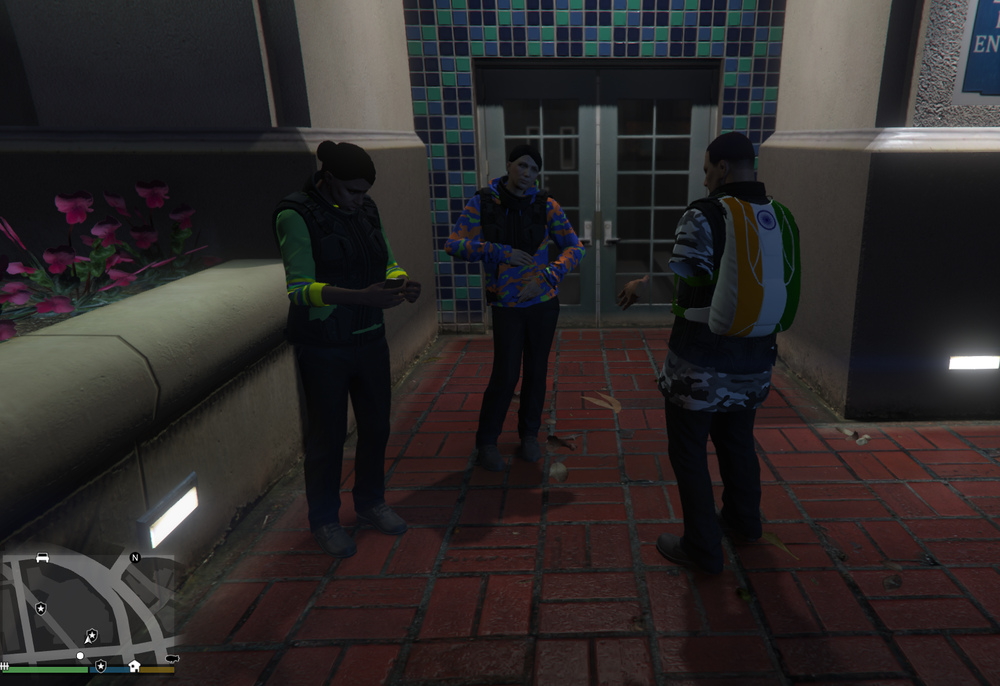
-
Thanks so much guys it works now ❤️
-
Still waiting...
-
Will someone help me? RagePluginHook.log
-
I have these plugins installed -Attempted callouts -Ultimate backup -Stop the bed -EUP -Simple callouts MiniCrashReport_638414634623713434.txt
-
Should I uninstall them both or reinstall them in the correct order
-
My ultimate backup peds are not spawning in with EUP uniforms. I downloaded EUP backup configurations then ultimate backup and when I spawn state patrol (SAHP) as backup they arrive without EUP uniforms and always on a bike (They are meant to arrive in a unmarked stanier or interceptor sometimes bike)

