Skip to content
View in the app

A better way to browse. Learn more.

LCPDFR.com

A full-screen app on your home screen with push notifications, badges and more.

To install this app on iOS and iPadOS
  1. Tap the Share icon in Safari
  2. Scroll the menu and tap Add to Home Screen.
  3. Tap Add in the top-right corner.
To install this app on Android
  1. Tap the 3-dot menu (⋮) in the top-right corner of the browser.
  2. Tap Add to Home screen or Install app.
  3. Confirm by tapping Install.
We're performing changes on our download infrastructure. During this time, you may encounter downloads failing to complete or start. Thank you for your patience.

wrxpy

Members
  • Joined

  • Last visited

Everything posted by wrxpy

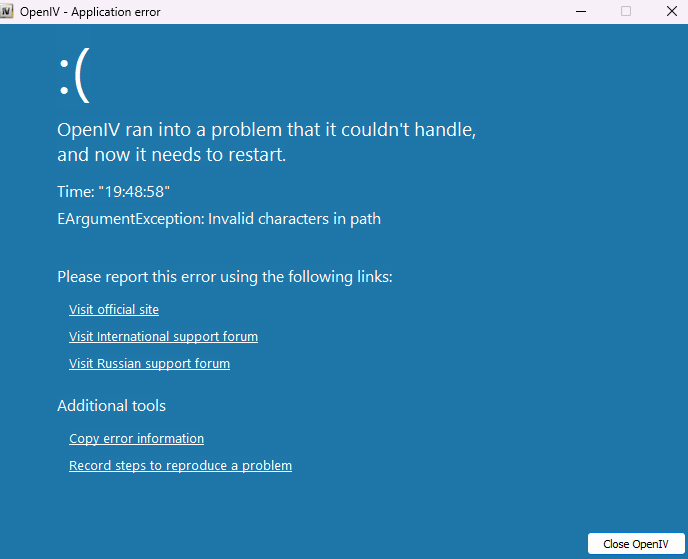
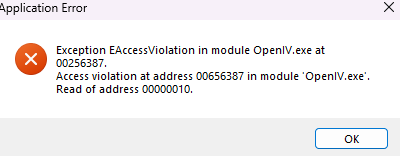
  1. Ive already tried to uninstall it and reinstall it but that didnt work and it gives me an error message which I cant find
  2. where did you get that duty belt?
  3. wrxpy replied to wrxpy's topic in Legacy
    I just uninstalled everything so ill see if it works
  4. wrxpy replied to wrxpy's topic in Legacy
    No thats what wont work I thought it was VisualV but when i uninstalled it the lights were darked and it looked the same with visualV installed should i try uninstalling and reinstalling all my mods?
  5. wrxpy posted a topic in Legacy
    I dont know why but my ELS isnt working ive tried almost everything the hud wont pop up or anything and i do have dinput and scripthook installed i have no idea whats going on

Account

Navigation

Search

Search

Configure browser push notifications

Chrome (Android)
  1. Tap the lock icon next to the address bar.
  2. Tap Permissions → Notifications.
  3. Adjust your preference.
Chrome (Desktop)
  1. Click the padlock icon in the address bar.
  2. Select Site settings.
  3. Find Notifications and adjust your preference.