Skip to content
View in the app

A better way to browse. Learn more.

LCPDFR.com

A full-screen app on your home screen with push notifications, badges and more.

To install this app on iOS and iPadOS
  1. Tap the Share icon in Safari
  2. Scroll the menu and tap Add to Home Screen.
  3. Tap Add in the top-right corner.
To install this app on Android
  1. Tap the 3-dot menu (⋮) in the top-right corner of the browser.
  2. Tap Add to Home screen or Install app.
  3. Confirm by tapping Install.

Snaping14

Members
  • Joined

  • Last visited

Everything posted by Snaping14

  1. Yes I did. I did a lot of other things but I believe my solution was to use the manual download.
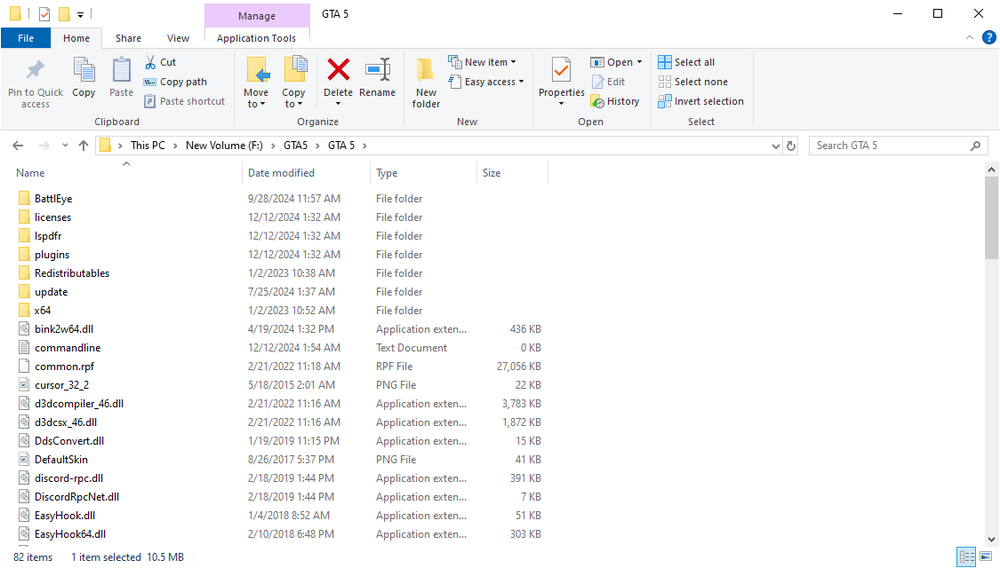
  2. 5)I have checked and allowed all users permissions for the RPH and GTA exe's 6)I do not have any ScriptHookV Files
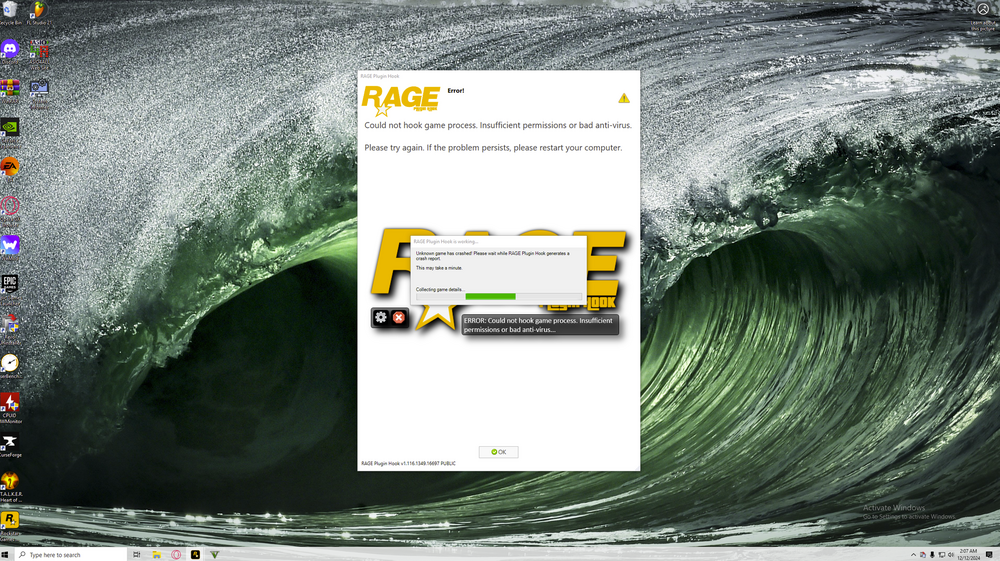
  3. Currently running latest version Can't seem to get a log as the game doesn't crash as RPH seems to think. Game continues to run while RPH crashes. I should also note 1)I do not have a slow PC 2)I have already put The gta 5 folder in my antivirus exception lists 3)I restarted my computer and reinstalled the game 4)I have validated gta 5 files and reinstalled all mods (which is now lspdfr only)
Account

Navigation

Search

Search

Configure browser push notifications

Chrome (Android)
  1. Tap the lock icon next to the address bar.
  2. Tap Permissions → Notifications.
  3. Adjust your preference.
Chrome (Desktop)
  1. Click the padlock icon in the address bar.
  2. Select Site settings.
  3. Find Notifications and adjust your preference.