


ezrilla
Members
-
Joined
-
Last visited
Everything posted by ezrilla
-
-
It worked. I forgot to add them when I reinstalled GTA 5. Thanks.
-
The callout interface menu fails to load when starting LSPDFR. I already have the latest version of RageNativeUI installed, but the menu still does not appear or respond. RagePluginHook.log
-
LSPDFR crash when I go on duty. RagePluginHook.log
-
There should be a backup in the data folder; do not use your mods folder. use: update\update.rpf\common\data
-
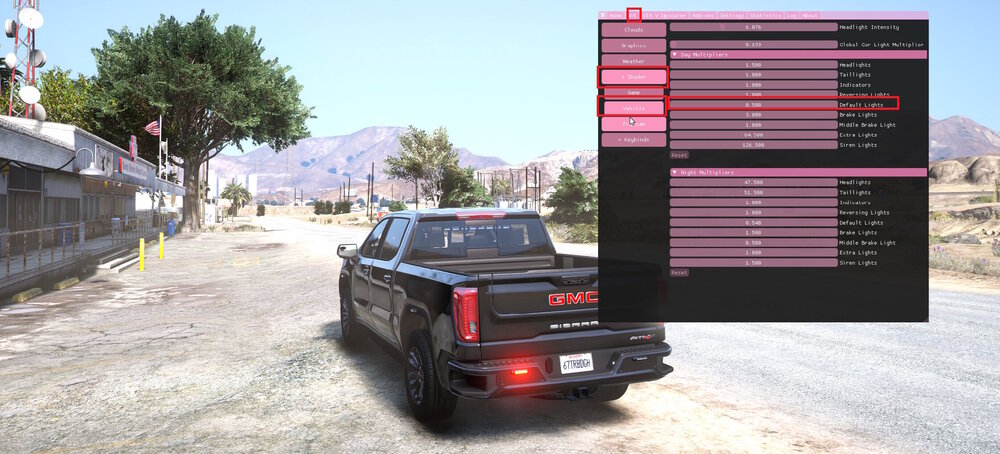
If you have NVE Reshade installed: Press the Insert key Find the NVE tab click shaders click Vehicles Adjust the default lights
-
Are all the. xml files in the pack_default folder?
-
It has been updated now.
-
-
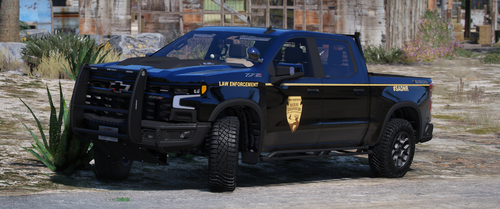 I really like truck. I noticed the headlight lenses flicker when you are on stage 2 and 3.
 -
here it isRagePluginHook.txt
-
Lspdfr crash going on dutyRagePluginHook_26122023_154041.log

.thumb.png.8cef6bf40847c87cdc7f2b84d14bb45d.png)




