Skip to content
View in the app

A better way to browse. Learn more.

LCPDFR.com

A full-screen app on your home screen with push notifications, badges and more.

To install this app on iOS and iPadOS
  1. Tap the Share icon in Safari
  2. Scroll the menu and tap Add to Home Screen.
  3. Tap Add in the top-right corner.
To install this app on Android
  1. Tap the 3-dot menu (⋮) in the top-right corner of the browser.
  2. Tap Add to Home screen or Install app.
  3. Confirm by tapping Install.

Casey1989

Members
  • Joined

  • Last visited

Files posted by Casey1989

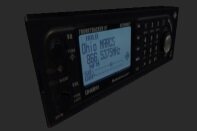
  1. Hello, everyone, this is Casey here and I am back, and I may be modding and modeling time to time and, I am uploading my new up to date Mods. And I made and modeled these from scratch. hope you all like it allot.   I am releasing, these mods as a pack and Developemnt to help people, to develop their talents. this is all my exclusive mods; I have made back in 2014-2015 and I am re-releasing as a mod pack.     And I have updated the credits and ReadMe's. I hope you all like My Creations that I designed in 3ds Max. 
     
    Thank you! For all downloading My Mods and they are unlocked so you know! 
     
    -Casey1989- 


    • 46 Downloads
    Updated

Account

Navigation

Search

Search

Configure browser push notifications

Chrome (Android)
  1. Tap the lock icon next to the address bar.
  2. Tap Permissions → Notifications.
  3. Adjust your preference.
Chrome (Desktop)
  1. Click the padlock icon in the address bar.
  2. Select Site settings.
  3. Find Notifications and adjust your preference.