


Casey1989
Members
-
Joined
-
Last visited
Everything posted by Casey1989
-
Hey guys i got the game to work now it had all to do with my graphics chip updates AMD and NVidia graphics. now mods work without a crash. thanks alot everyone for your help and support! 🙂
-
Okay Zach i will give that a try thanks! 🙂
-
Rockstar Game launcher i think yeah. 🙂
-
Hey Zach, i just checked my GTA V directory and i am pretty sure it's not there. what do i do now?
-
hello Zach, where would the Rage Plugin Hook crash log be? please let me know. thank you. -Casey-
-
Hello guys! i was wondering is GTA V compatible with Windows 11 x64? i get an error messages and the game crashes i have a new gaming laptop and it's a HP Victus and the game worked and then it crashed. can some one please help me with this i just bought this game as a digital download from Best Buy and it was like $29.99 and should this work and how do i replace cars and stuff cause i am new to this game to be honest. i also have OPENIV the latest version. thanks alot guys in advance everyone! -Casey1989- Here are my PC specs.
-
Hey UnitedOrange66, how do I change the system date in Windows 11 cause i do not see anything to change that though. just the clock i see. would it be okay if i called you Gregory? it may be allot easier if i typed in your real name instead of your username. is that fine with you? by the way you may call me Casey instead of Casey1989. thanks alot in advance for your help. EDIT: i just figured it out and i changed the date to 2013 and it did not work at all same error comes up. all i needed to do it set it manually the date.
-
Hello there! unitedOrange66. I am glad you responded to my post I do appreciate it a lot and I bought GTV back in 2008 or 2009 at Target stores and I have not played it in many years to be honest. I got the patch from another GTA IV modding website. is that all you needed to know?
-
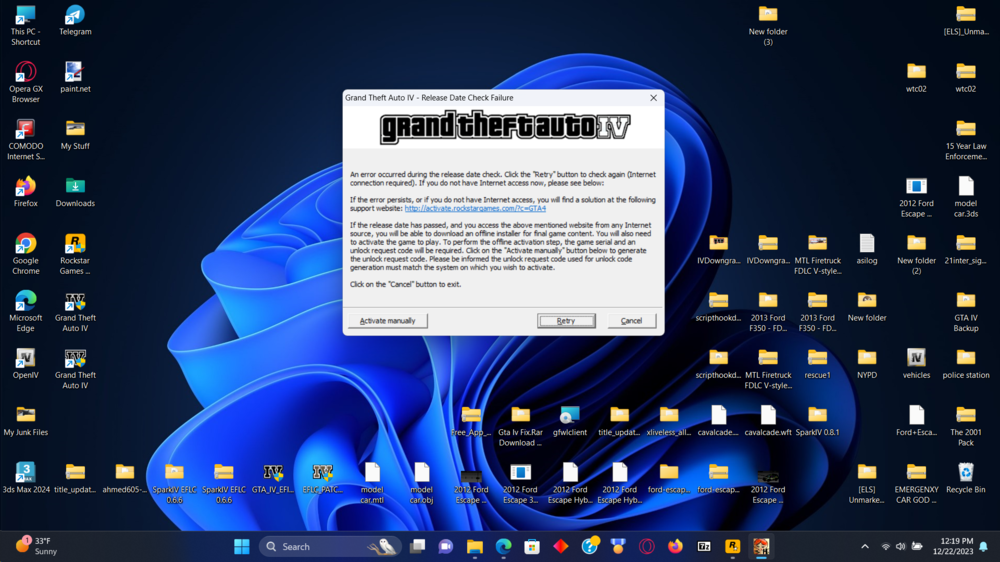
Hello guys, i am wondering why my GTA IV Game with the 1.0.70 patch will it work on Windows 11 cause when i load the Rockstar Games launcher the game works without mods and the mods i install in GTA IV does not work at all what can be the problem? ands also my LaunchGTAIV file brings me to the activation screen, and it won't pass the activation date. and when i do it manually it asks for a unlock request code and the site no longer exists and brings me to the GTA IV Rockstar Games Launcher. I get the release date check it fails. i also bought a new gaming laptop and it's a HP Victus Gaming Laptop. here is a pic of what I mean. is there a fix for this? cause i want to play with all the mods i installed with OPENIV. can anyone please help me with this all? also no cars i added do not show up in game just the original cars show up only. Thank you for reading this all. -Casey1989-
-
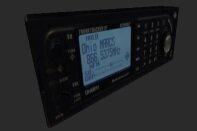 Hello, everyone, this is Casey here and I am back, and I may be modding and modeling time to time and, I am uploading my new up to date Mods. And I made and modeled these from scratch. hope you all like it allot. I am releasing, these mods as a pack and Developemnt to help people, to develop their talents. this is all my exclusive mods; I have made back in 2014-2015 and I am re-releasing as a mod pack. And I have updated the credits and ReadMe's. I hope you all like My Creations that I designed in 3ds Max. Thank you! For all downloading My Mods and they are unlocked so you know! -Casey1989-



