


Marco38
Members
-
Joined
-
Last visited
Everything posted by Marco38
-
I did and actually I just forgot to put script hook v, it worked one time but after that when i got back into the game and tried to launch lspdfr again it exited immediatly and said that gta v had crashed here's the new log RagePluginHook.log
-
Okay so, I re installed everything one after another and I fixed the problem but after updating everything I had a crash when loading story mode with RPH Here's my log RagePluginHook.log
-
yes
-
I didn't updated it and yes i use it I removed it and tried to launch it again but the same window pops up
-
No. I tried to do this with mods and plugins but it didnt worked Oh and yes ive updated lspdfr to the newest version could it be this ?
-
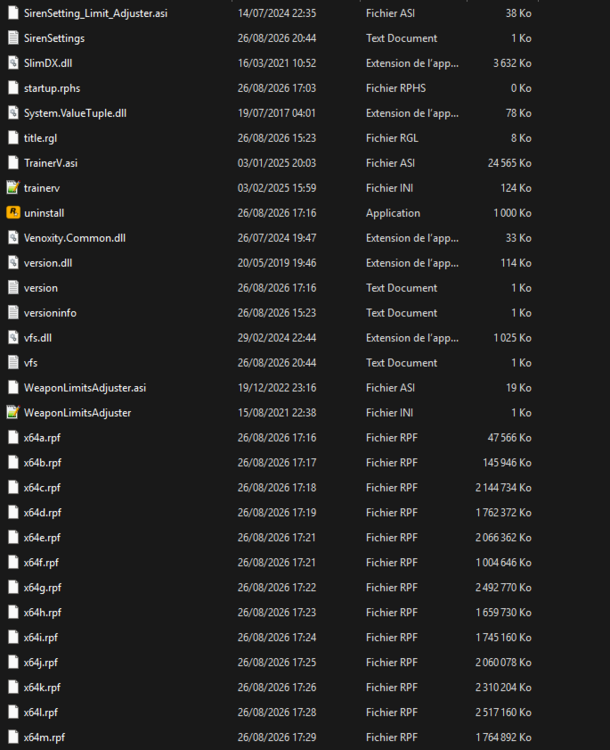
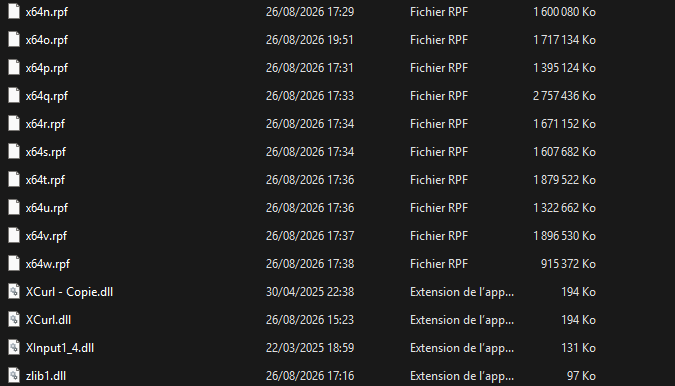
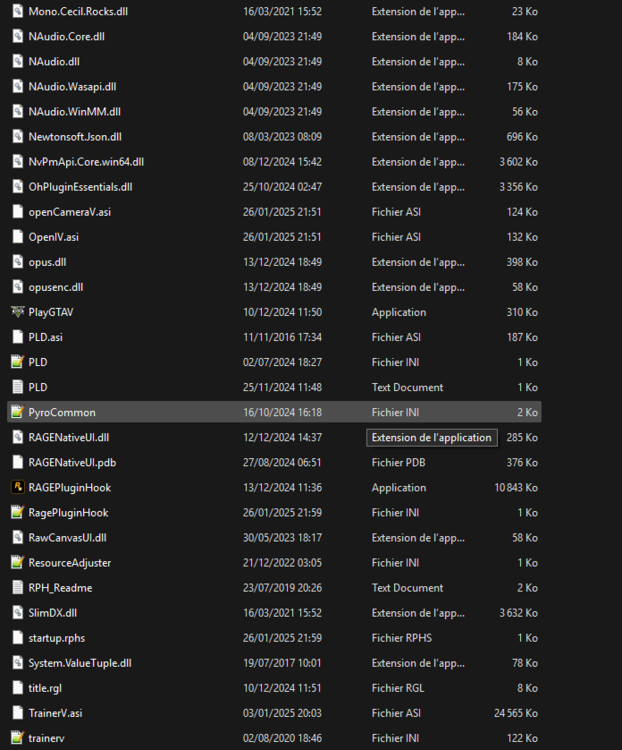
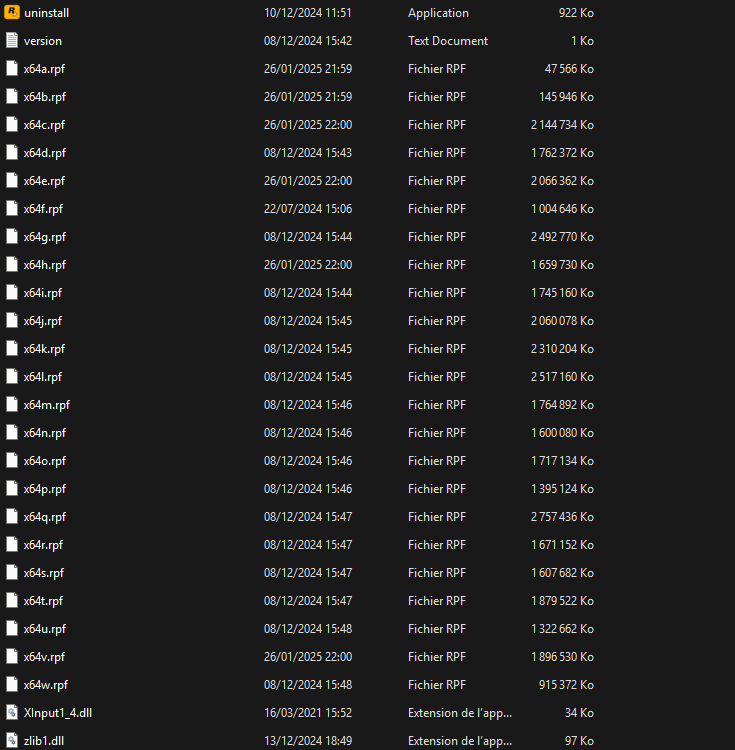
Hi, could I have some help, when I launch RPH, it starts the GTAV Launcher and then a window show's up saying GTAV exited unecpectedly. Here's my GTAV directory.
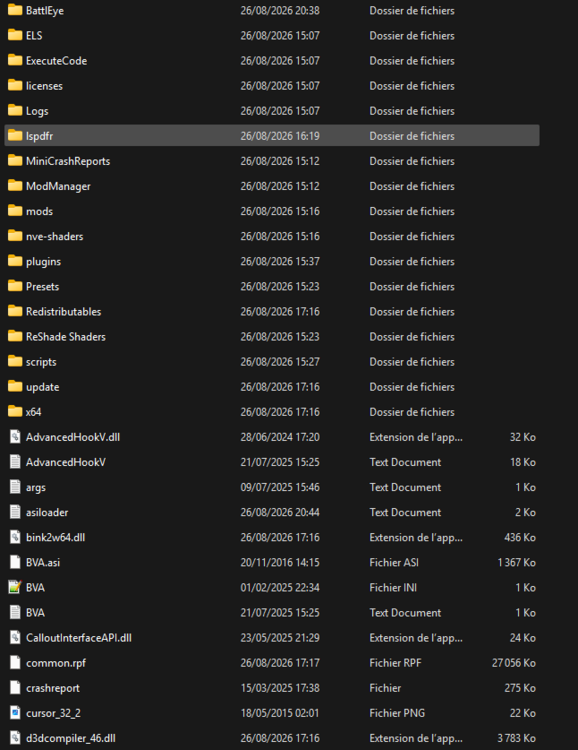
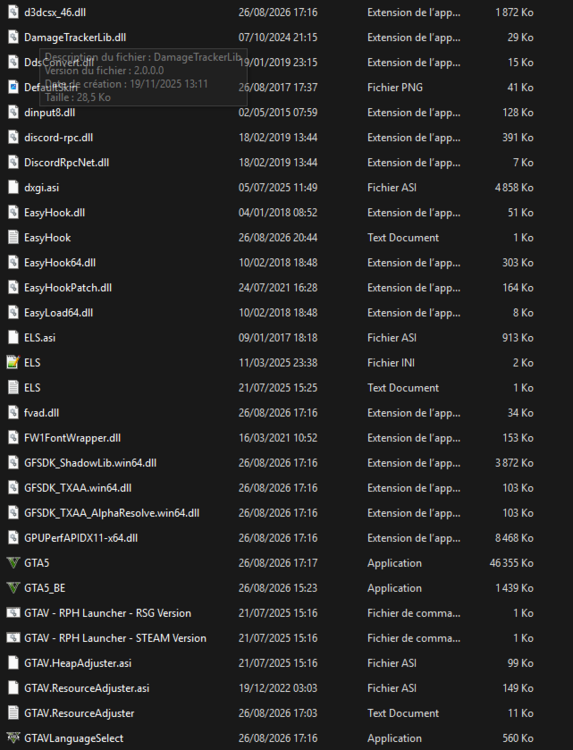
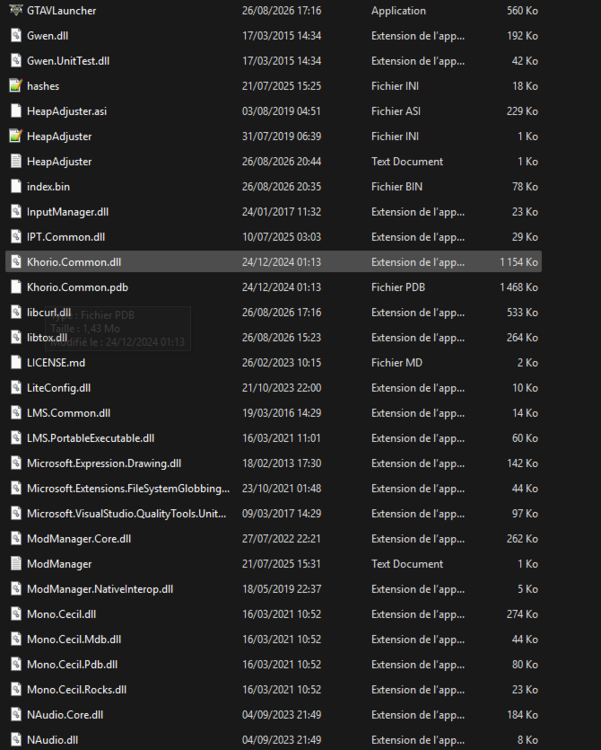
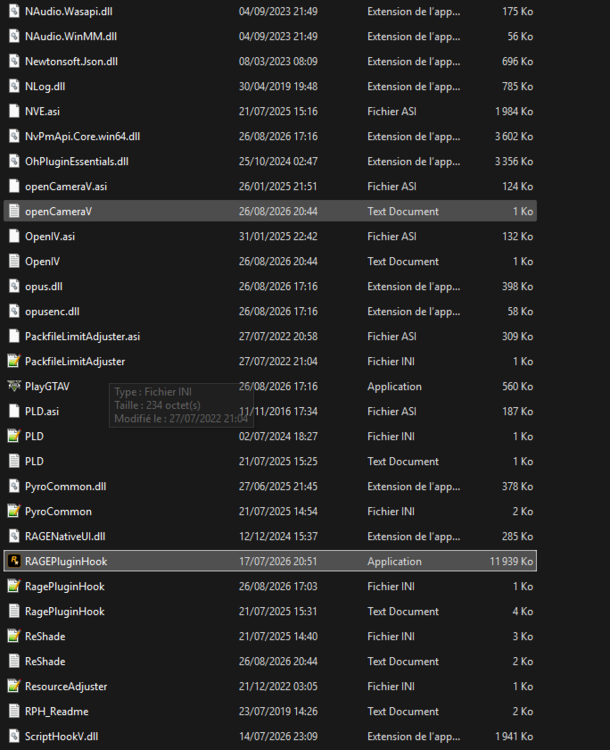
-
-
It didn't work here's the new log RagePluginHook.log
-
Here it is RagePluginHook.log
-
-
Hi, I have recently re installed LSPDFR on my computer and now when I launch gtav history mode with RPH it loads the plugins and then crash instantly. Can someone help ? Thanks ! RagePluginHook.log
-
Hi, I've been having a problem with GtaV legacy for a couple of days. I play with the rockstar game launcher and when I click on play it refuses to launch the game, it even causes the launcher to bug. I tried reinstalling the drivers, uninstalling and reinstalling the game and launcher, adding the launcher to Windows protection as an exception, but nothing worked. Ps: the enhanced version works just fine Thanks in advance for the help
-
Yes I think it was that? I just had to reinstall it and it was good to go ! Thanks for the advices btw
-
I finally found what was making the issue . It was the modding file into my dlcpacks folder , I tried to re install it but it didn't work that's why I send you my log è
-
So I deleted all the mods from the mods folder and reinstalled them but now it's crashing but at least I had a report. Could you see if you find something pls RagePluginHook.log
-
ok thanks ! Yes it was my mods folder I forgot to enter all the mods into the dlclist
-
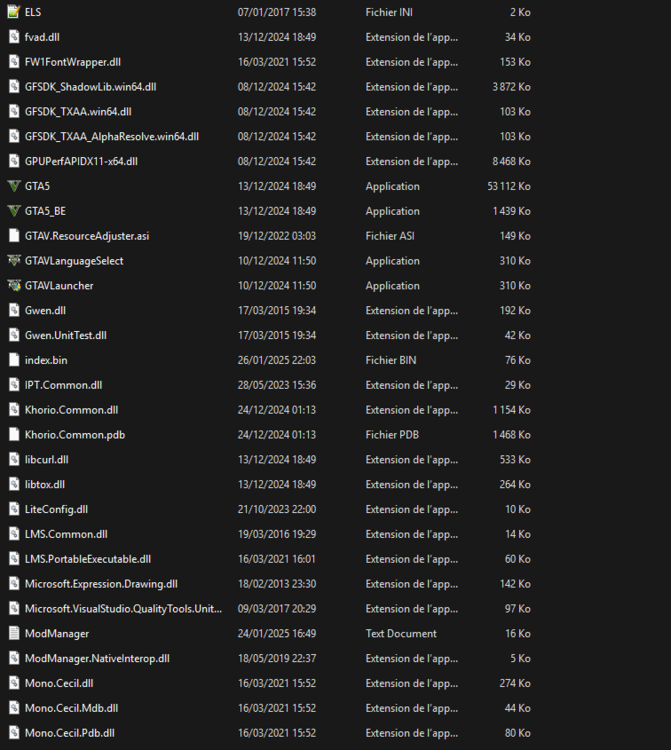
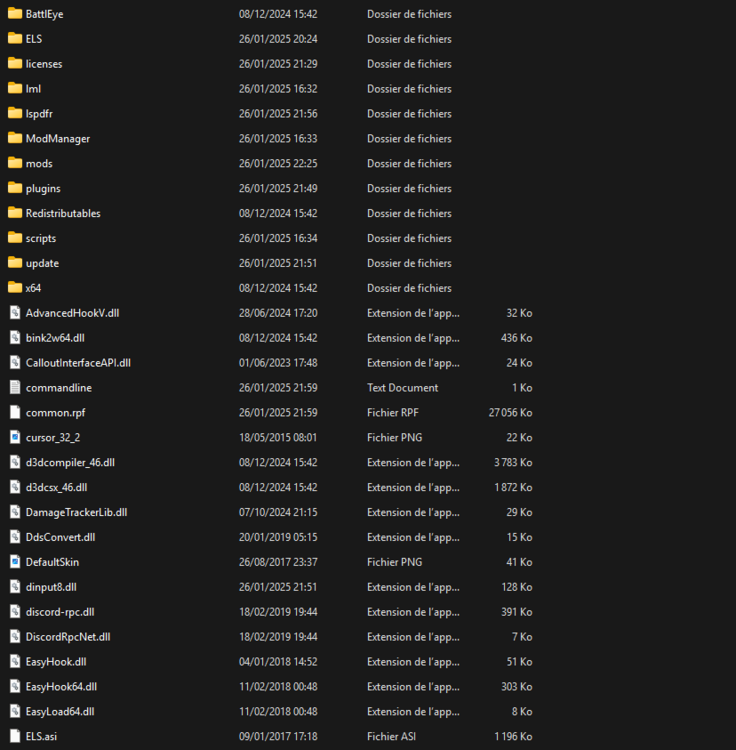
Here it is !
-
Hi, it's been a long time but I tried the solutions you gave me but it didn't work. In fact I tried to find the folder/file that was making my game to not start and I've arrived to a step where now I have a window that pops and say that gtav has crashed. I can now have a log here it is If you don't find anything thank you first and I think that I will re install all my files with a clean install of gta RagePluginHook.log
-
Ok thanks
-
thank you for your answer and sorry for duplicating my topics, I did what you said and rph showed me a message saying that I had a bad gameconfig for a vehicles.meta file so I changed it with the lastest I could find. After this it also crashed but know it's showing me this message : Could not hook game process. Insufficient permissions or bad anti-virus. Please try again. If the problem persists, please restart your computer. I also switched off my anti-virus and restart my computer but it didn't worked. Also I can't find my RPH log anymore I could only find this --> RagePluginHook_01012025_181155.log
-
Hi guys, so I think might found the solution, at least it works for me. I just had to delete and replace the ScriptHookV and ScriptHookVDotNet files, now I'm crashing on startup but I can at least see the loading screen.
-
I installed properly the last lspdfr update with the manual instal, and I can't even get into the game : it says waiting for game window, the game says loading GTAV and like 5s after that a window pops up saying : Error Grand Theft Auto has quit unexpectedly. Please click on Retry below to restart the game, or on Safe Mode to launch with lower graphics settings Please help (also here's my log) RagePluginHook.log
-
Hi, I don't know what happened to my game but each time I start rph and load it, my screen freeze. I've verified the integrity of the files, even reinstall the game but nothing is working. Here is my log if that can help. RagePluginHook.log
-
Hi, RPH keeps crashing when it starting to load and populating game world, I have tried everything, search every mistakes that I could've made but none of them worked. Can someone help ? RagePluginHook.log
-
Hi, RPH keep crashing on startup when it reaches loading and popularizing game world. Here is my log. Thanks ! RagePluginHook.log





