
DikAgg007
Members
-
Joined
-
Last visited
Everything posted by DikAgg007
-
Well then, That's it. I appreciate Your help 🙂
-
Well, I already did this but it didn't fix anything but what did fix this is fullscreen mode, My game never stutters in fullsceen mod for some reason I don't know why but yes. I was unable to play my game on fullscreen because whenever rage was launched it messes the screen for some reason and Alt + enter or settings dosent work, after few hit and trial i found it this was happening because of windows fullscreen optimizations, after disabling them and running my game back on fullscreen suddenly No Sttuter, literally magical XD Btw I need help with something else now, I am unable to run my game using Rage I have to manually first start my game and then run Ragehoo.exe and if I do RageHook directly the Rage crashes (the game does not), I have a Legit Rockstar launcher copy (Latest version). If you could help, then it would be great. Thanks for Replying!
-
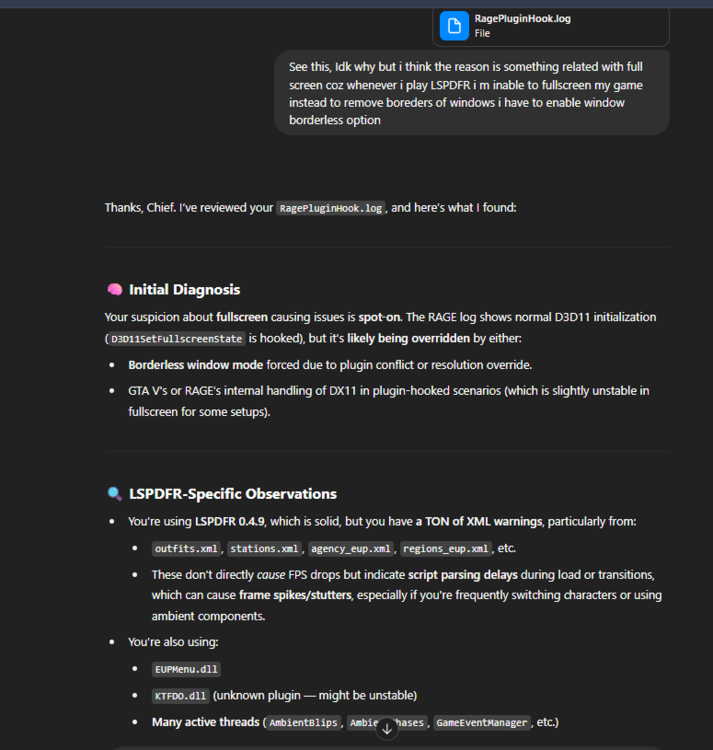
Well my game runs real smooth but when LSPDFR it stutters, i know its a mod and demands more resources but it's smooth as butter it stutters For no reason at all. Well I thought the problem was something related with FullScreen because when i use LSPDFR I am unable to Fullscreen my game so to remove those windows borders I am forced to choose Windowed (borderless). So to figure something out I first reached the ULTIMATE FIXER, Chat GPT and it said the following. Please suggest me some fixes and also I am attaching the Rage log file here, so if you come to a different conclusion then Chat GPT RagePluginHook.log
-
well is an exact replica of this model available or, the download link of this file coz i have searched several and this is the only one with all my requirements.
-
@Lennyy Thank You So Much, It fixed it. But IDK why i did update the RAGE Native UI Several Times before but it did'nt work but this time it did. Also I use Old Version for Wide Mod Support.
-
I Only Have Stop the Ped and Ultimate Backup and EUP, I Don't Know Why it crased in less then 30 seconds of going ON DUTY, HELP! RagePluginHook.log
-
Thanks, It Worked! My Game Crashes have stopped, Thanks For Helping.
-
Oh Okay Sorry I didnt Knew, Here is the Correct log Please Help If You can! RagePluginHook.log Sorry I didnt Knew Here is the Correct File Please Help If You can! RagePluginHook.log
-
I have Installed Several Plugins of LSPDFR, Namely: Powler Radar Campulite Callout Interface Stop the Ped Ultimate Backup 4 Different Callout Packs Grammer Police Deadly Weapons ........... and some more I guess RAGE Plugin Hook v1.115.1348.16655.txt
-
I Installed LSPDFR And Its Shows up like this everytime i open rage plugin hook it opens this and quits automatically nothing happens. Any help is appreciated.