PenguinJr
Members
-
Joined
-
Last visited
Everything posted by PenguinJr
-
wait is it for sure that 1.0 is coming tonight because it could not it could be a trck and els v 7.1 is coming out or both, the devs can be strange people in a good way lol
-
this topic should have that hot topic tag like on some website have. never mind it does it just never poped out till now lol
-
What ever it is it will come out around 7:55 pm EST for me im so yep i cant wait
-
look at the top left conor of the glass, there's a V and possibly a 1 and a 0.
-
no on the post here the new pic that reveals the next clue or what ever its called
-
wheres the four days left picture?
-
well goodnight prob when i get back in the morning this topic will yet again be flooding and i hope to find ma self a safety volt for my self and a few others, note to other: you must ask me first by pm the first five gets to enter my volt the rest can buy your own il post the first five when i get them then VOLT WILL BE LOCKED lol
-
mabye u should really look at my sp if u really want to know where the camal one is its a big and i mean big hint lol
-
what you cant find the last riddle about the camal? what do you do mostly when you go to a party like at a college. warning look at the spoiler at your on risk!!!!
-
I agree with sergiygtaiv on waiting for 1.0 to come out because that there will probably be less bugs and other types of problem, but its your choice on waiting.
-
same here would love to help fellow lcpdfr peers
-
WOW THIS IS AWESOME THIS WILL BE GREAT WHEN MY CLAN HAS STATE WEEK. WOW THIS IS AWESOME THIS WILL BE GREAT WHEN MY CLAN HAS STATE WEEK.
-
Hi Recently I have accidentally changed the ways files open on gta iv while the game is running. My mistake was that I made it open in media center when its suppose to open by default. i was wondering if anyone new what i can do. I am currently re installing the game but when i looked in the file it was still as media center. I will have an attachment below to show my problem.
-
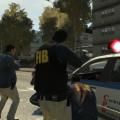 Quick question, the officer on the left on image 4, which gun is that and where did you find it.
- 19 comments
- 24 reviews
-
where is the file i installed it but now i cant find it after the softwere was installed to laptop?
- 36 comments
- 8 reviews
-
 i still cant find how to change the ELS express mode key to change itbecuase when i back out of trainner wich is backspace i allways get ELS express mode and its so innoying
- 534 comments
- 206 reviews
-
thnx alot and can i put a police car instead of it?
-
does anyone know what car is romans taxi at the taxi depot on spark iv and if it is replaceable with a police car?please i really need to know so i can get through the missions faster with sirens and light.
-
ok im allredy a member downloded it and sharedwith my clans dispatchers and also instead of a tiny map u should use a map that connects to game and u can see the players after u type in there gfwl
-
and can i become your tester?
-
when will it be done.or what half will be done by the end of next month?
-
Can someone please cometo me if they know how to make build and what to download for this CAD http://www.ticketscad.org/
-
same with me and its been almoast 2 months :(
-
i still need a out of game dispatching system like A CAD DOSNT HAVE TO BE FOR THE GAME AND IT NEEDS TO BE FREE sorry caps :(
-
ok becuas il be needing it becuase the clan im in alredy has a cad up but it dosent have a live map for lcpdfr its a regular us map