


painfulthunder12
Members
-
Joined
-
Last visited
Everything posted by painfulthunder12
-
it didnt thanks!
-
this is the custom.ini file i have and i put all the changes you said custom .txt is this correct?
-
i did it and didnt work
-
i put the same ini file heres the custom.ini file in the Grand Theft Auto V/plugins/lspdfr/grammar police custom.txt Please tell me what to change
-
When i have grammar police installed my lspdfr crashes when i go on duty manually. when i forceduty, the mods that dont work are grammar police, stop the ped, and ultimate backup Does anyone know a fix because i want to play with the three mods without crashing. thanks RagePluginHook.log
-
When i go on duty, lspdfr crashes and then if i dont load any plugins then load them one by one they all work but then when i go on duty, lspdfr plugin crashes and leaves me on a loading sign that says memorizing memoria or something. RagePluginHook.log
-
-
I was having the same issue but I found a way to fix it. First thing you need to do is go to the rph discord necessities channel https://discord.com/invite/z8N5P9MCRx and download the rph for your game version. then open the rar file and your game directory and paste everything from the winrar except for the sdk and licenses folder and the readme into your game directory and then try opening rph. Hope this works
-
So I went to launch rph from my directory for the first time with mods (not ever i played gta with mods before) and i double click it and it shows a loading wheel on my cursor then it disappears then another loading wheel comeson my cursor and then nothing happens and it doesnt start gta or rage plugin hook. And yes i already got in the game then launched rph and same thing happens. The mods i have installed are trainerv, rde, openiv, latest ragepluginhook, latest scripthookv, and latest shvdn. please tell me a fix.
-
do you use stop the ped and use the realistic weapon system feature? if you do go to sstoptheped ini go down to realistic weapon system and change the ammo limit to your needs.
-
does anyone know why my game looks like this when i spawn in
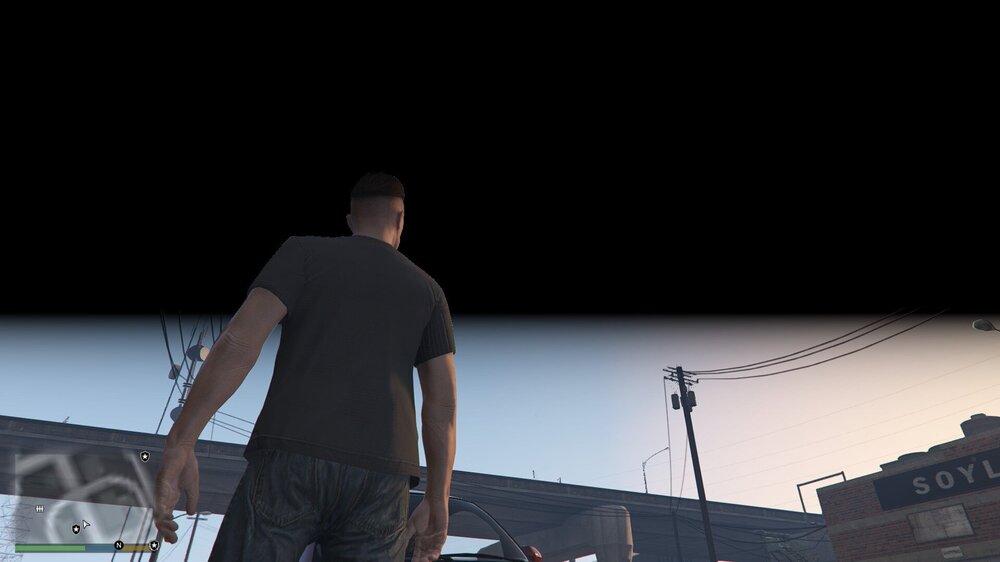
-
i managed to fix it, it was an addon car pack issue
-
so whenever i try to install addon car packs, my game just crashes and i was trying to install the chp mega addon pack and my game was crashing so i deleted it then i tried a different one and game kept crashing im not sure if its lspdfr or just open iv or game files and yes i do have the gameconfig and heapadjuster
-
so once you call backup and you want them to leave and not your partner, just hold the enter key
-
so i installed a couple of thinlinesanctuary mods and my game is crashing RagePluginHook.log
-
so i installed police menu mod and the mod was working fine and when i opened the map it glitched out. The game didnt crash but the problem was the map looked glitched and i couldnt see any blips or map texture all just a glitchy looking screen any help please
-
so i had an issue where when i tried to start rph everything was fine until i got the loading lspdfr text and it crashed which led to an infinite loading lspdfr screen sometimes it works but when i get in a car or accept a callout lspdfr crasahes so pls help RagePluginHook.log
-
lspdfr crashes when loading lspdfr RagePluginHook.log
-
so whenever I get in an addon car or accept a callout my lspdfr crashes please help RagePluginHook.log
-
problem fixed thank you
-
whenever I go on duty, lspdfr crashes heres my log file please help RagePluginHook.log
-
for me what worked was delete the files and reinstalled them i also took out baitcar plugin that worked Hope this works!!

