



The Pope of Dope
Members
-
Joined
-
Last visited
Everything posted by The Pope of Dope
-
 @BMon0420 I think it is this way because of the way headlights work these days for daytime running lights and automatic headlights at night. During the daytime it's like you can only use high beams and spotlight. But as soon as dusk hits the low beams come on automatically. Then you get both light patterns. Just what I noticed while playing.
- 303 comments
- 22 reviews
-
Did the above changes suggested by UnknownBastion. But now I am getting a hang up of LSPDFR at start. RagePluginHook.log
-
Here is the Ragepluginhook Crash Report. I don't know if it is the same as the one I included earlier. RagePluginHook.log
-
This one I can't seem to find anything that stands out except for "Grammar Police" but I don't see a critical error message. RagePluginHook.log
-
Ragepluginhook crashed and gave me a report/log, but don't know how to include RCR file that it put out. RagePluginHook.log
-
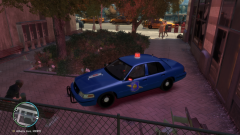 Is there any place to get the Van Buren county and South Haven police cars? and maybe uniforms for them also?
 -
Sorry I typed the wrong thing above, I meant to type Special Callouts. I have version v1.1.1 installed
-
Thank you UnknownBastion. I will give it a try. In my plugins/LSPDFR it shows SuperCallouts being one that was released on November 15th about 15 days ago. Is that not the newest version of Supercallouts? I checked my lspdfr.ini and the Ambient.DisableEscapedSuspectEncounter = true was already setup according to the log below that I included. lspdfr-ini.txt
-
I added SimpleControl and a 21:9 script. Now LSPDFR started crashing again. I looked at the log but I don't really understand what it is trying to tell me. I have included the Rage log below. Thanks for the help. RagePluginHook.log
-
No. Just incase anybody wanted to look at them. Thank you again for all the help.
-
I copy and pasted the entry above that you said was still wrong. Game seems to be running better now. Grammer police seems to have a hard time hearing what I am saying and acting on it. Thank you for all your help. If anything else happens I will be sure to come back and leave another log entry. RagePluginHook.log
-
I hope this is the right one. It just crashed on me again. I tried the reinstall of "Spotlight" and it work great last night. but when I got up this morning and try to play again it crashed and I went right to the RagePlugIn Log and that is the one that I found below. I hope it is the right one. It's a great MOD when I get it to work. I appreciate both of yours help. RagePluginHook.log I removed BaitCar and HeliAssistance. I went to lspdfr folder and open the lspdfr.ini but the setting was already set to: Ambient.DisableEscapedSuspectEncounter = true I am going to try it again now to see what happens after these changes suggested by you both. I'll write back in a little bit to let you know how it went. thanks again for the help.
-
It keeps crashing on me intermittently. Looks like something to do with Spotlight. I tried to reinstalling it. I will come back after a test. RagePluginHook_26112023_224424.log

