


dazza0768
Members
-
Joined
-
Last visited
Everything posted by dazza0768
-
Ok thank you!
-
Ok. I'm just downloading vehicles from the downloads section of this website..they all have readme files, all with different instructions and half of the instructions cause the car not to show anyway.
-
I'm still left wondering where the best place to install addon cars are though??? Definitely x64e???? As alot of your other info on other threads say several other places. You're very vague.
-
Flags were added and yes ELS was set to S3....AI still wouldn't respond. So you haven't answered half of my question. Where is the car variations for x64e? There doesn't seem to be one. Assuming the above vehicles.meta path is for the x64e vehicles.rpf folder??
-
I'll dumb it down a bit as I rambled. I installed addon police vehicles successfully In 64e vehicles.rpf. The issue I'm facing is there is no car variations file I can edit which corresponds to the 64e vehicles.rpf. The police vehicles I added as an addon work fine but AI vehicles do not respond to the lights and sirens. All I'm wanting to do is correspond a car variations to 64e or find a better place to install the addon cars where I have access to a car variations. At the moment I tried installing in the patchday28 vehicles.rpf and I have updated the car variations and vehicles.meta but none of them show in game to spawn with the F4 menu. You mentioned I have to make them into a pack myself? As in turn them into a dlc.rpf? I have no clue how to do that... Your help in finding the best place to install these properly is much appreciated. As I've said there are so many tutorials, they're all using completely different folders though and alot of the addon cars I've chosen do have a README for a youtibe video link which does not explain it fully which is a waste of time.
-
Can you please provide the best address in the folders for this. I cant find a car variations when I put them in the 64e vehicles.rpf
-
Unfortunately none of the addon cars work in this folder. I can only get them to work in the x64e vehicles.rpf. The only downside to this is I cannot access any car variations to edit the siren to 1 as traffic is not responding by pulling over. Is there a better place to install addon standalone cars (police) where I can still have access to a car variation and vehicles.meta?? I have figured out how to replace the stock police vehicles sweet as and have access to the variations and meta there. Just having trouble finding exactly where to put standalone addon cars with the variations file. I tried in the above (albos) but I think its for DLC files only? Not for addons? There are just so many locations that online tutorials and help provide. I just want the right one for addon police cars where I can edit the car variations and vehicle meta
-
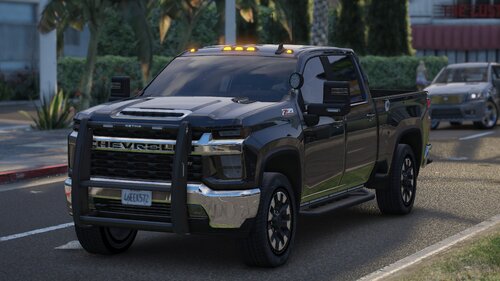 Love it but it only spawns In Green and traffic does not get out of the way for this vehicle under lights and siren
 -
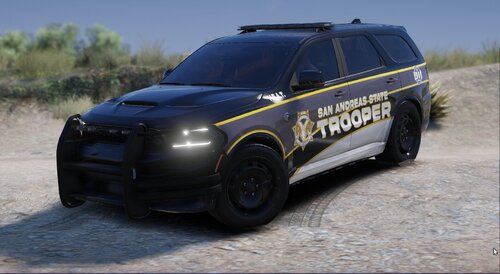 The meta has a fault and needs fixing
 -
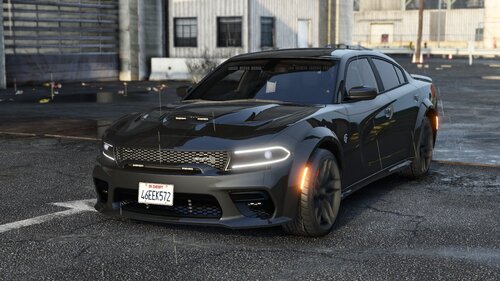 Mine spawns white. How can I change colours??? It wont allow me to change colour at the mechanic,
 -
Thanks heaps One more question. If more than one plugin requires me to place the ragenativeui.dll into yhe GTA5 folder what do I do there? As it asks me to overwrite each time. I now have the super callous plugin installed but the prowler radar also wants to put its own RAGENativeUI.dll into the GTA5 folder. Or are these .dll files that come with them all the same .dll??
-
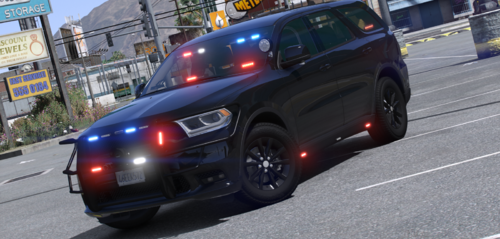 I followed the 2 steps above and it didnt install. Couldnt see it in F4 menu to spawn.
 -
Sweet getting there. Could you just confirm exactly where to put the meta? Is it the MODS - update -update.rpf - common - data - levels - GTA5 vehicles meta? Or is it MODS - update - x64 - dlcpacks - MODDING - dlc.rpf - common - data - levels - gta5 - vehicles - vehicles.rpf - vehicles.meta? This issue is the addon cars do not come with detailed instructions aside from a youtube link which doesn't cover the meta at all. Is there a part in the forum that has detailed instructions on how to add vehicles? As I'm following the YouTube instructions and it only leads to a crash. I'm trying to install this as fbi3 https://www.lcpdfr.com/downloads/gta5mods/vehiclemodels/41872-undercover-charger-srt-hellcat-blackout/
-
Ok so let me get this right. For an addon vehicle can I not name it FBI3? It seems when I replace anything in FBI2 I seem to get the crash.
-
Sweet so we can only overwrite existing stock vehicles in game?? Limited to the amount of stock vehicles in game to overwrite with adding cars? I have an adding charger in FBI already, if I put another vehicle as FBI will that overwrite the other addon or cause issues or can I choose between the 2 in the garage menu. Thanks for that other tip to edit.
-
So I managed to reset everything and removed that particular vehicle. I've managed to successfully install another vehicle and all is fine. I'm running into an issue installing some other vehicles though. I have changed all the names of the vehicle files to fbi3 and the meta names to fbi3 but nothing comes up in the game garage.. I am trying to install the Dodge Charger SRT undercover add-on vehicle. Unfortunately the creator doesn't include any good instructions on how to install the specific cars and only have a link to a basic YouTube video whoch doesn't include instructions detailed enough. Am I doing that right by naming it as fbi3 or does it only allow fbi and fbi2? I am slowly adding a few new plugins and cars over time to make the game lively, normal vanilla LSPDFR isn't fantastic with just pursuits all the time. Do you have a personal list of great mods to make LSPDFR really worth while? I'm currently looking at the callout packs, radar and a few other wee things.
-
Thanks! I will try that and get back to you. As recently stated I only installed the above car and ELS.
-
Runs fine, no further crashes. Now the car is missing and I can't seem to add it back in for some reason. Looking into Open IV it's saying 'the mods folder - The archive you are currently editing is not located in "mods" folder.
-
I am new to LSPDFR. I installed it and it ran fine until I I stalled ELS which was needed for a vehicle I installed. https://www.lcpdfr.com/downloads/gta5mods/vehiclemodels/45791-new-chevy-silverado-undercover-blackout/ This is the vehicle and I followed the tutorial on YT to a T. The game works fine for a few mins then causes a crash for unknown reasons. I figured out how to install all the extra meta stuff and ELS stuff. After the crash I tried other things which I found online to no avail such as a new game config and heap adjuster + package file limiter. Still crashes. Would be nice to know where to start looking so I can figure out where I've gone wrong or what needs updating.
-
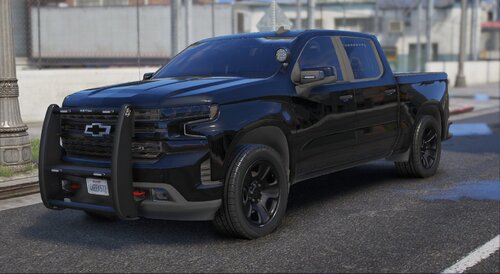 A fantastic model. I am new to LSPDFR and since I downloaded this, followed your youtube video step by step it worked. But now my game keeps crashing everytime I run it. Sometimes it will run for 2 mins, sometimes it will open then crash. I installed the ELS and what nots for this vehicle to work. I updated to a new game config too. Any ideas?


