


RCM245
Members
-
Joined
-
Last visited
Everything posted by RCM245
-
This is a more detailed version. https://www.mediafire.com/file/85vod4xundkzzsp/Supernatural_sheriff_department%28In_detail%29.7z/file Thank you very much for helping me.😊😊😊
-
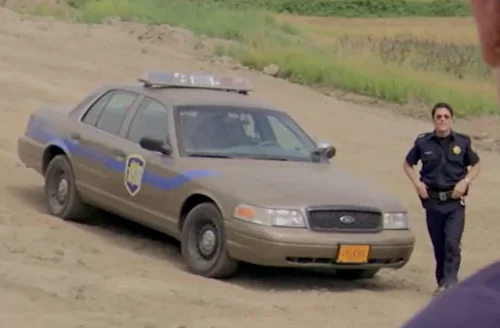
The body color of the police car is gray, and the rear of the car is marked with SHERIFF. There are black lines on both sides of the car body, and there are small green lines below the lines. For the convenience of production, I will make a more detailed picture combination.
-
I really appreciate you coming to help me. I am grateful to you, for these months I have been waiting for someone to help me and now I am very happy because today is my birthday and I have found this car with all the information. Thank you very much for your willingness to help. I am grateful. Endless
-
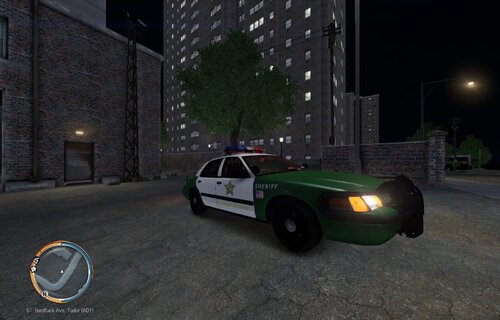 Spectacular and beautiful epic vehicle liveries, maybe you could try your hand at The Walking Dead Season 2 Episode 10 of the fictional law enforcement agency Mott County Police Department. That would be cool if you could do that!
 -
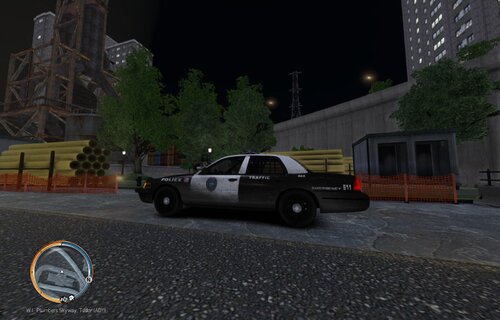 Come on, I really like this car paint!
 -
this is a texture request for the Sheriff's Department for Supernatural Season 1 Episode 13. I have found the body texture and the back texture as well as his badge logo and all the related image information I have packed into a zip file. Please check this information if you have time, thank you very much!!! https://www.mediafire.com/file/pr9a7agxi0eowiz/Supernatural_sheriff_department.zip/file Quote
 nice bro I like 😁
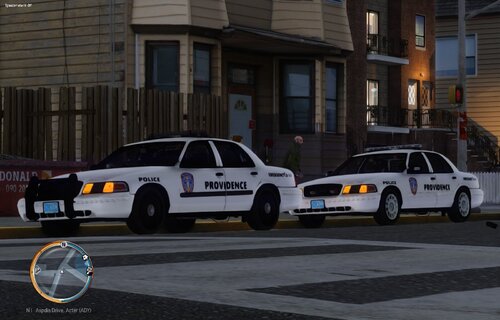 Please make the Corinth County Sheriff's Department Ford Crown Victoria vehicle texture!!!


