


.jpg.de22b43b0b6692578ff313553738099e.jpg)

iPayforyourEBT
Members
-
Joined
-
Last visited
Everything posted by iPayforyourEBT
-

From the album: My GTA IV
-
 "Featured."-ErinLindsay
 -
 Textures by NiTr0 SHoK
 -
Not really.
-
Whatever you do don't buy a prebuilt, just build your own. For what you are paying for a prebuilt you could build a better system with way better parts.
-
From the album: My GTA IV
-

From the album: My GTA IV
Model by Gump -
I'm sure, if you run into any issues just post here or PM me and I will try my best to help you.
-
Here is the same build with a Z97 motherboard. There are some really helpful videos on Newegg's youtube channel that will teach you step by step how to build a pc, check them out for guidance. http://pcpartpicker.com/p/hMQNxr
-
Looks great, the only difference is that the 4960K is clocked higher.
-
The only way you can screwup OC'ing is if you are a complete idiot.
-
First of all, you don't need an aftermarket cooler to have a K version of a CPU. Just because it is unlocked doesn't mean you need extra cooling for it, you only need extra cooling if you overclock the unlocked CPU. I am trying my best to help him prepare for the future, the way things are going the second you build or buy a PC it is outdated. With the K version he would have the option to overclock the CPU if needed for more power later when he is still trying to play all the games on high settings. When I think of building a PC I think of how I can save money by going with good parts to begin with so you don't have to upgrade as much. I don't see how $20 could hurt now instead of having to spend $200 later down the road for a new CPU because he needs more power.
-
http://pcpartpicker.com/p/Xqrnyc I was able to get the price even lower with better parts. You don't need a gold rated power supply, or a full tower case.
-
The PSU has zero reviews, I would go with something with good reviews over something without them.
-
By overmodding he means like 50 car models and 10 different scripts.
-
Seagate is honestly in my eyes one of the worst companies when it comes to reliability. If he gets the K version he can overclock later if he wants to, if he doesn't have it then what will he do if he needs more power. Dual channel ram is always better than single channel, so you might as well change that. When it comes to a PSU I would go with Corsair or Seasonic ones, just because I have had the best experience with them.
-
You can build a PC identical to mine for like $900, I can run most games on high with 40-60 FPS. Whatever you do don't buy a prebuilt, build your own. Computer companies often cut corners on key components like motherboards and powers supplies to save money, that is why I never recommend going with a prebuilt unless you are getting a laptop. Building your own PC is very easy, as I always say it is like building something with expensive legos. I built mine like 4 months ago and don't regret it one bit, it was first time building and I didn't mess up anything. I made a build list for you that is similar to my build with a few changes as my build is outdated, still the same price though. http://pcpartpicker.com/p/mrYqP6
-

From the album: My GTA IV
-
 Ok...
Ok... -
From the album: My GTA IV
-
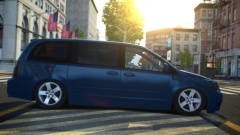 A soccer mom with style.
 -
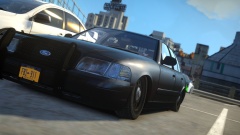 Bruh, found my new whip.
 -
I recommend you don't buy a prebuilt, they often take shortcuts when it comes to quality of the components. It will run GTA IV just fine most likely.
-
 Worst screenshot ever. ​just kidding.
 -
 I can't remember exactly.


