Nieznany
Members
-
Joined
-
Last visited
Everything posted by Nieznany
-
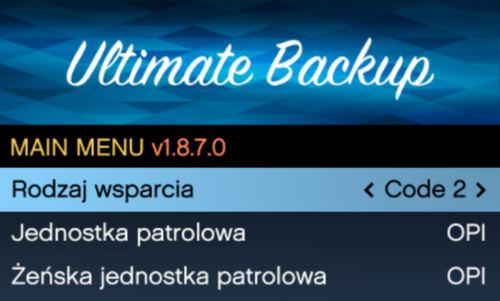 Spolszczony UB (Ultimate Backup), mojego autorstwa. ______________________________________________________________________________________________ Instalacja ______________________________________________________________________________________________ Krok 1. Wejdź w folder "Spolszczone UB" Krok 2. Wejdź w folder: Grand Theft Auto V\plugins\LSPDFR\UltimateBackup i następnie przerzuć pliki z folderu "Spolszczone UB" (Zamień Pliki) ______________________________________________________________________________________________ Autor: Nieznany Discord: nieznany.c0m ______________________________________________________________________________________________ Uwaga! Przy aktualizacji UltimateBackup, podmieniaj tylko wymagane pliki (zazwyczaj plik UltimateBackup.dll). Nie podmieniaj wyżej wymienionych plików, inaczej stracisz całą konfigurację. ______________________________________________________________________________________________
 -
-