


Chikowhite305
Members
-
Joined
-
Last visited
Everything posted by Chikowhite305
-
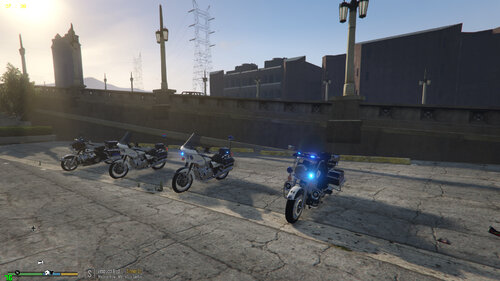 Amazing! I do have an issue though: retrobike4 (the electraglide) does not appear and is not in the vehicles.meta , the model is there in vehicles.rpf. any fix?
- 7 comments
- 1 review
-
-

- 1
-
-
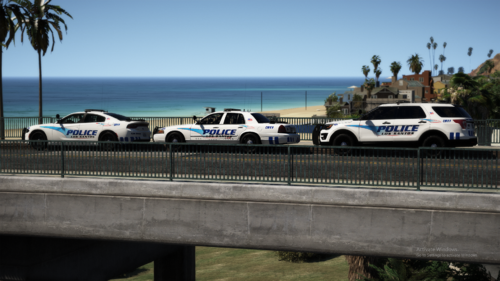 I really Love this pack, it gives you that beach vibe with the white livery but also that stealth "los santos metro pd" vibe with the black livery. only this i wish is that the ligh bar was a darker shade of red and blue. this is the only lspd pack i use
- 66 comments
- 19 reviews
-
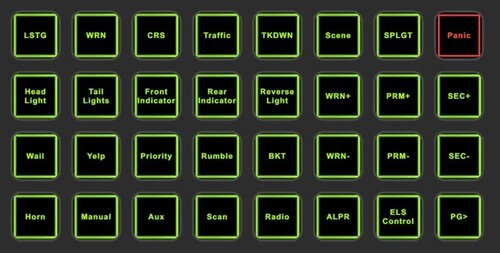 Stream deck profile for ELS. This was designed on a 32 button stream deck and results may vary. To Install, import (ELS CONTROL) profile into stream deck by going to Settings, Profile tab, Drop down menu at the bottom, and Import. Included are the PNG files For additional buttons. And READ ME As all of these mods have been keybinded using the INI files and stream decks software, necessary Mods for this to work as programmed are: Emergency Lighting System (ELS) Bejoijo's ALPR Lite Spotlight Grammar police Delete vehicle script You will need to ensure the key bindings on the stream deck buttons, match the config files in your gta5 main directory. You can change these to your preferred Keys utilizing the stream deck software and config files/ini. Presets in READ ME
