


EitanBil
Members
-
Joined
-
Last visited
Everything posted by EitanBil
-
Actually, it is working now! (Ironically with the socialclub.dlls) thank you so much!
-
Okay, I'll try to do so
-
**After I pasted the orig_socialclub.dll file it worked
-
GTA5.exe as an Administrator for some reason PlayGTAV.exe just spits up a bunch of errors
-
Also, I don't know what happend to the .egstore folder, I haven't touched it..
-
Here's what I got. I think this has to do something with the socialclub .DLLs And after a minute or so It crashed
.thumb.png.e487c3b22c36684fe1ca14bfa9b2e33e.png)
-
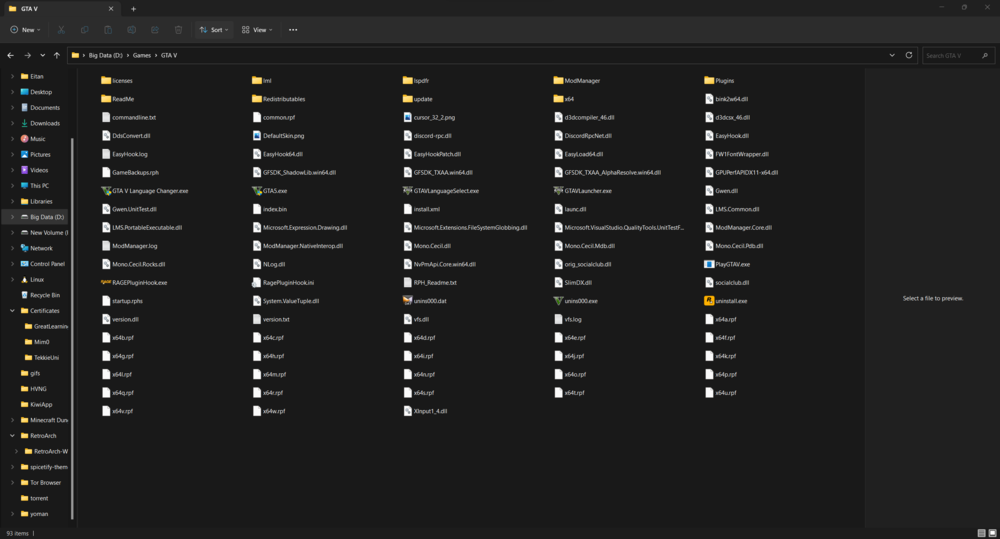
all of these files except unis000.exe, and orig_socialclub.dll came with the language changer.. (I made the orig_socialclub.dll because I saw that it wants to replace it with another one) I'll still try to remove them
-
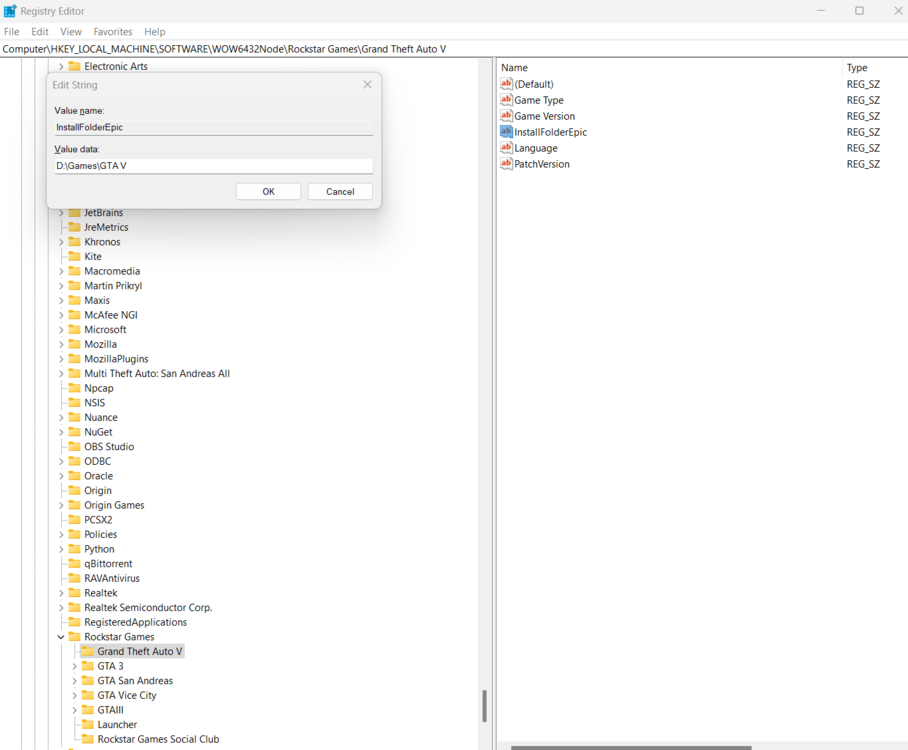
Here a screenshot of it. Yeah, I meant that... I'm just lazy so I didn't write the full path. sorry for the confusion
-
Seems like I do not have a `Rockstar Games` key on my HKEY_LOCAL_MACHINE.
-
That's a legit Epic Games copy.. I had a problem with the language so I installed a third-party language changer app.
-
Here's a screenshot of the GTA folder.. Yes, that's still the issue.
-
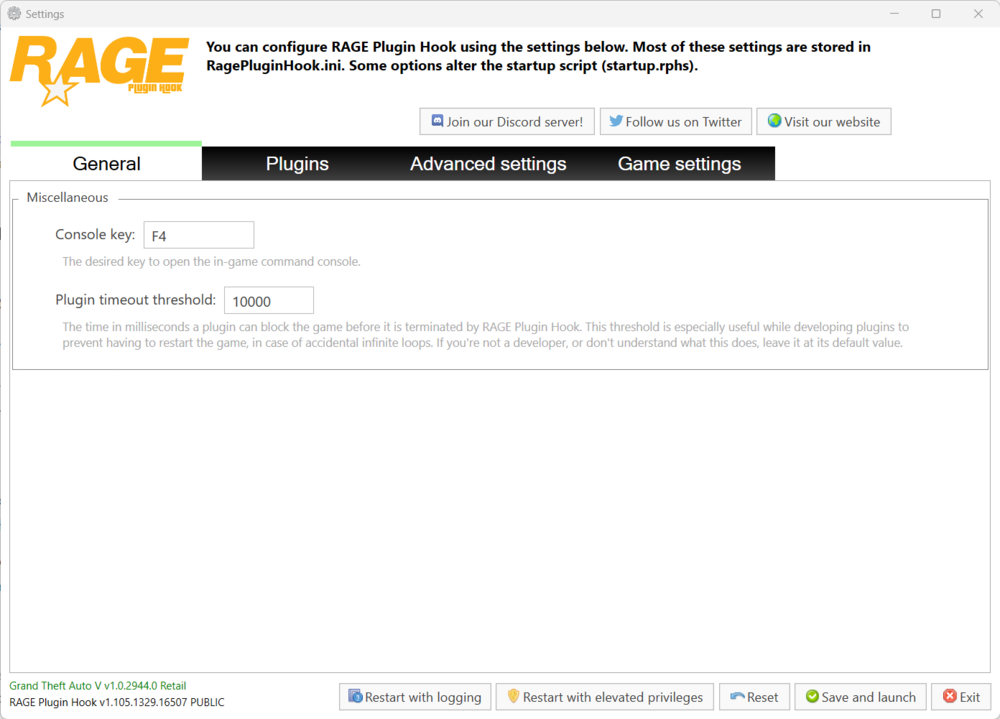
Hey, here is a screenshot of RPH To be honest, I just need RPH to hook up an existing instance instead of launching the game again. 😅
-
Hey, hopefully, you are reading this soon. When I launch my GTAV and then RPH RPH doesn't hook the running instance but launches the game one more time. If I'll run RPH first the game doesn't run at all. RPH thinks that I have a Steam Copy of the game but I have an Epic one. Please help me... I couldn't find any other people with the problems I have or any solution. By the way, I don't have a mods folder and I also don't know how to do that, so if possible, please help me with that too. Thanks,

.png.f5065dc03138547eea2c61fdc170a3f1.png)


