


MoissesArellano
Members
-
Joined
-
Last visited
Everything posted by MoissesArellano
-
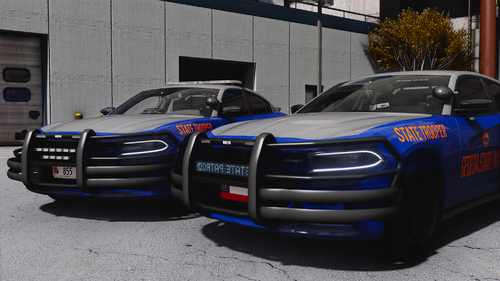 can i spawn different wheel textures using the trainer? or do I have to transfer the texture of another addon vehicle to the one I'm trying to get those particular wheels on
 -
.thumb.jpg.1f0591dda7573e8439684cb56aa8812a.jpg) i used this pack as a replacement to my sheriff slot. It is showing different textures and the lights are white/dull red or orange. any idea of how to fix?
i used this pack as a replacement to my sheriff slot. It is showing different textures and the lights are white/dull red or orange. any idea of how to fix? -
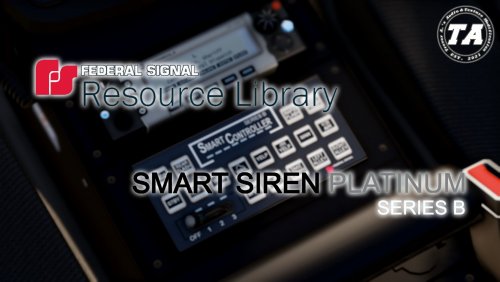 The raw tones don't work when I put them into the vehicles file. I would assume it is because they have a title and #. is there a way to fix this?
- 9 comments
- 1 review
-
.thumb.png.a3ea90e1fd72a2b865a3636e1581cbef.png) The wheels are different in the file. Is there a different file that has the same wheels as in the screenshots?
The wheels are different in the file. Is there a different file that has the same wheels as in the screenshots? -
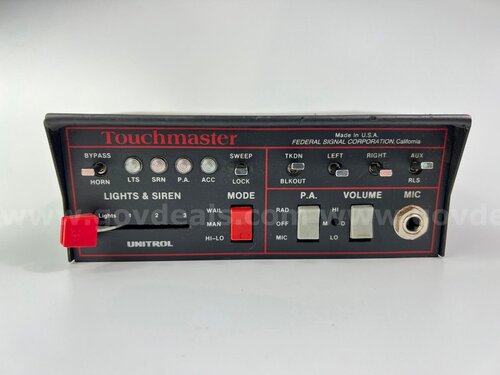 How do i add this to my LSPDFR? I'm unfamiliar with the file format
.thumb.jpg.1f0591dda7573e8439684cb56aa8812a.jpg)
.thumb.png.a3ea90e1fd72a2b865a3636e1581cbef.png)
