


Eduardo09011
Members
-
Joined
-
Last visited
Everything posted by Eduardo09011
-
Hello! unfortunately I couldn't install REDUX in the GTA root folder, so I had to uninstall it because the mod was incompatible with LSPDFR. But I appreciate your help.
-
Hello! I have a problem after installing Reshade and redux on my GTA V, I will attach the image. The game simply crashes after clicking "start" in the input menu. Note: I have gameconfig and the other mods necessary for the game not to crash, even before installing reshade and redux, even with LSPDFR I did not present this error. [01/02/2024 22:22:02.519] Started new log on 01/02/2024 22:22:02.519 [01/02/2024 22:22:02.520] ==================================================================================================== [01/02/2024 22:22:02.514] Log path: C:\Program Files (x86)\Steam\steamapps\common\Grand Theft Auto V\RagePluginHook.log [01/02/2024 22:22:02.521] Log verbosity: Trivial [01/02/2024 22:22:02.525] Initializing input system [01/02/2024 22:22:02.538] Failed to create culture for: 66582. Name returned: 00010416 [01/02/2024 22:22:02.538] Initializing game console [01/02/2024 22:22:02.551] Console key has been set to F4 (key code: 115) [01/02/2024 22:22:02.695] Initializing console variable "ConsoleScrollAmount". [01/02/2024 22:22:02.695] Type: System.Int32, Reading section: "Miscellaneous", key: ConsoleScrollAmount [01/02/2024 22:22:02.698] Read value: <null> [01/02/2024 22:22:02.698] Initializing console variable "ConsoleKey". [01/02/2024 22:22:02.698] Type: System.Windows.Forms.Keys, Reading section: "Miscellaneous", key: ConsoleKey [01/02/2024 22:22:02.699] Read value: <null> [01/02/2024 22:22:02.699] Initializing console variable "PluginTimeoutThreshold". [01/02/2024 22:22:02.699] Type: System.Int32, Reading section: "Miscellaneous", key: PluginTimeoutThreshold [01/02/2024 22:22:02.702] Read value: 60000 [01/02/2024 22:22:02.702] Setting value of console variable "PluginTimeoutThreshold" to stored value. [01/02/2024 22:22:02.702] Initializing console variable "AlwaysShowConsoleOutput". [01/02/2024 22:22:02.702] Type: System.Boolean, Reading section: "Miscellaneous", key: AlwaysShowConsoleOutput [01/02/2024 22:22:02.703] Read value: <null> [01/02/2024 22:22:02.703] Initializing console variable "ShowConsoleCommandInfoOnPluginLoad". [01/02/2024 22:22:02.703] Type: System.Boolean, Reading section: "Miscellaneous", key: ShowConsoleCommandInfoOnPluginLoad [01/02/2024 22:22:02.703] Read value: <null> [01/02/2024 22:22:02.703] Initializing console variable "ShowOnScreenWarnings". [01/02/2024 22:22:02.703] Type: System.Boolean, Reading section: "Miscellaneous", key: ShowOnScreenWarnings [01/02/2024 22:22:02.704] Read value: <null> [01/02/2024 22:22:02.704] Console initialized [01/02/2024 22:22:02.704] Initializing forms manager [01/02/2024 22:22:02.706] Cleaning temp folder [01/02/2024 22:22:02.708] Version: RAGE Plugin Hook v1.107.1334.16527 for Grand Theft Auto V [01/02/2024 22:22:02.726] ================ RAGE Plugin Hook ================ [2/1/2024 10:22:02 PM.740] Detected Windows 7 Home Premium (64-bit) (6.1.7600.0)! [2/1/2024 10:22:02 PM.741] Checking game support [2/1/2024 10:22:02 PM.893] Product name: Grand Theft Auto V [2/1/2024 10:22:02 PM.893] Product version: 1.0.3095.0 [2/1/2024 10:22:02 PM.893] Is steam version: True [2/1/2024 10:22:02 PM.897] Initializing DirectX [2/1/2024 10:22:02 PM.899] Initializing Direct3D [2/1/2024 10:22:02 PM.899] Getting game swap chain [2/1/2024 10:22:02 PM.936] Swap Chain created: 0x7FF7C73504F0 [2/1/2024 10:22:02 PM.936] Swap Chain VTable: 0x205CD401DD0 [2/1/2024 10:22:02 PM.936] 0x6C894808245C8948;0x5718247489481024;0x8BF08B4120EC8348 [2/1/2024 10:22:02 PM.936] D3D11Present: 0x7FF9C0BF2B70 [2/1/2024 10:22:02 PM.936] D3D11ResizeBuffers: 0x7FF9C0BF2DF0 [2/1/2024 10:22:02 PM.936] D3D11ResizeTarget: 0x7FF9C0BF3110 [2/1/2024 10:22:02 PM.936] D3D11SetFullscreenState: 0x7FF9C0BF2C10 [2/1/2024 10:22:02 PM.937] Direct3D initialized [2/1/2024 10:22:02 PM.937] Initialized DirectX [2/1/2024 10:22:02 PM.944] Direct3D watcher thread spawned [2/1/2024 10:22:02 PM.965] Getting device [2/1/2024 10:22:02 PM.965] Retrieved device [2/1/2024 10:22:02 PM.965] Creating wrapper [2/1/2024 10:22:03 PM.129] Wrapper created [2/1/2024 10:22:03 PM.152] Effect created [2/1/2024 10:22:03 PM.152] Creating buffer [2/1/2024 10:22:03 PM.154] Created buffer [2/1/2024 10:22:03 PM.154] Creating blend state [2/1/2024 10:22:03 PM.154] Created blend state [2/1/2024 10:22:03 PM.154] Done with creation [2/1/2024 10:22:03 PM.244] Initializing texture system. [2/1/2024 10:22:03 PM.244] Initializing texture system; phase 1 [2/1/2024 10:22:03 PM.244] Initializing texture system; phase 2 [2/1/2024 10:22:03 PM.260] Initializing texture system; phase 3 [2/1/2024 10:22:03 PM.261] Initializing texture system; phase 4 [2/1/2024 10:22:03 PM.279] Initializing texture system; phase 5 [2/1/2024 10:22:03 PM.282] Initializing texture system; phase 6 [2/1/2024 10:22:03 PM.285] Initializing texture system; phase 7 [2/1/2024 10:22:03 PM.292] Initializing texture system; phase 8 [2/1/2024 10:22:03 PM.295] Initializing texture system; phase 9 [2/1/2024 10:22:03 PM.297] Initializing texture system; phase 10 [2/1/2024 10:22:03 PM.310] Initializing texture system; phase 11 [2/1/2024 10:22:03 PM.310] Initializing texture system; phase 12 [2/1/2024 10:22:03 PM.313] Initializing texture system; phase 13 [2/1/2024 10:22:03 PM.313] Initializing texture system; phase 14 [2/1/2024 10:22:07 PM.945] Direct3D watcher thread ended [2/1/2024 10:22:56 PM.731] LoadingScreenMsg: Initializing game support [2/1/2024 10:22:56 PM.983] Initializing game support [2/1/2024 10:23:02 PM.656] LoadingScreenMsg: Velocity limit removed [2/1/2024 10:23:02 PM.983] Compatibility level: 0 [2/1/2024 10:23:02 PM.983] Supported version detected [2/1/2024 10:23:02 PM.983] ================================================== [2/1/2024 10:23:02 PM.983] LoadingScreenMsg: Patching code [2/1/2024 10:23:03 PM.234] LoadingScreenMsg: Waiting for game initialization [2/1/2024 10:23:03 PM.484] Waiting for game initialization [2/1/2024 10:23:03 PM.585] LoadingScreenMsg: Initializing core [2/1/2024 10:23:03 PM.836] Initializing hook [2/1/2024 10:23:08 PM.851] LoadingScreenMsg: Completing interoperability [2/1/2024 10:23:09 PM.102] Completing interoperability [2/1/2024 10:23:09 PM.102] Initialization code 1. [2/1/2024 10:23:09 PM.102] Initialization code 2. [2/1/2024 10:23:09 PM.102] Initialization code 3. [2/1/2024 10:23:09 PM.111] 1 Address: 0x00007FF7C509DE18 [2/1/2024 10:23:09 PM.111] Calling func 1 [2/1/2024 10:23:09 PM.129] 2 Address: 0x00007FF7C5C7CC52 [2/1/2024 10:23:09 PM.129] 3 Address: 0x00007FF7C46561D2 [2/1/2024 10:23:09 PM.162] Address: 0x00007FF7C5C7CBFC [2/1/2024 10:23:09 PM.162] Unknown var: 0x00007FF7C6CD7510 [2/1/2024 10:23:09 PM.162] Initialization code 4. [2/1/2024 10:23:09 PM.162] Initialization code 5. [2/1/2024 10:23:09 PM.162] Completing interoperability, phase 1 [2/1/2024 10:23:09 PM.162] Completing interoperability, phase 2 [2/1/2024 10:23:09 PM.162] Completing interoperability, phase 3 [2/1/2024 10:23:09 PM.162] Completing interoperability, phase 4 [2/1/2024 10:23:09 PM.162] Completing interoperability, phase 5 [2/1/2024 10:23:09 PM.162] Completing interoperability, phase 6 [2/1/2024 10:23:09 PM.162] Completing interoperability, phase 7 [2/1/2024 10:23:09 PM.162] LoadingScreenMsg: [2/1/2024 10:23:09 PM.413] LoadingScreenMsg: Loading Story Mode [2/1/2024 10:23:09 PM.664] LoadingScreenMsg: Loading and Populating Game World [2/1/2024 10:23:09 PM.914] LoadingScreenMsg:
-
Thanks for the answer. Could I at least delete the perro's patrol routes?
-
Thanks for the answer. In this file I could not find the spawn command for the del perro police patrol cars I wish the cars that appear patrolling the streets of del perro were different from those of los santos
-
Hello, thanks for your response. In which file do I find this tag?
-
Hello! I recently installed an ADD ON in Santa Monica, but when I see the police officers patrolling the regions where the ultimate backup was assigned to the DPPD, they are always with Los Santos Police cars, how can I configure it so that the police officers patrol with this car that I added? Note: when I edited the ultimate backup files, the only thing that changed was that they only appear with the add on car when I call for backup over the radio.
-
Thanks bro!
-
Hey! I wanted to leave the Los Santos Sherrif's Department responsible for ALL the counties, I no longer wanted the Blaine Sherrif's Department to come to Blaine, understand? How can I fix this. I use UltimateBackup and I don't know which file to edit
-
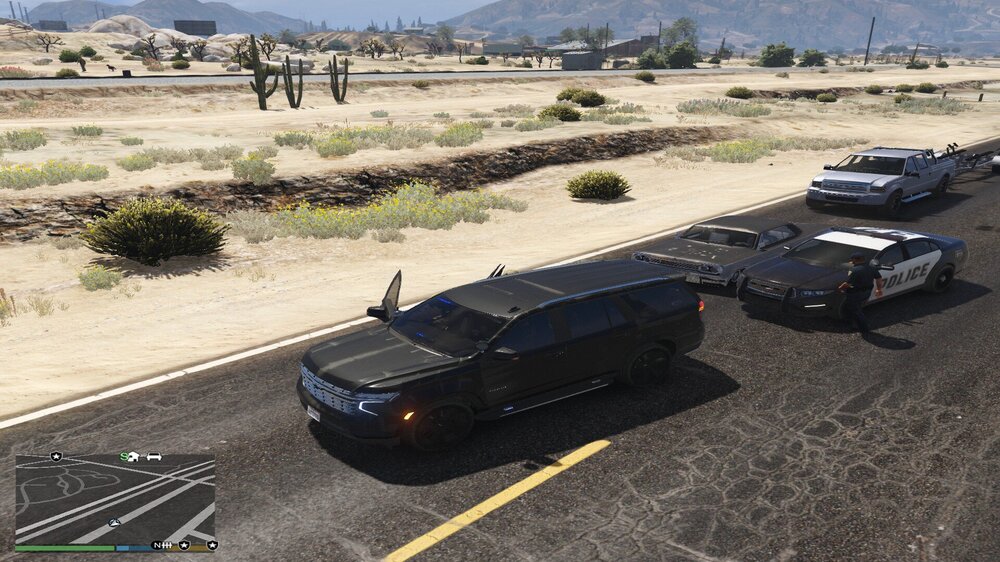
Hello! I'm configuring my GTA V to make it as realistic as possible, but when I configure the reinforcements to spawn with modified cars they continue to spawn with the game's cars. I'll leave the XML of my SpecialUnits so you can see that I modified it but it continues to spawn cars from the original game SpecialUnits.xml
-
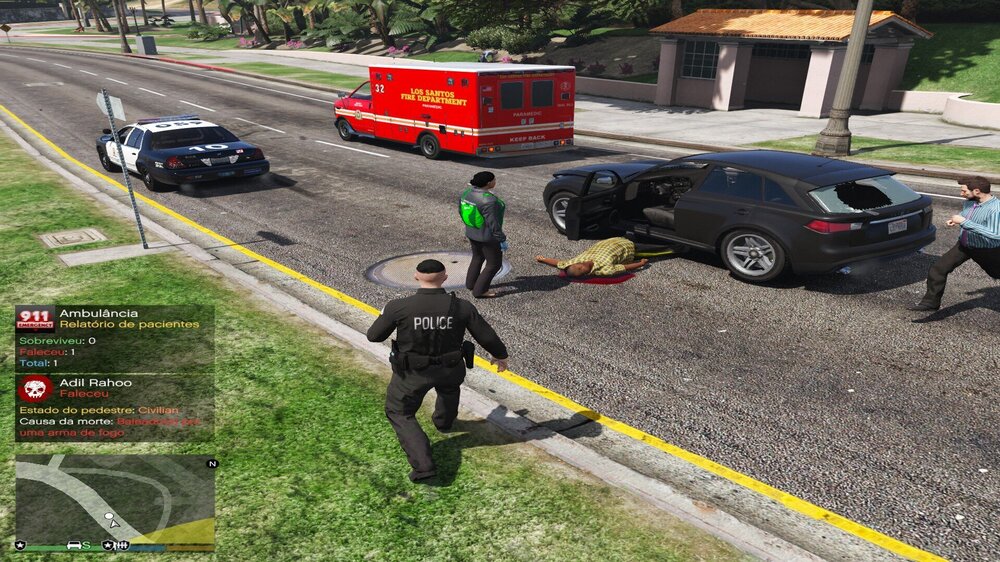
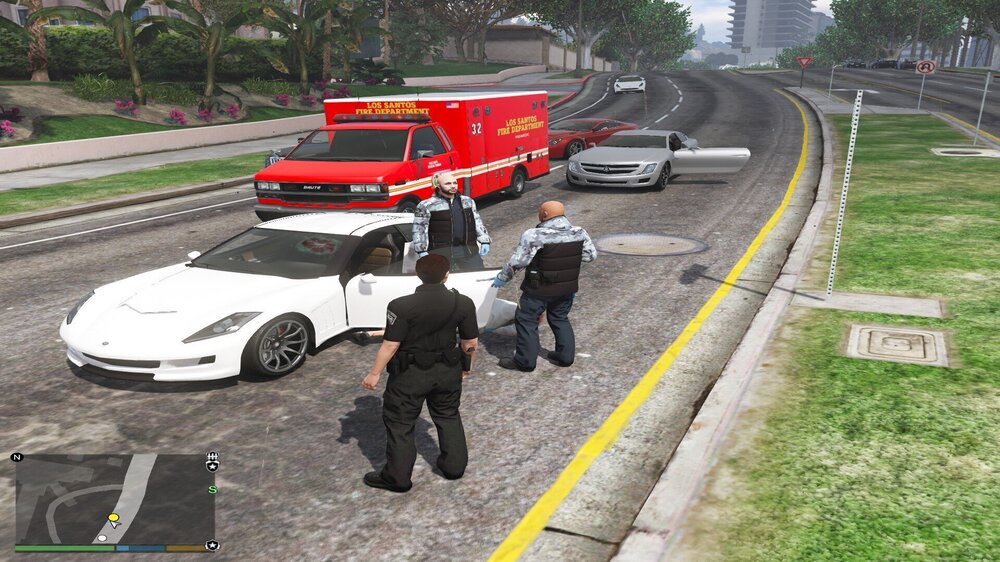
Hello! I'm trying my best to configure my "DeffaultRegions" so that the Coroner's and EMS' requests appear buggy, but I'm not succeeding, if anyone can give me the correctly configured file for UltimateBackup I'd appreciate it. I've tried everything and I couldn't 😞
-
It's tragic how buggy this game is (lol), I installed them all and none of them resolved it, I think I'll try to edit the ultimate backup xml because it only bugs when I call support there
-
Unfortunately, the error persisted, friend, but I really appreciate your help.
-
which of the three?

-
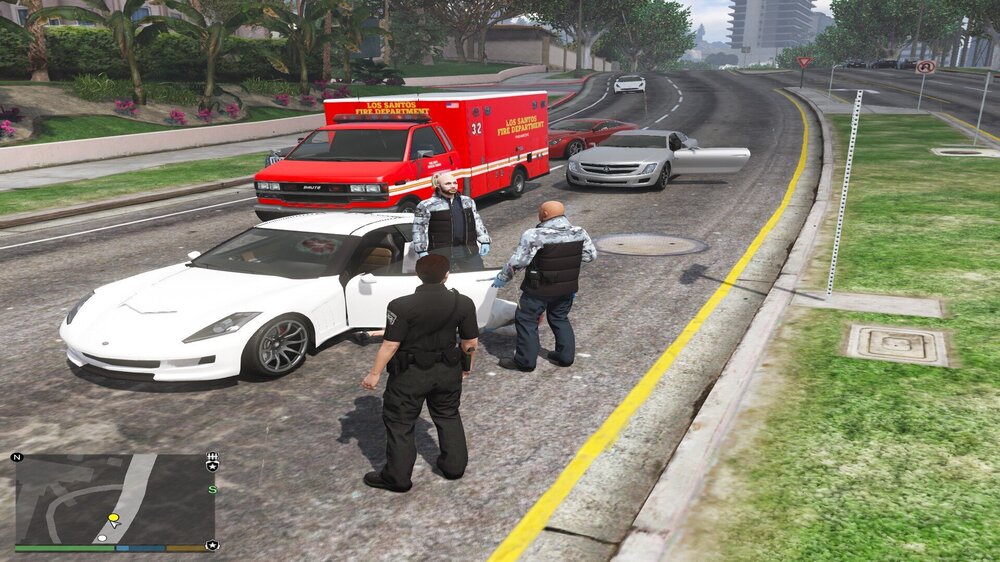
Thank you very much my friend, this will really help me! Another question, I know it has nothing to do with the current topic, but do you know how to agree with the bug of officers appearing in strange clothes in ultimate backup? I will link a photo
-
Pavy, I promise this is the last time I will bother you! but I reinstalled my entire GTA and the bug with the clothes continues, I installed the following components: eup my, l&o and s&r, basic config and EUP Ultimate Backup Configurations (9.6) 1.0.7.2, is there any other way? If I publish my xml file here, would you be able to check it for me?
-
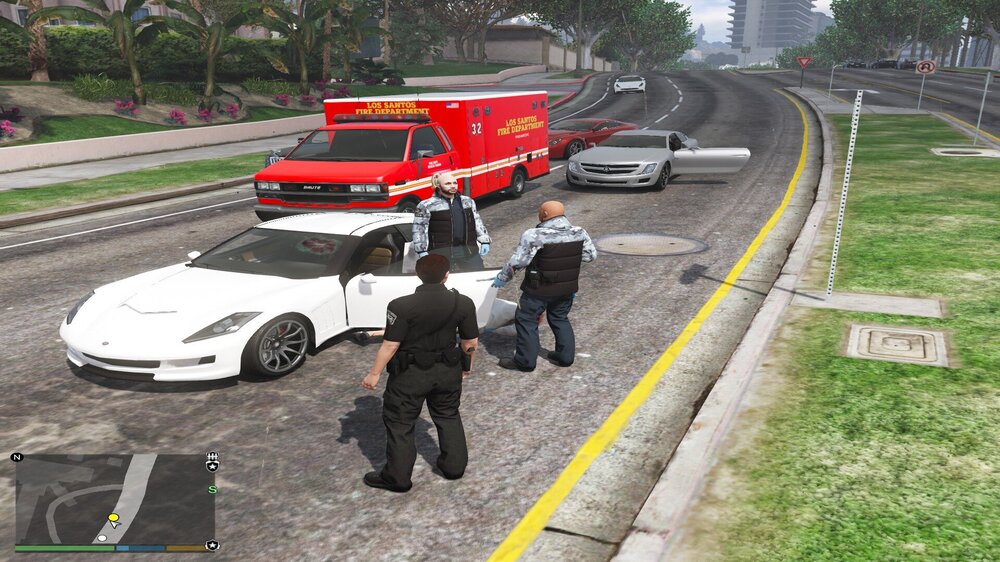
Hello! I apologize for asking for help again for the same problem, but a few days ago I came here to ask for help because the Ultimate Backup peds were spawning like this in some places on the map, a user tried to help but the bug persisted, does anyone have any explanation? USAGE: EUP MEU, EUP L&O and S&R, EUP Basic Configuration and EUP Ultimate Backup Configurations (9.6) 1.0.7.2. Did I install something wrong? Should I install another one to solve it? Note, I have already reinstalled all of GTA V, the game is clean.
-
Hello! Does anyone have a pack or some REALISTIC police cars from Santa Monica beach in ADD-ON format? I would like to place them without having to replace the original vehicles from the game.
-
Can I modify vehicles included as an Add-on? example: A vehicle that didn't exist in the game before but with the name "lapd06"?
-
When I decided to modify my game, I installed many outdated files and ended up "mixing" some, I chose to reinstall the entire LSPDFR. What do you suggest I install first so that there are no bugs like this? Should I install UltimateBackup before EUP?
-
Sorry to come back here with the same subject, but I did these two steps and the mu ultimate backup uniforms continued to bug, and to top it off, the cabinets continued to bug. Can you teach me to agree?
-
Hello friends! days ago, whenever I requested backup in any county in the interior, backup always came from the Los Santos Sherrif, now it always comes from the respective county, example: If I'm in Blaine County, the Deputy Sheriff comes in the Blaine uniform, and that's it for me It's bad because it mixes uniforms from other counties with LSSD vehicles. Is there any way to reverse this? I wanted all the sherrif's to come wearing LSSD clothes.
-
Thaks my friend! 🙂
-
Hello everything is fine? I recently installed the mods: UltimateBackup and EUP, followed by some vehicles as a Port Police Add-on pack, but I don't see them circulating around the airport. I also wanted to configure the county regions to only appear Sherrif Deputies in LSSD clothing. Can anyone do it for me or teach me?
-
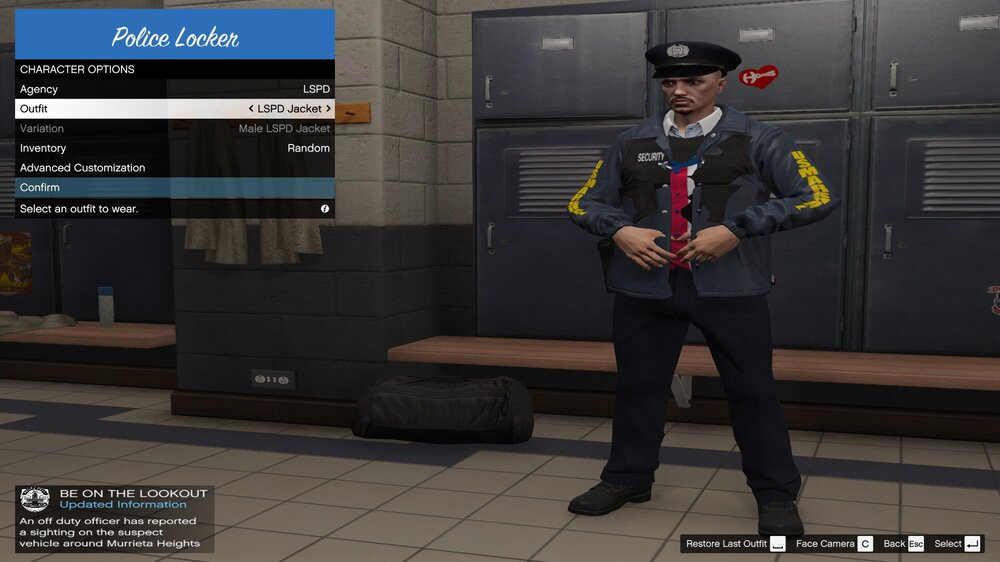
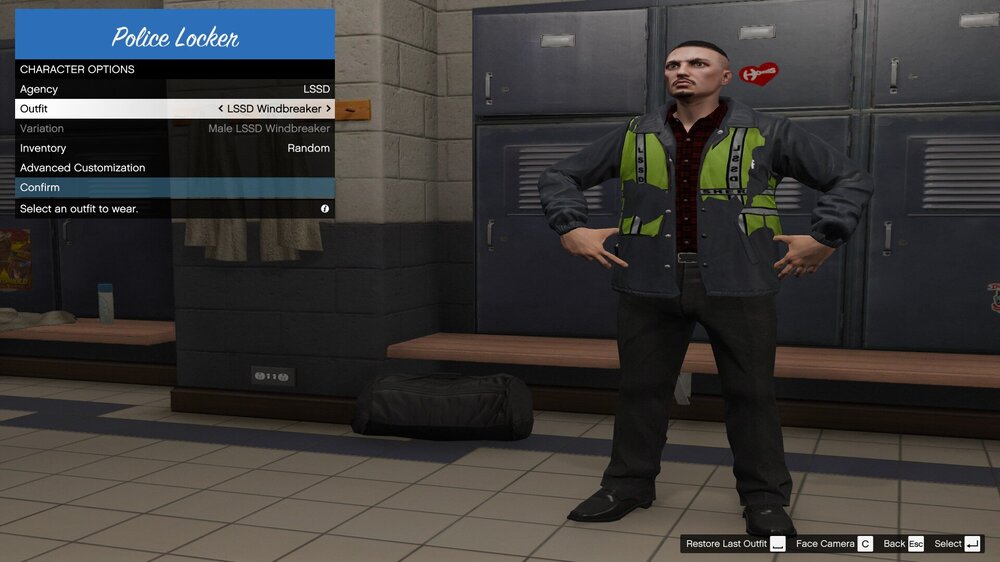
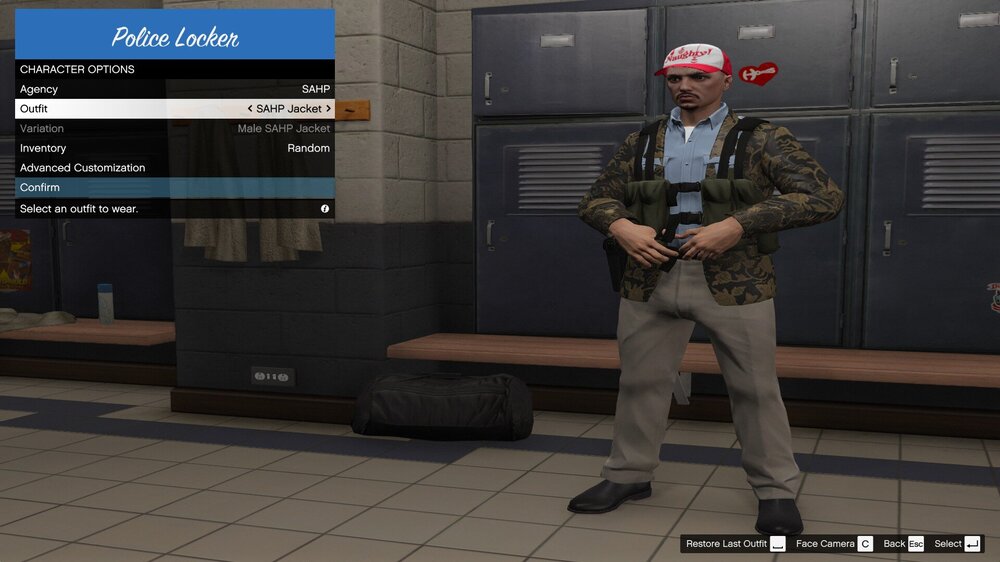
Sorry for the inconvenience but I actually didn't want to add more department variations, I just fixed the backpack bug individually. Now my game looks like this:
-
Thanks for the comment, I'll try to fix the EUP bug. But as for the yellow circle, it has remained like that for days... how can I force it to stop?



