


Excersu
Members
-
Joined
-
Last visited
Everything posted by Excersu
-
 Thanks for getting back to me. I wanted to test a different mod that has different search items to see if that would fix it and it did. It had me change the STP INI weapons. When I had this mod in my STP folder with your 2 files, I left the STP ini alone (for the weapons and all parameters as default). Nothing is changed inside that INI file between me exchanging from this mod to the other besides me having to change the "WeaponStrings...". I didn't say all that above to disrespect you or your mod at all, I think it's a fantastic mod. The narcotics part worked flawlessly for me. I tried googling and looking in these comments to see if I had to change the weapon parameters and saw nothing noting that. I tried reinstalling it too. Just unsure why the weapons part wasn't working for me, could be something on my end though no doubt. Just wanted to see if someone else was having the same issue or if it was a known thing possibly. Thanks again for responding. I'm going to try reinstalling this mod again and see what happens. I have the default STP ini file
- 29 comments
- 1 review
-
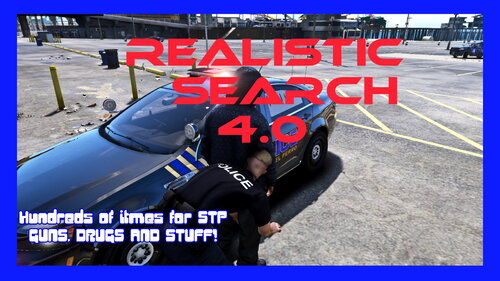
**UPDATE** I posted a YT video (unlisted) with examples of what I do and showing it not working. At the end of the video is a list of my plugins folder along with plugins>lspdfr folder. Still haven't gotten it to work. I have the mod for STP "Realistic Search".. the narcotics part of that works, as shown in the video, but not the weapons part. I have looked at the log and still cannot see why it is not working. Here is the link, https://youtu.be/nywLUtnQWVw I've tried multiple different ways while not recording and am still stumped. Thanks again
-
Unsure if my issue is related or not. I can't run any weapon serial number checks on weapons that I find on people. I use the hotkey F9 just like it states in my STP ini file. I saw that somebody else had a similar issue but with narcotics checks. Any suggestions?
- 29 comments
- 1 review
-
Hey all, I'm fairly new to actually playing LSPDFR. I've watched quite a few videos of people playing it, not that it gives me the knowledge for certain aspects. I've ran into a few firearms during my traffic stops and have tried to run the serial numbers on them (at the trunk of my vehicle) but whenever I do, it says something along the lines of "Make sure the owner or the vehicle where you found ... is still there", which they are or "No weapon is in the evidence box", whatever that means. It hasn't let me run a weapon even once. I do it either right after searching the person(s) or the vehicle then go to my trunk. Person(s) and vehicle are still on scene. Weapon's show up red. Just to verify, I've made sure to do it to people with and without gun licenses/permits. Tried it when it's stated something like "A A Firearm" and "Glock 17". The "A A Firearm" is exactly how it showed up in game. Any help would be great, thanks!

