


ljginger
Members
-
Joined
-
Last visited
Everything posted by ljginger
-
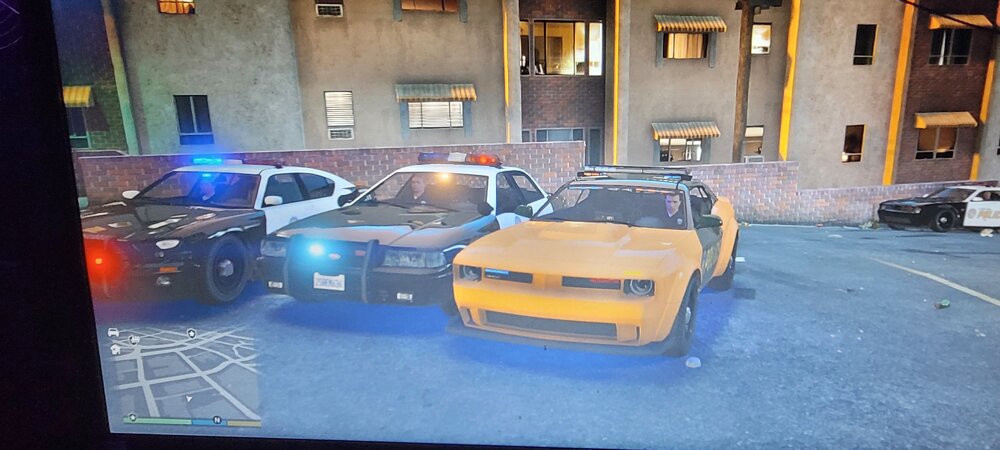
So all other emergency lights are fine but the née gauntlet police car lights are just very dim and can hardly be seen . They give off a light but just viability isn't there as seen in the picture. Has anyone had this issue. I have no els no added police cars just lspdfr and eup .one call out pack and make visual great again and better Radiance nothing else
-
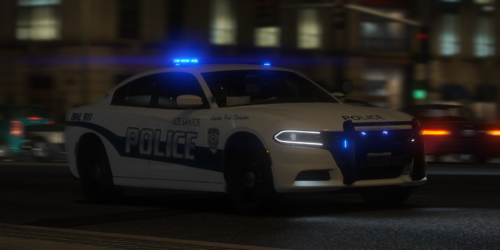 Just downloaded the pack to replace the sheriff and fbi but all the cars roll over . I followed the steps .. also the top light bars are all blacked out unless I go in and turn the window tints off
 -
 Anyone know of why I'm having crashes when I'm picking up the guns the criminals drop in a gun fight . It's any gun and then lspdfr just crashes RagePluginHook.log (1).txt
- 197 comments
- 37 reviews

