watermen
Members
-
Joined
-
Last visited
Everything posted by watermen
-
Here is the file:
-
I forgot my log: RagePluginHook_19082023_165700.log
-
Hello, i need some help. When i wanna talk to a ped while they are in the car the LSPDFR menu opens up together with the StopThe Ped menu leading to overlapping. I haven' t had this issue before i installed UltimateBackup. It tells me to change they key in keys.ini to none but when i do it crashes me. i really dont wanna change the stop the ped menu key so what can i do?
-
Thats my log RagePluginHook_19082023_113743.log
-
i dont know how to react to your post but How do i get the log? im really sorry im verry new to this.
-
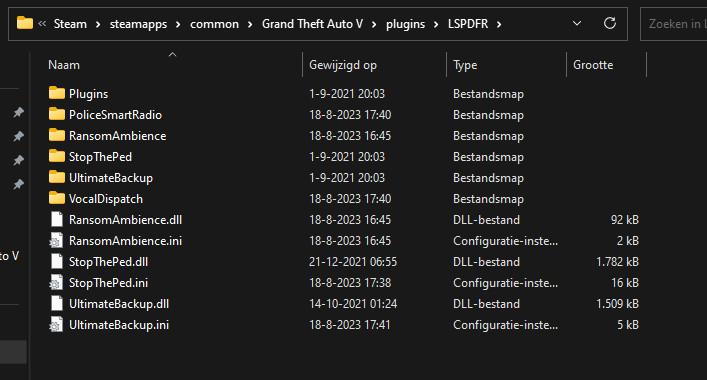
Whenever i try to launch the game it launches and when i load LSPD:FR it loads just fine but the plugins wont work at all. I edited the keybinds because they were interfering with eachother and i dont know if that has anything to do with it. So when i try to go on duty the game also crashes, soemtimes it doesnt and when it doesnt after a few minutes it says "LSPD First Response.dll has crashed" These are my plugins: