Skip to content
View in the app

A better way to browse. Learn more.

LCPDFR.com

A full-screen app on your home screen with push notifications, badges and more.

To install this app on iOS and iPadOS
  1. Tap the Share icon in Safari
  2. Scroll the menu and tap Add to Home Screen.
  3. Tap Add in the top-right corner.
To install this app on Android
  1. Tap the 3-dot menu (⋮) in the top-right corner of the browser.
  2. Tap Add to Home screen or Install app.
  3. Confirm by tapping Install.

SteppaAce

Members
  • Joined

  • Last visited

Everything posted by SteppaAce

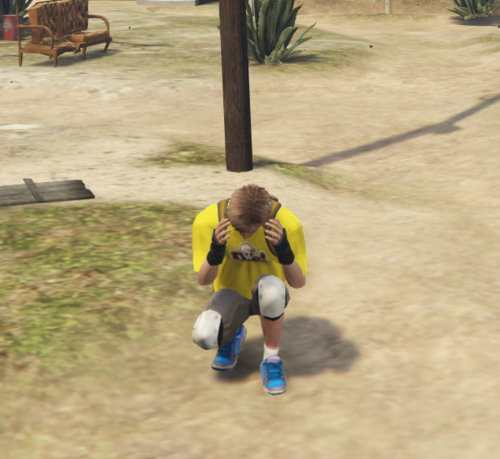
  1. Has a cool animation as your hiding, its like a crouching script but more in detail.
    • 142 downloads
    • Version 1.0.0
    1. Go to your resource folder drag and drop 2. Go to your server.cfg 3. If you want to edit the bind go to the client.lua file and it shows you there! If any support needed join the cord https://discord.gg/T79RXASP9M
Account

Navigation

Search

Search

Configure browser push notifications

Chrome (Android)
  1. Tap the lock icon next to the address bar.
  2. Tap Permissions → Notifications.
  3. Adjust your preference.
Chrome (Desktop)
  1. Click the padlock icon in the address bar.
  2. Select Site settings.
  3. Find Notifications and adjust your preference.