


Jpglo
Members
-
Joined
-
Last visited
Everything posted by Jpglo
-
Yeah my Police4 car is not showing up..installed like 2 packs that replaced em and it worked the past other 2 i downloaded and tried its just not showing up dunno why..if anyone knows why possibly that would be great...Im in patchday25ng btw tyty
-
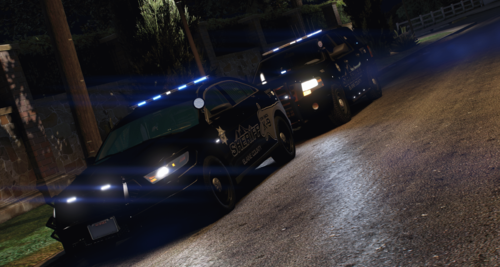 They livery looks nice af..the all black is whats turning me off to it..nice work tho a white version would be great
 -
 For the replace the crown vic is slicktop for some reason..Shame bc i gotta get another pack now but good job looks really good
 -
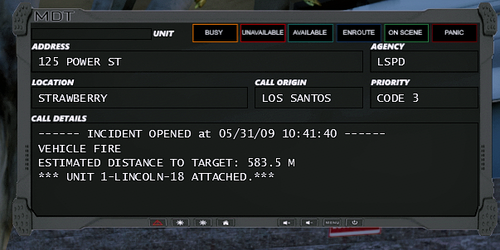 How do you install? i see you said read me for instructions but it just says go to textures but theres different folders and you didnt specify which folder and what exact images to replace...would it be in frames? Do i just replace the "normal" frame and thats it? or delete all in frames and drag the two images in?
- 6 comments
- 1 review
-
 How do you reverse ? its not letting me hold S to reverse EDIT: Nvm i see its space to switch directions..But immediate crash after reversing
- 330 comments
- 24 reviews
-
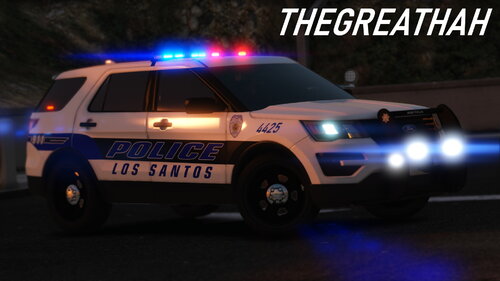 I keep seeing the dlc.rpf files in some packs..Where does that go if anyone knows? idk if this one does im downloading it rn but im jw if someone could answer that..ty
- 33 comments
- 4 reviews
-
I couldnt figure out why my sirens wasnt working after installing ELS..Keybind "J' Toggles the light modes..you have to press "J" Until you are in code 3 and then you press "G" to turn them on audio wise..which interferes with Stop The Ped keybind "G" but still works just opens stop the ped panel..Going to try to switch one of those keybinds right now for either STP or ELS myself but id figured id put this here to help someone else out..Ty Gl.


